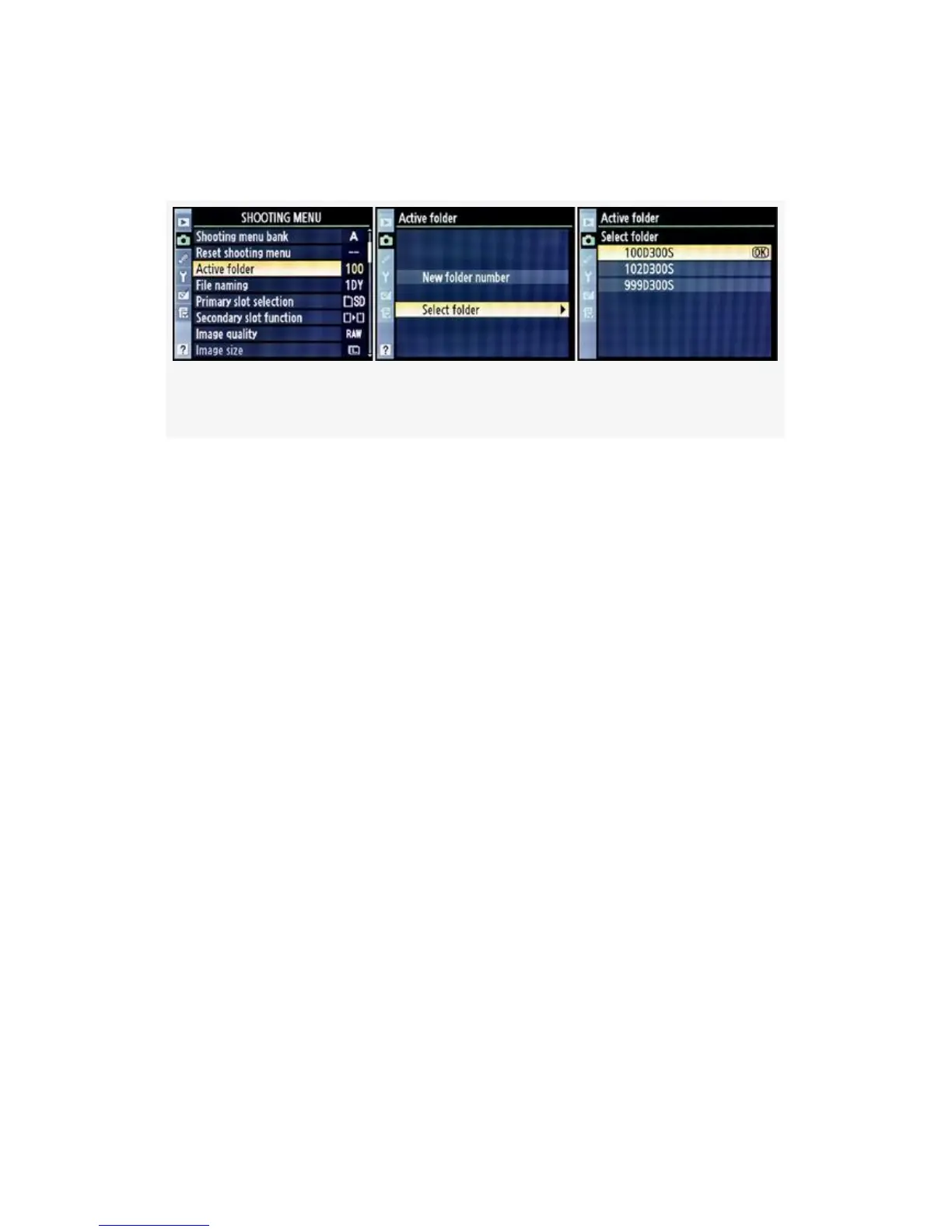
D300(S) makes that easy with the following screens and steps
(see Figure 3-6):
Figure 3-6. Selecting an existing folder number
1. Refer to Figure 3-6, images 1 and 2. Scroll down to
Select folder and then scroll right. You’ll see the
available folders displayed in a list that looks like the
one shown in Figure 3-6, image 3.
2. Select one of the folder numbers from the Select folder
menu.
3. Press the OK button. The camera will now switch back
to the Shooting Menu main screen, with the new folder
number showing next to Active folder.
All images will now be saved to this folder until you exceed
999 images in the folder or manually change to another. One
note of caution: If you are using folder 999D300S and the
camera records the 999th image—or if it records image
number 9999—the Shutter-release button will be disabled
until you change to a different folder.
My Recommendation: As memory cards get bigger and
bigger, I can see a time when this functionality will become
very important.
106



 To Next Page