find they have an ending of NOP and can be copied to the
NIKON folder on your memory card for later uploading to
the camera.
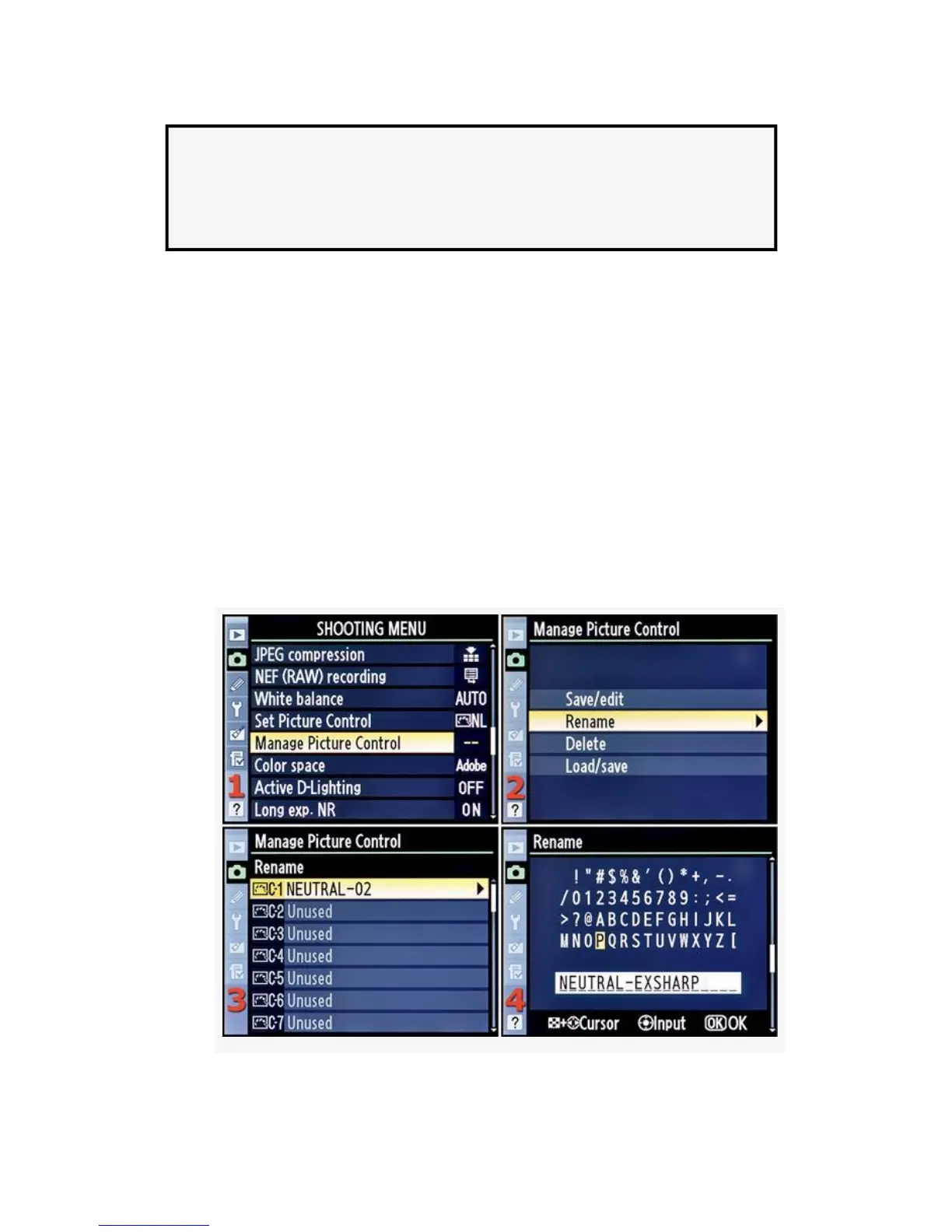
Rename a Custom Picture Control
If you decide to rename an existing Custom Picture Control,
you can do so with the following screens and steps (see
Figure 3-29):
1. Select Manage Picture Control from the Shooting Menu
and scroll to the right (see Figure 3-29, image 1).
2. Select Rename from the Manage Picture Control screen
and scroll to the right (see Figure 3-29, image 2).
177



 To Next Page