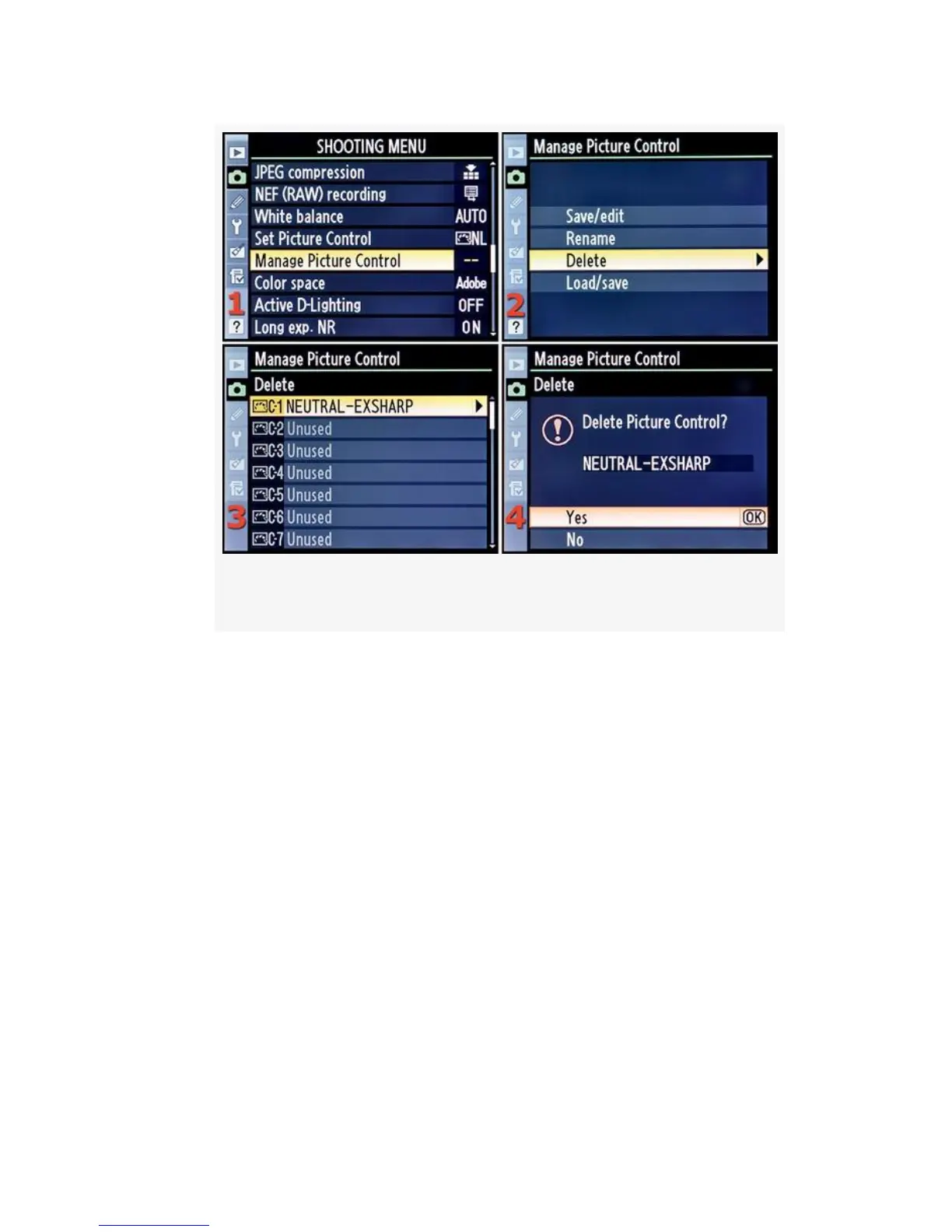
Figure 3-30. Delete a Custom Picture Control
3. Select one of the nine available Custom Picture Controls
and scroll to the right (see Figure 3-30, image 3). I
selected NEUTRAL-EXSHARP for deletion.
4. Choose Yes from the Delete menu (see Figure 3-30,
image 4).
5. Press the OK button and the Custom Picture Control will
be deleted from your camera.
Now, let’s move to our last menu selection from the Manage
Picture Control screen, Load/save.
180



 To Next Page