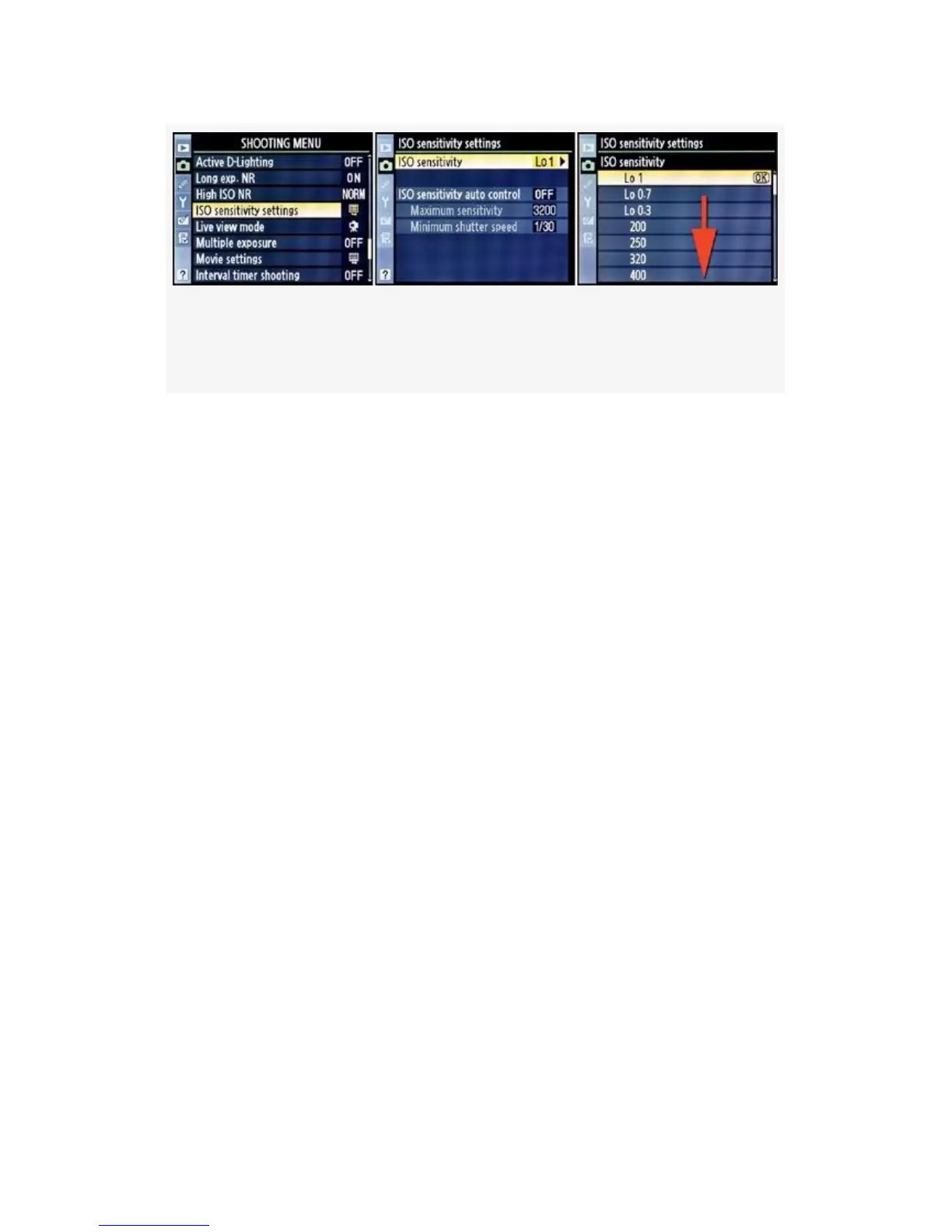
Figure 3-49. Setting ISO sensitivity from the Shooting
Menu
1. Choose ISO sensitivity settings from the Shooting Menu
and scroll to the right (see Figure 3-49, image 1).
2. Select ISO sensitivity from the menu and scroll to the
right.
3. Scroll up or down in the ISO sensitivity menu until you
highlight the ISO value you want to use.
4. Press the OK button to save the ISO sensitivity setting.
The standard minimum ISO sensitivity for the D300(S) is ISO
200. You may adjust the camera in a range from ISO
100–6400, in one-third steps. You can set Custom setting b1
to 1/3, 1/2, or 1 step. We’ll look at this more carefully in the
upcoming chapter titled Chapter 4.
Select your favorite ISO sensitivity setting, using either the
external camera controls or the Shooting Menu’s ISO
sensitivity settings function. If you’d like, you can simply let
your camera decide which ISO it would like to use. Let’s
consider this often-misunderstood feature in detail.
211



 To Next Page