ISO Sensitivity Auto Control
(ISO-AUTO)
You may have noticed in Figure 3-49, image 2, that there’s
another setting available, ISO sensitivity auto control, which
defaults to Off. This was known on earlier Nikon cameras as
ISO-AUTO.
This setting allows the camera to control the ISO sensitivity
and shutter speed according to the light levels sensed by the
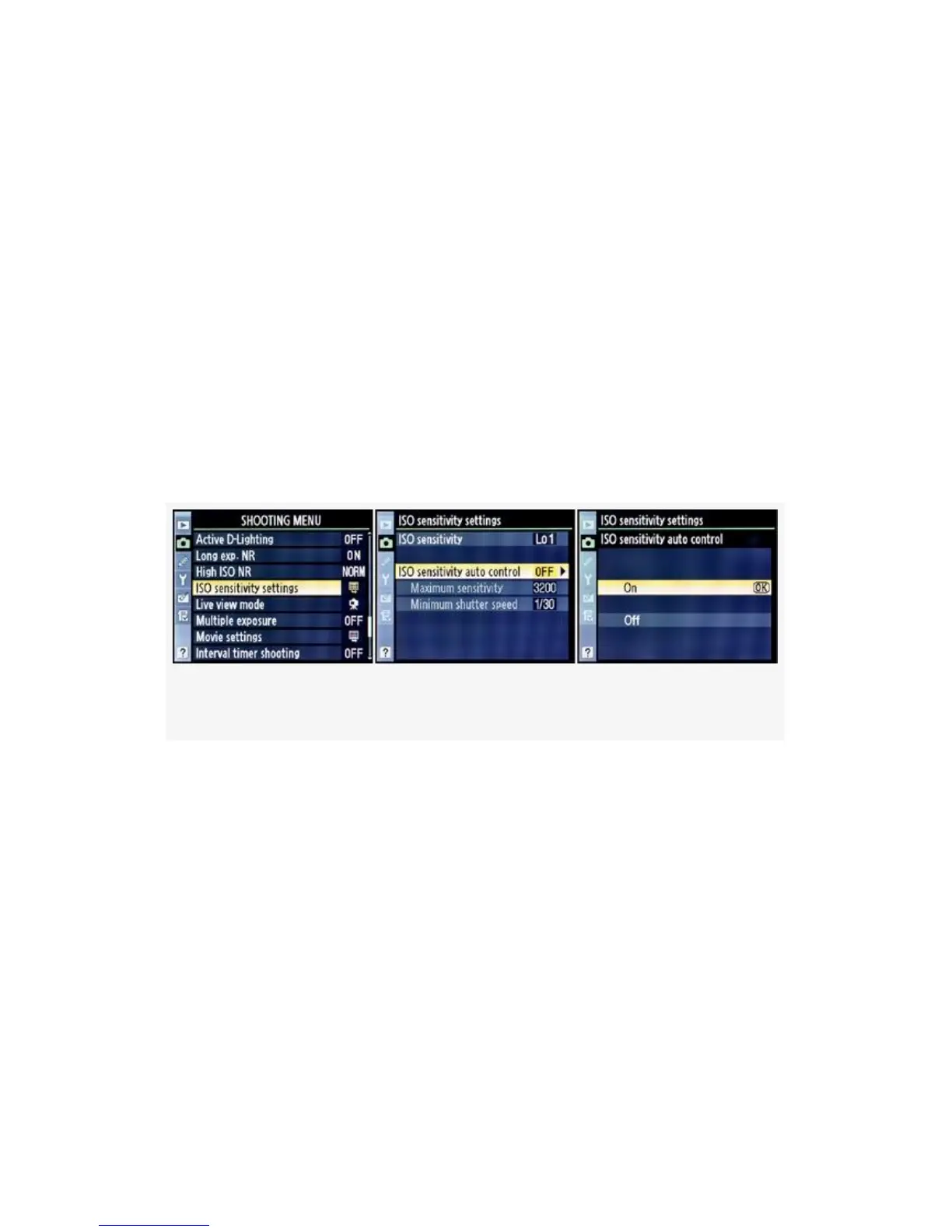
camera. In Figure 3-50 we see the Shooting Menu screens
used to enable the ISO sensitivity auto control.
Figure 3-50. Enabling the ISO sensitivity auto control
Once you’ve set ISO sensitivity auto control to On, you
should immediately set two values, according to how you
shoot: Maximum sensitivity and Minimum shutter speed.
Maximum Sensitivity
The Maximum sensitivity setting is a safeguard for you (see
Figure 3-51). It allows the camera to adjust its own ISO
sensitivity from the minimum value of ISO 200 to the value
set in Maximum sensitivity according to light conditions. The
camera will try to maintain the
212



 To Next Page