lowest ISO sensitivity it can to get the picture. However, if
needed, it can rapidly rise to the Maximum sensitivity level.
This setting overrides the normal ISO sensitivity settings.
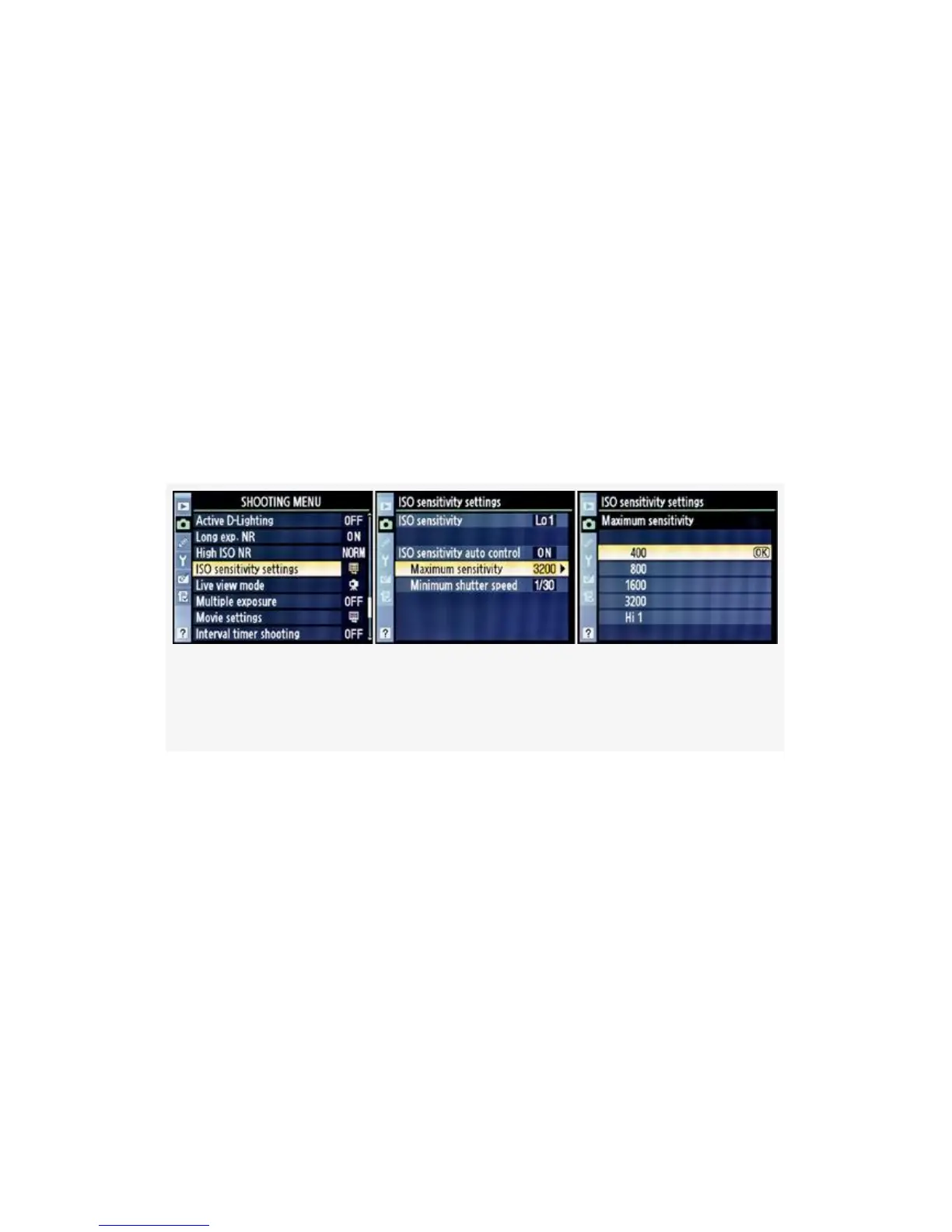
If you would prefer that the Maximum sensitivity not exceed
a certain ISO value, simply select from the list shown in
Figure 3-51, image 3. The Maximum sensitivity default is
ISO 3200. That’s too high for my taste, since it will let the
camera take the ISO sensitivity all the way up to ISO 3200 in
a low-light situation. Too much noise potential for me!
Maybe not for you? In any case, I set my camera’s Maximum
sensitivity to ISO 400, as shown in Figure 3-51, image 3.
Figure 3-51. ISO sensitivity auto control – Maximum
sensitivity
You’ll note that there are only five available settings: 400,
800, 1600, 3200, and Hi 1. The Maximum sensitivity setting
you choose is the maximum ISO value the camera will use to
get a good exposure when the light drops.
Interestingly, Custom setting b1 does not control the
incremental ISO numbers between these primary values. I
carefully set up my D300S to test this and found that it would
often use an intermediate value like ISO 640, 1100, 1250,
2000, or 2200 as the light got darker and darker. It did this
whether I set Custom setting b1 to 1/3, 1/2, or 1 EV step. Just
213



 To Next Page