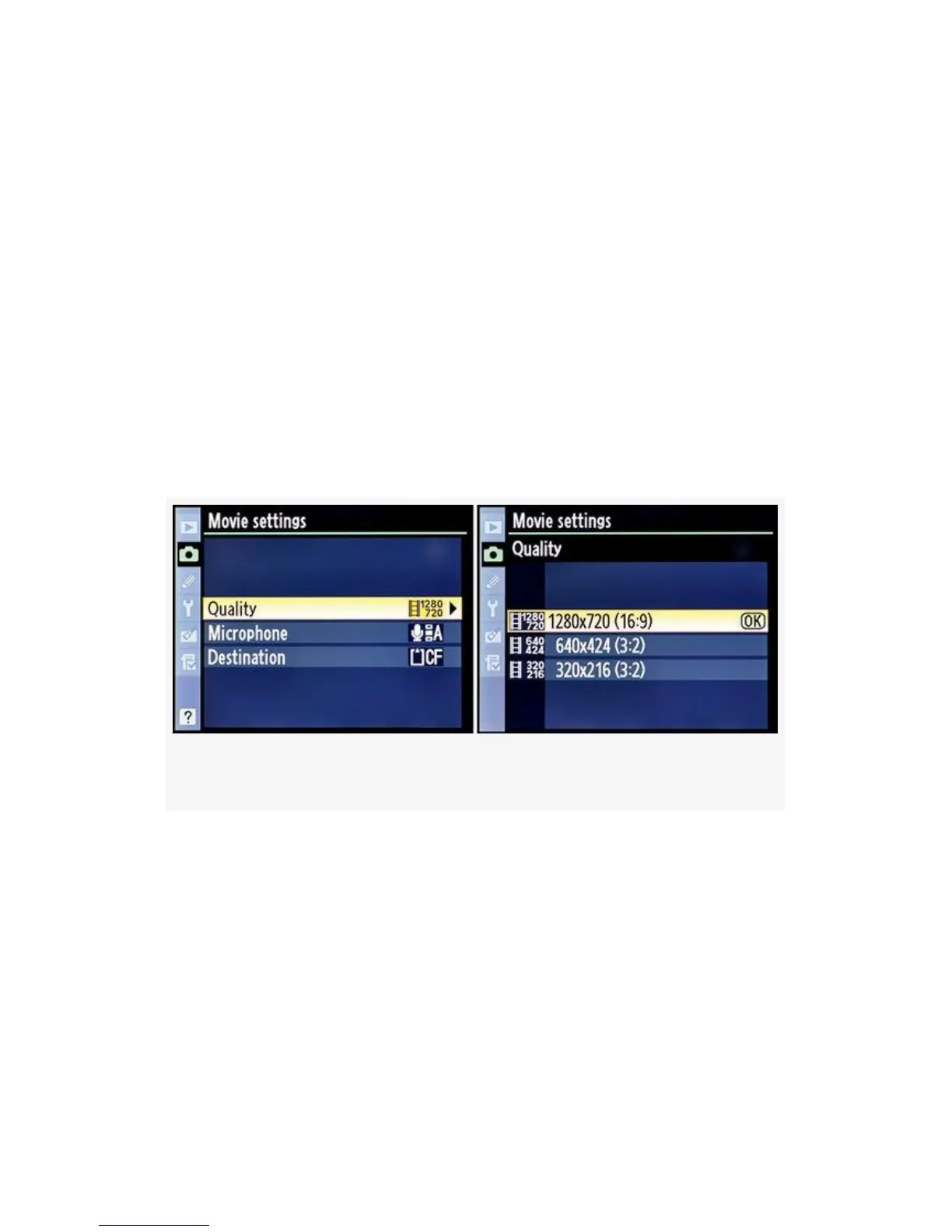
You have three choices available: 1280×720 (or 720p HD),
along with two SD modes, 640×424 and 320×216. The
numbers following the resolution numbers—16:9 and
3:2—are format sizes. 16:9 is the standard HD format and
will display on an SDTV in the wide-screen format, with a
black band on the top and bottom of the screen. 3:2 more
closely matches the SDTV
format (regular TV) we’ve been using for years, but which is
rapidly becoming obsolete. 3:2 will display full-screen on a
normal TV. The HD format (1280×720) has a limit of 5
minutes recording time. The other two SD formats can record
20-minute video clips.
Figure 3-58. D-Movie mode – Quality
Here are the steps to choose a Quality setting:
1. Continuing from Figure 3-57 (Shooting Menu > Movie
settings), select Quality from the Movie settings menu
and scroll right (see Figure 3-58).
2. Select one of the three formats for video recording.
3. Press the OK button to choose the format.
233



 To Next Page