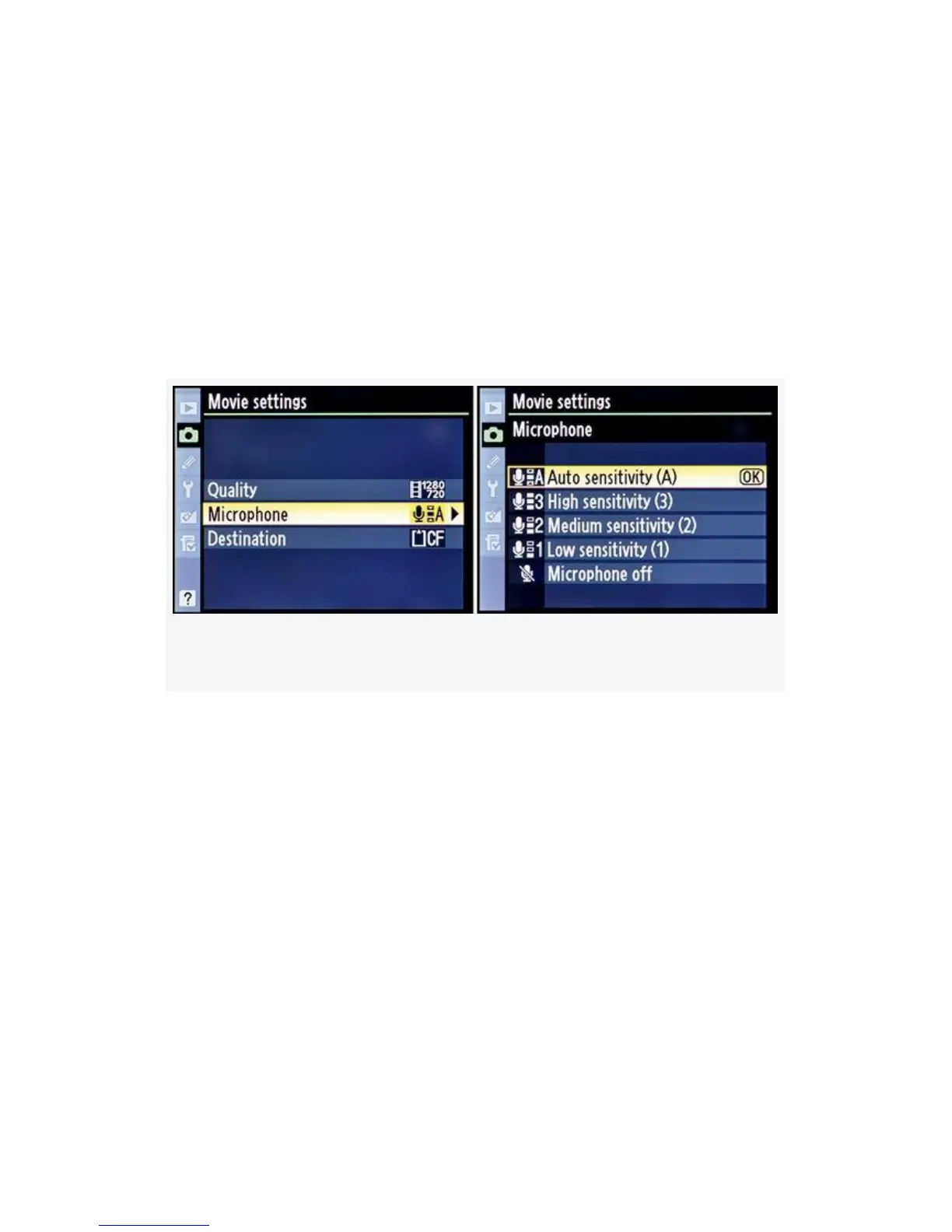
Now, let’s look into the Microphone settings (see
Figure 3-59). The D300S has a built-in Microphone, which
you can see by looking for the three small holes just below
the D300S logo on the front of the camera. Be careful not to
block them when recording. You can also buy a plug-in stereo
mic that will use the stereo plug under the rubber flap on the
side of the camera. We’ll look into this a little deeper when
we get to the chapter called Chapter 8.
Figure 3-59. D-Movie mode – Microphone
You can select from four sound-level settings—Auto, High,
Medium, and Low—or set the Microphone setting to Off.
Here are the steps to select a sound-level setting:
1. Continuing from Figure 3-57 (Shooting Menu > Movie
settings), select Microphone from the Movie settings
menu and scroll right (see Figure 3-59).
2. Select one of the five choices for sound-level sensitivity.
3. Press the OK button to lock in the mic sound level.
Next, we’ll examine the final Movie setting called
Destination. Destination lets you choose which memory card
will receive and store your camera’s video recordings. Just
234



 To Next Page