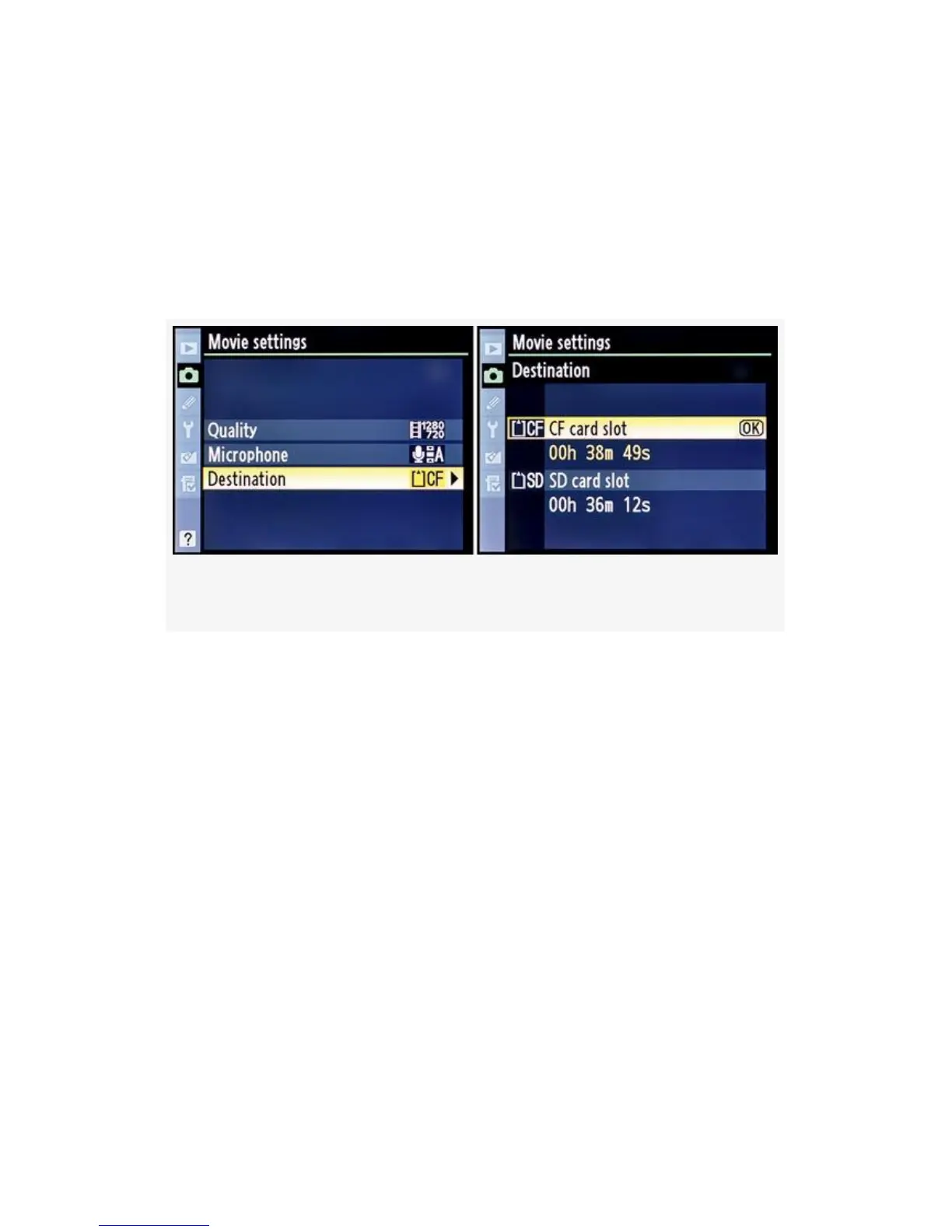
below the card slot selections you will see something like 00h
38m 49s. This is the total recording time the particular card
will hold. The HD mode, which I have selected, creates
surprisingly large files. As shown in Figure 3-60, image 2, I
can only hold about 35-45 minutes on an 8 GB Compact
Flash card.
Figure 3-60. D-Movie mode – Destination
If you’re serious about shooting video with your camera, you
better buy some high-capacity cards—you’ll need them! Here
are the steps to select a Destination for D-Movies:
1. Continuing from Figure 3-57 (Shooting Menu > Movie
settings), select Destination from the Movie settings
menu and scroll right (see Figure 3-60).
2. Select one of the two cards slots.
3. Press the OK button.
My Recommendation: When you shoot a D-Movie, have a
specific display type in mind. If you have an older SDTV, the
640×424 format fits the screen well. An HD TV requires the
1280×720 format so that you can display 720p video. Notice
235



 To Next Page