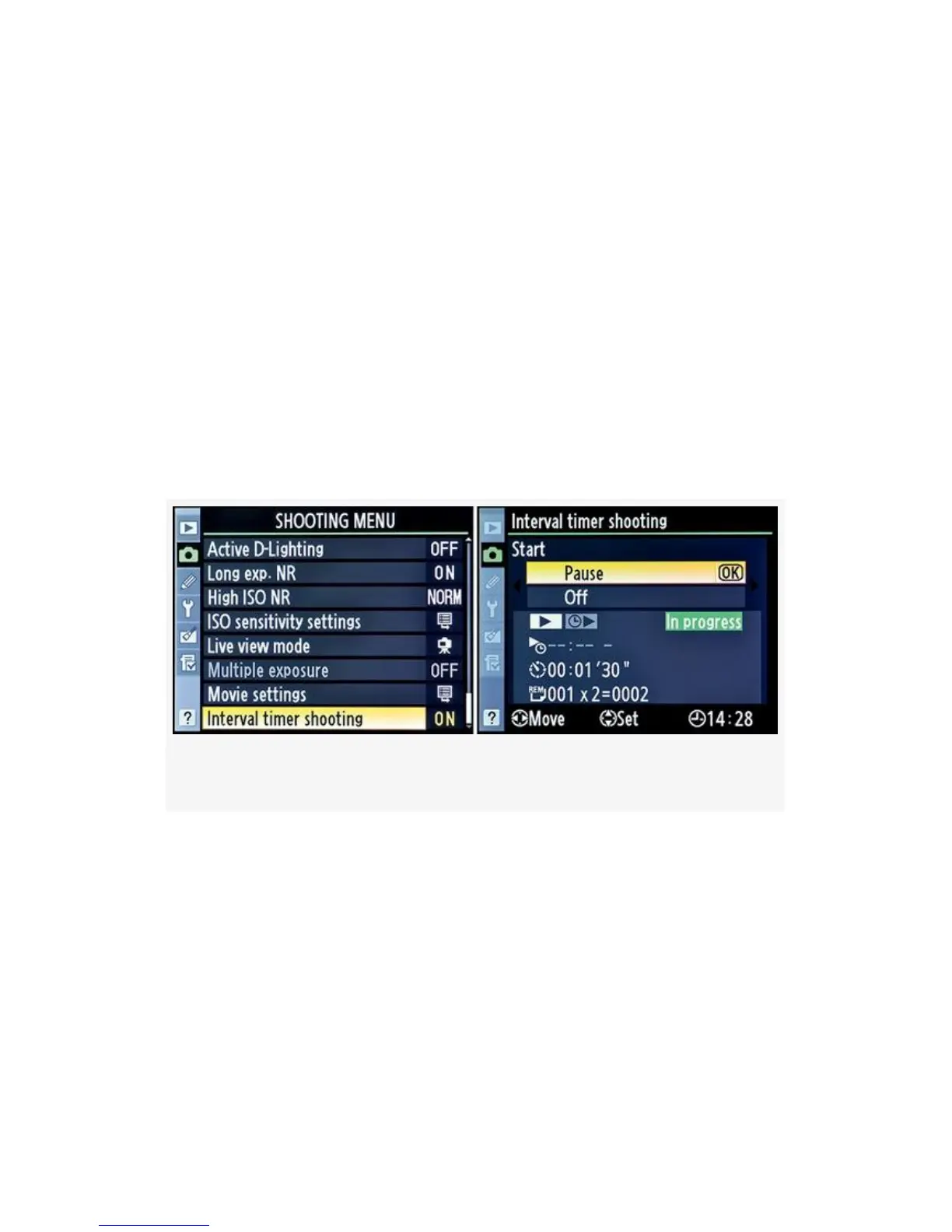
and scroll to the right (see Figure 3-63). This won’t work if
your intervals are very close together.
Notice how Figure 3-63, image 1, shows that Interval timer
shooting is, proving that an interval is in progress.
After scrolling to the right, you can select Pause or Off from
the screen with the bright green In progress bar (see
Figure 3-63, image 2). At the bottom of the screen, you will
also see the starting time (Now will show a series of dashes,
as shown), current interval delay, and number of intervals and
shots remaining, in case you don’t want to pause or stop it but
just want to see how things are going.
Figure 3-63. Checking on operations between intervals
The number of intervals remaining will be displayed on the
Control panel, in the same spot the shutter speed is normally
displayed. The place that normally displays the aperture will
instead display the number of shots remaining in the current
interval setup.
Note: Be sure to adjust any bracketing for the exposure or
flash (AE & flash or Flash only), or Active D-Lighting (ADL
bracketing) before you start Interval timer shooting.
241



 To Next Page