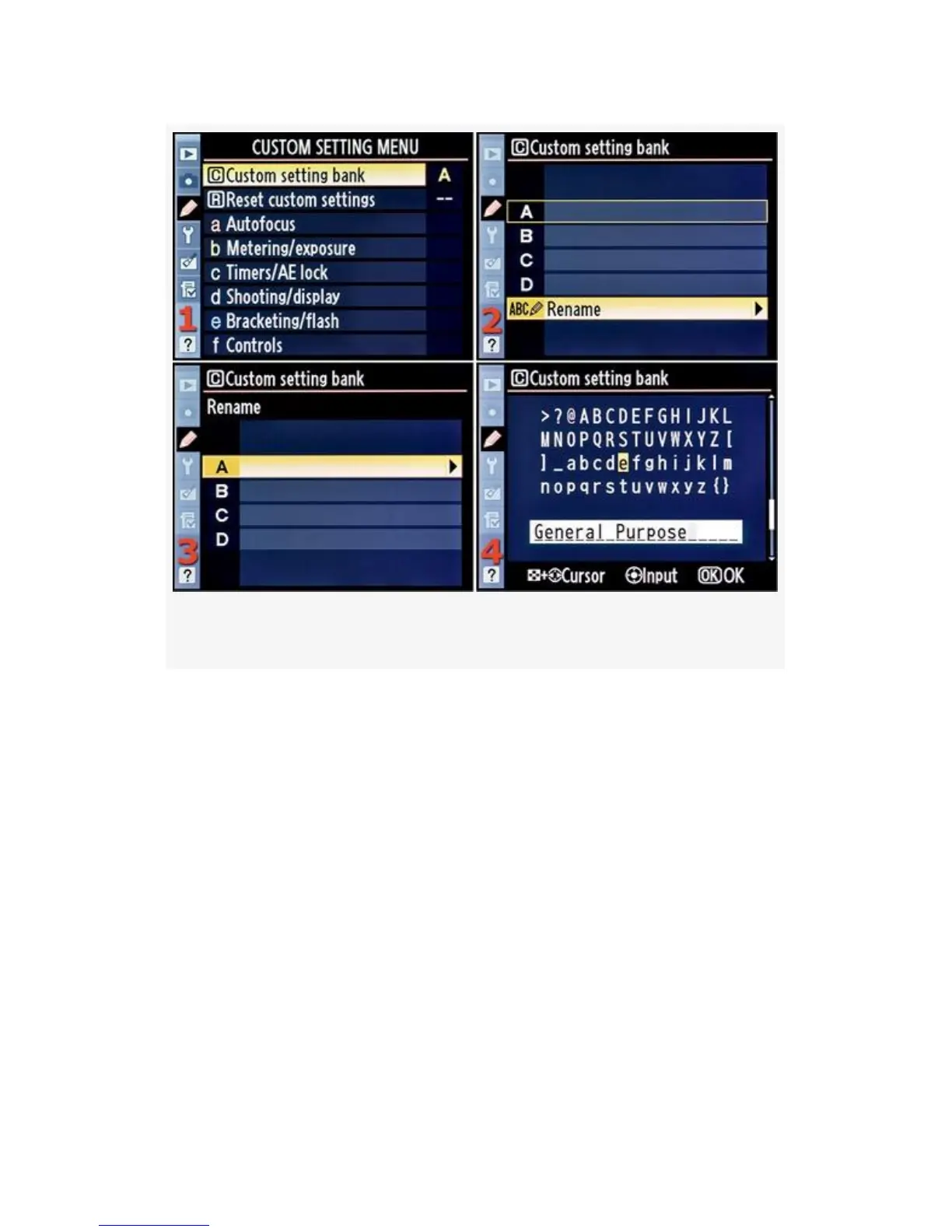
Figure 4-2. Renaming Custom setting bank A
Here are the steps to rename a Custom setting bank (see the
screens in Figure 4-2):
1. Select Custom setting bank from the Custom Setting
Menu and scroll to the right.
2. Notice that in the first screen of Figure 4-2, Custom
setting bank has an A after it. This means that your
camera is using bank A. If any letter other than A is
showing, you are in a different Custom setting bank. Set
the bank to A, and we’ll add a new name so that you’ll
be able to see at a glance what this particular bank is set
up to accomplish. Scroll to the right (see Figure 4-2,
image 2).
247



 To Next Page