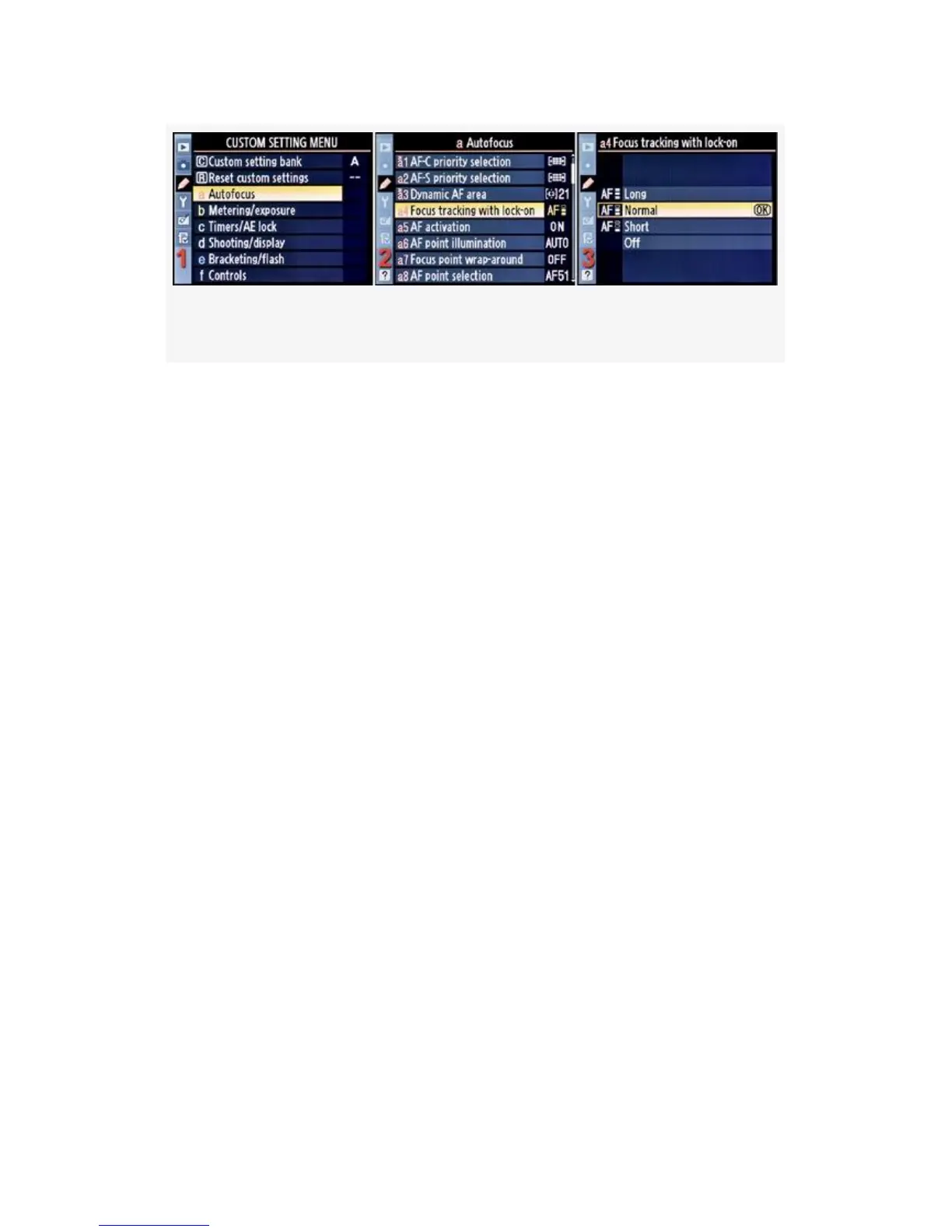
Figure 4-9. Focus tracking with lock-on
1. Select a Autofocus from the Custom Setting Menu and
scroll to the right (see Figure 4-9, image 1).
2. Highlight Focus tracking with lock-on and scroll to the
right (see Figure 4-9, image 2).
3. Choose one of the four choices from the menu.
Figure 4-9, image 3, shows Normal, or about 1.5 seconds
time-out.
4. Press the OK button to select the time-out period.
Let’s discuss the time-out periods in a little more detail. They
are as follows:
▪ Long (about 2 seconds)
▪ Normal (about 1.5 seconds)
▪ Short (about 1 second)
This allows you to fine-tune how you want Focus tracking
with lock-on to work. The camera can ignore an intruding
subject for a second or more.
With Single-point AF, the camera will start the lock-on
time-out as soon as the single AF point is unable to detect the
subject.
266



 To Next Page