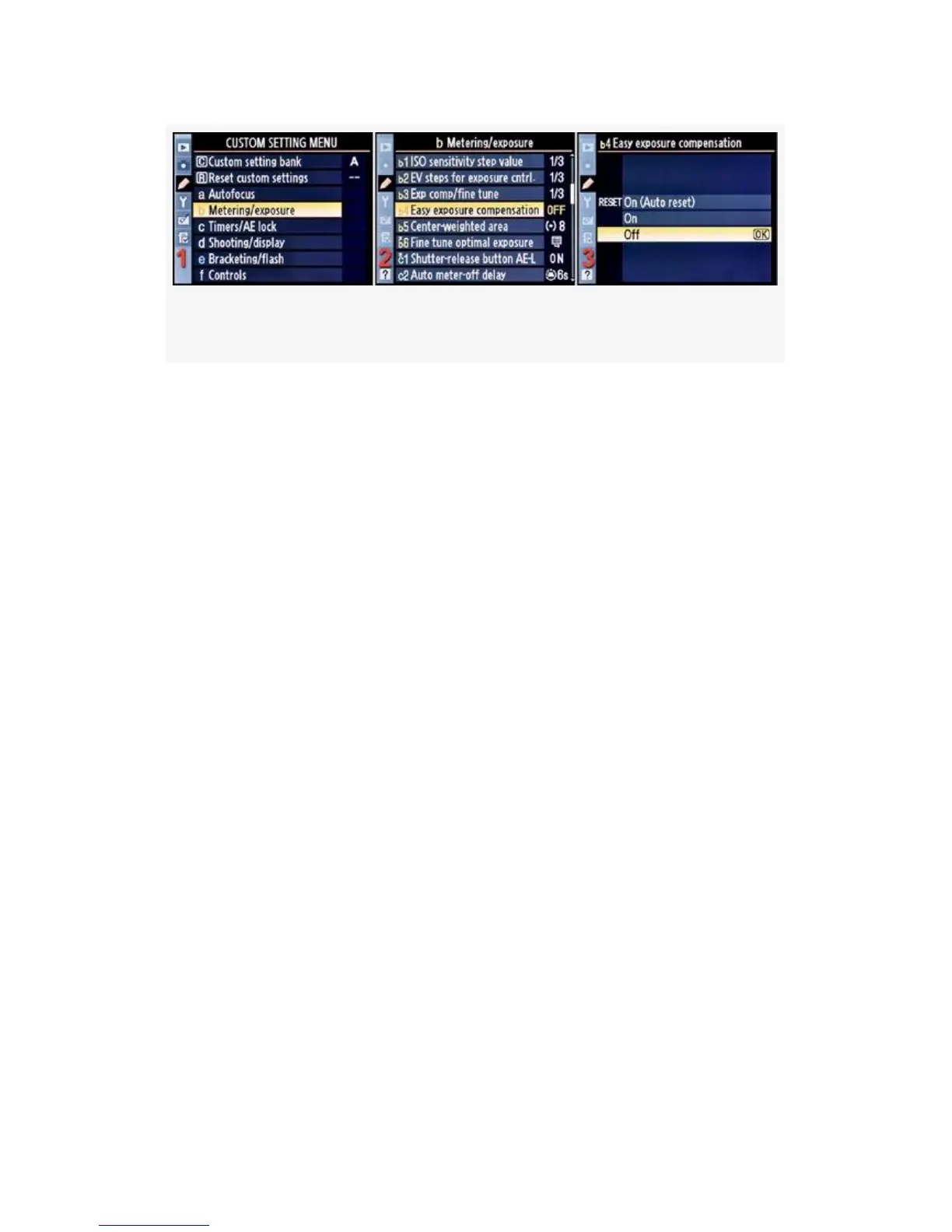
Figure 4-20. Easy exposure compensation
1. Select b Metering/exposure from the Custom Setting
Menu and scroll to the right (see Figure 4-20, image 1).
2. Highlight Easy exposure compensation and scroll to the
right (see Figure 4-20, image 2).
3. Choose one of the three items on the menu. In
Figure 4-20, image 3, Off has been selected.
4. Press the OK button to lock in the setting.
If you set the camera to Reset On (Auto reset) or simply to
On, you can use the Command dials to set exposure
compensation instead of the normal +/- Exposure
compensation button. Off means what it says. If you use the
normal +/- Exposure compensation button, it overrides the
settings of Easy exposure compensation. Each exposure mode
(P, S, A, M) reacts somewhat differently to Easy exposure
compensation.
Let’s consider how the P-Program, S-Shutter Priority, and
A-Aperture Priority modes act when you use the three
settings above.
The M-Manual mode does not seem to be affected by Custom
setting b4, although it does work with the normal +/-
Exposure compensation button.
293



 To Next Page