Center-weighted area meter. It’s cool that Nikon gives us a
choice. You have three meter styles in your camera, thereby
adding to its chameleon status.
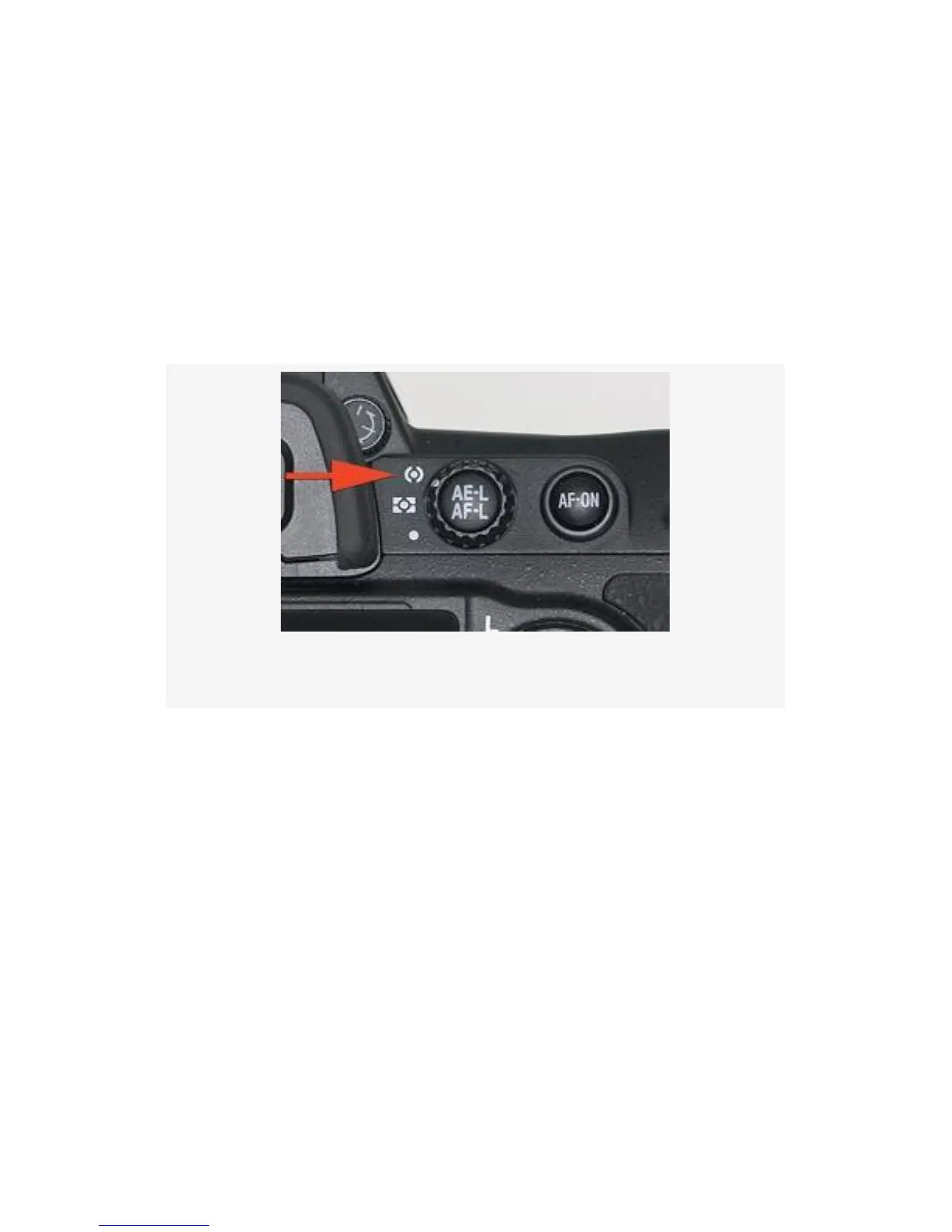
On the camera’s back, between the Viewfinder eyepiece and
the AF-ON button, you’ll find the AE-L/AF-L button (see
Figure 4-22). Surrounding the AE-L/AF-L button is a small
knurled ring called the Metering selector.
Figure 4-22. Metering mode
It has a white line pointing to three symbols on the left of the
ring. The top symbol is the Center-weighted area meter (red
arrow), the middle is the Matrix meter, and the bottom is the
Spot meter.
We are concerned with the Center-weighted area meter in this
section.
The Center-weighted area meter can be configured to use a
central area of the Viewfinder to do most of its metering, with
less attention paid to subjects outside this area, or it can be set
up to simply average the entire frame.
296



 To Next Page