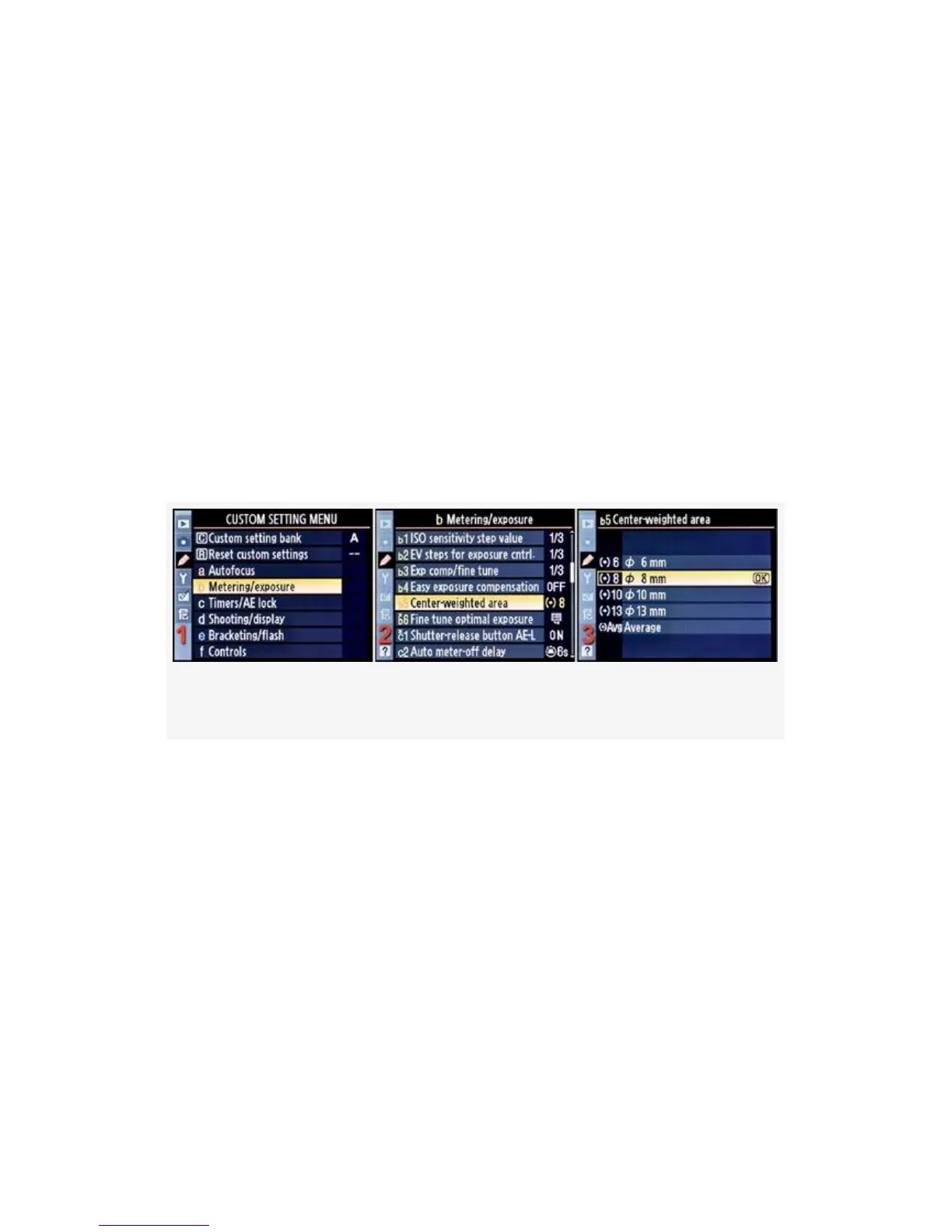
Here are the five settings used by the camera’s
Center-weighted area metering system:
▪ 6 or 6mm
▪ 8 or 8mm
▪ 10 or 10mm
▪ 13 or 13mm
▪ Avg or Average
Here are the screens and steps used to choose a
Center-weighted area metering mode (see Figure 4-23):
Figure 4-23. Center-weighted area
1. Select b Metering/exposure from the Custom Setting
Menu and scroll to the right (see Figure 4-23, image 1).
2. Highlight Center-weighted area and scroll to the right
(see Figure 4-23, image 2).
3. Choose one of the five items on the menu. In
Figure 4-23, image 3, 8mm has been selected.
4. Press the OK button to lock in the setting.
Let’s see how each mode works. Figure 4-24 shows the
approximate size of the most sensitive area in the Viewfinder
297



 To Next Page