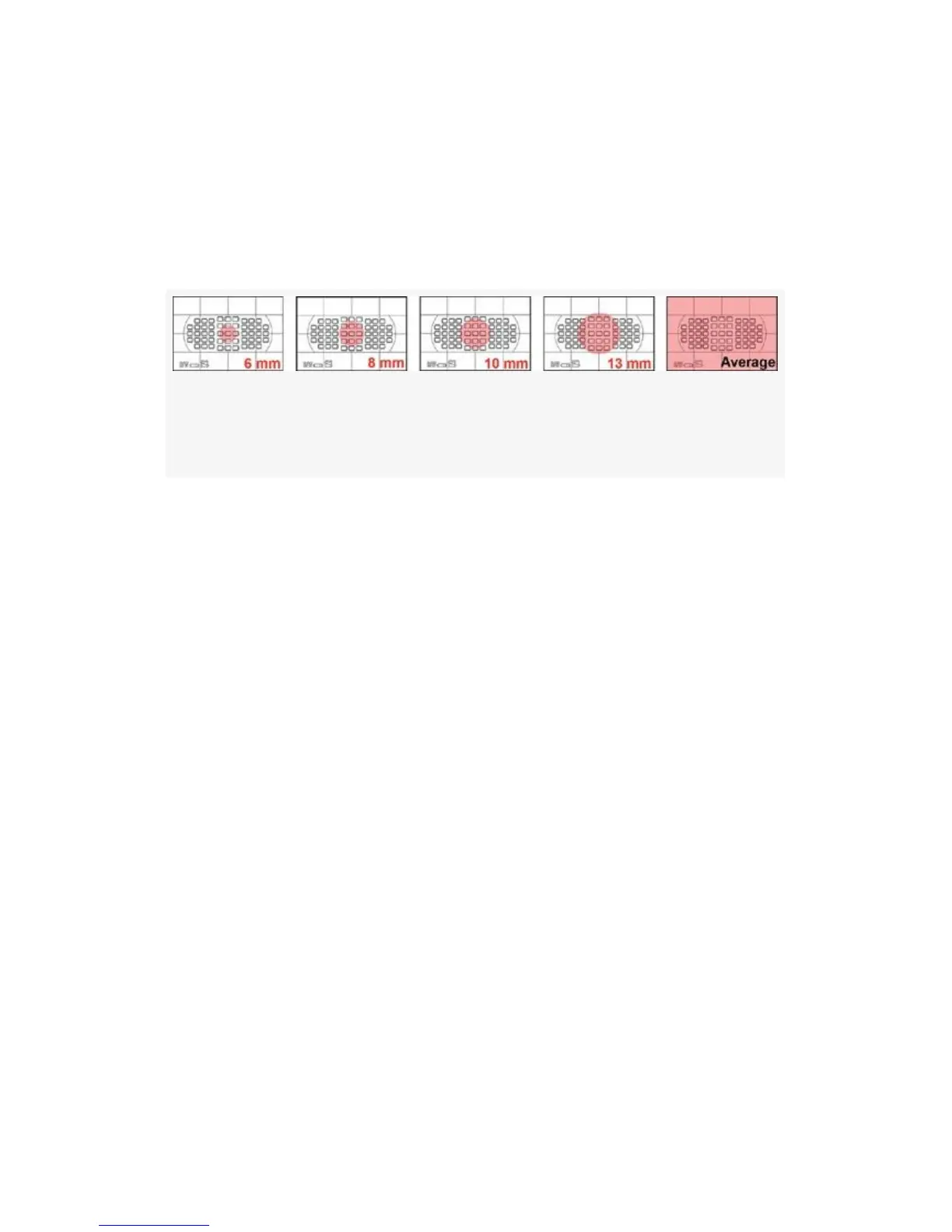
for each step of the Center-weighted area meter. The pink
circle is the most sensitive area for metering, and it gets larger
for each setting. In the final frame of Figure 4-24, the entire
frame is equally sensitive and averages everything seen in the
Viewfinder.
Figure 4-24. Center-weighted metering pattern areas shown
in pink
When using the Center-weighted area metering mode, the
metering system uses an invisible circle in the center of the
Viewfinder to meter the subject. Setting it down to 6mm
makes it almost small enough to be a spot meter because the
real Spot metering mode of the camera uses a 3mm circle
surrounding the currently selected AF point.
The Center-weighted area meter does not move around with
the currently selected AF point as the true Spot meter does.
Instead, it assigns the greatest weight to the center of the
Viewfinder frame, and everything outside the circle in the
center is not as important.
Each size increase from 6, 8, 10, to 13mm will increase the
sensitivity of the center of the Viewfinder so that more
emphasis is given to a larger area in the middle.
If you select the Avg – Average setting, the entire Viewfinder
frame is used to meter the scene. The camera takes an average
of the entire frame by including all light and dark areas mixed
together for an averaged exposure.
298



 To Next Page