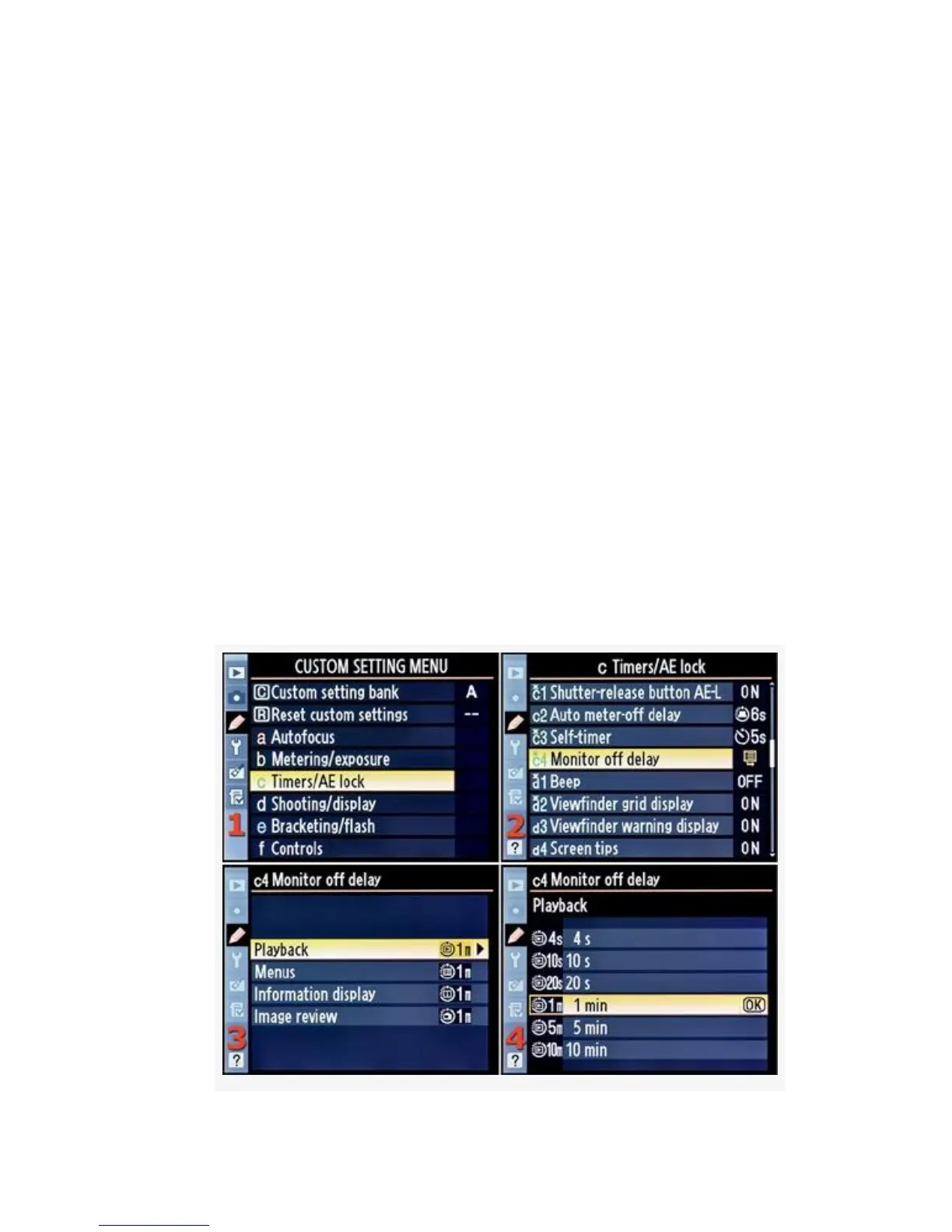
First, let’s examine the D300S method, with individual
time-outs, and then we’ll look at how the D300 does it with
its single time-out value.
D300S Only – Monitor Off Delay
The D300S has more functionality built into the Monitor off
delay section than the D300 does. You can set a different
Monitor off delay for each of the four displays on the D300S.
Here are the screens and steps to set Monitor off delay for
each of the four D300S display types (see Figure 4-29):
1. Select c Timers/AE lock from the Custom Setting Menu
and scroll to the right (Figure 4-29, image 1).
2. Highlight Monitor off delay and scroll to the right
(Figure 4-29, image 2).
312



 To Next Page