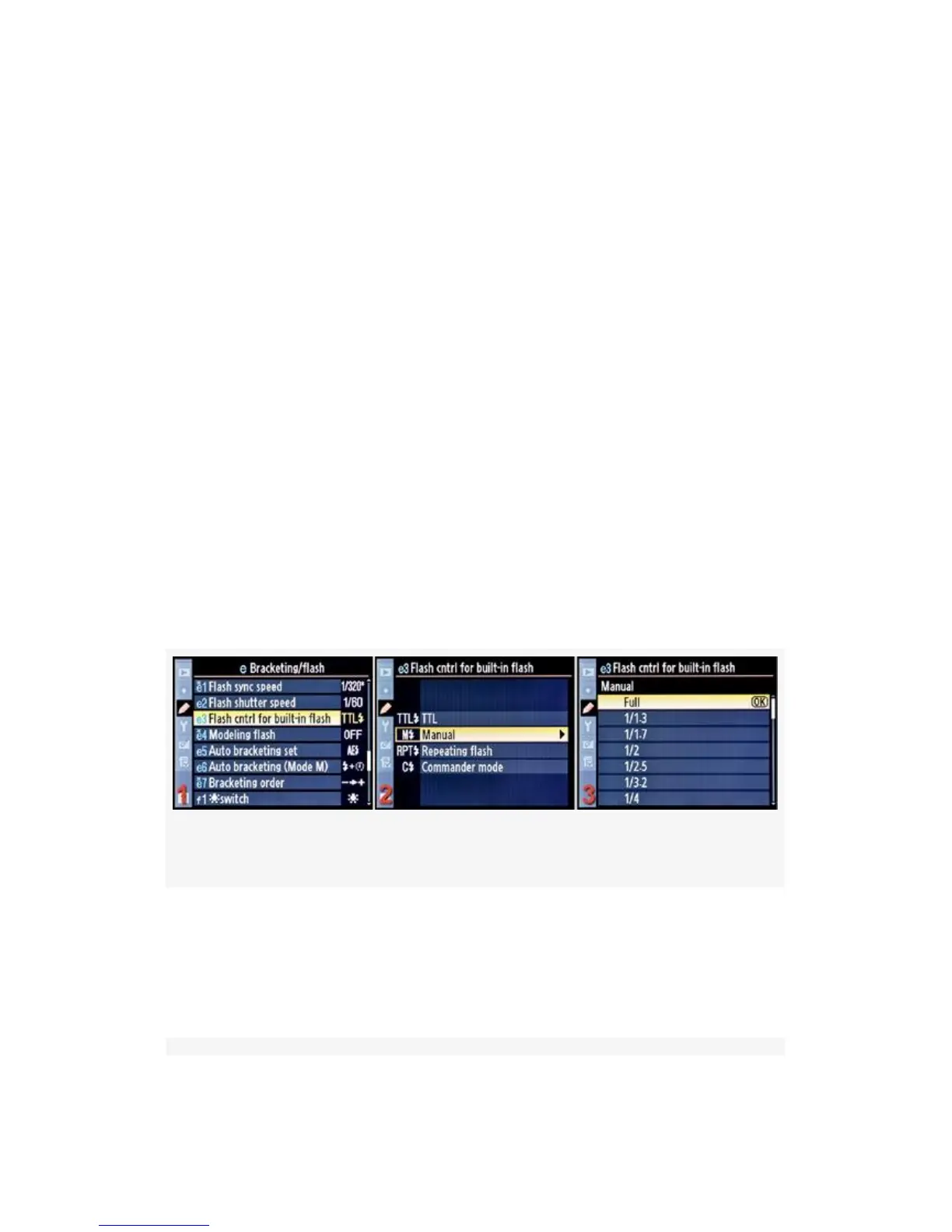
2. Highlight Flash cntrl for built-in flash and scroll to the
right (see Figure 4-50, image 2).
3. Choose one of the four choices on the list. In
Figure 4-50, image 3, TTL has been selected. The other
choices will be detailed in Figure 4-51-Figure 4-53.
4. Press the OK button to lock in the setting.
Let’s consider each of these modes.
TTL (see Figure 4-50) – Also known as iTTL, this mode is
the standard way to use the camera for flash pictures. TTL
stands for Through The Lens, and it allows very accurate and
balanced flash output using a pre-flash method to determine
correct exposure before the main flash burst fires. This is a
completely automatic mode and will adjust to distances, along
with the various shutter speeds and apertures your camera is
using.
Figure 4-51. Flash cntrl for built-in flash – Manual mode
M – Manual (see Figure 4-51) – This mode allows you to
manually control the output of your flash. The range of
settings can go from Full power to 1/128 and a range of
settings in between.
354



 To Next Page