The D300S and D300 have slightly different menus for the
next function. The D300S has a function called Choose slot
and folder, while the D300 has Choose folder. The cameras’
menus are different under this setting because the D300 has
no extra SD memory card slot, while the D300S has both an
SD and CF card slot. I’ve divided the two menus into separate
sub-sections to prevent confusion.
Choose slot and folder (D300S)
When you select Choose slot and folder in the D300S, you’ll
have a couple of screens available when you are examining an
image in Playback mode. You get to these screens by pressing
the Multi Selector center button.
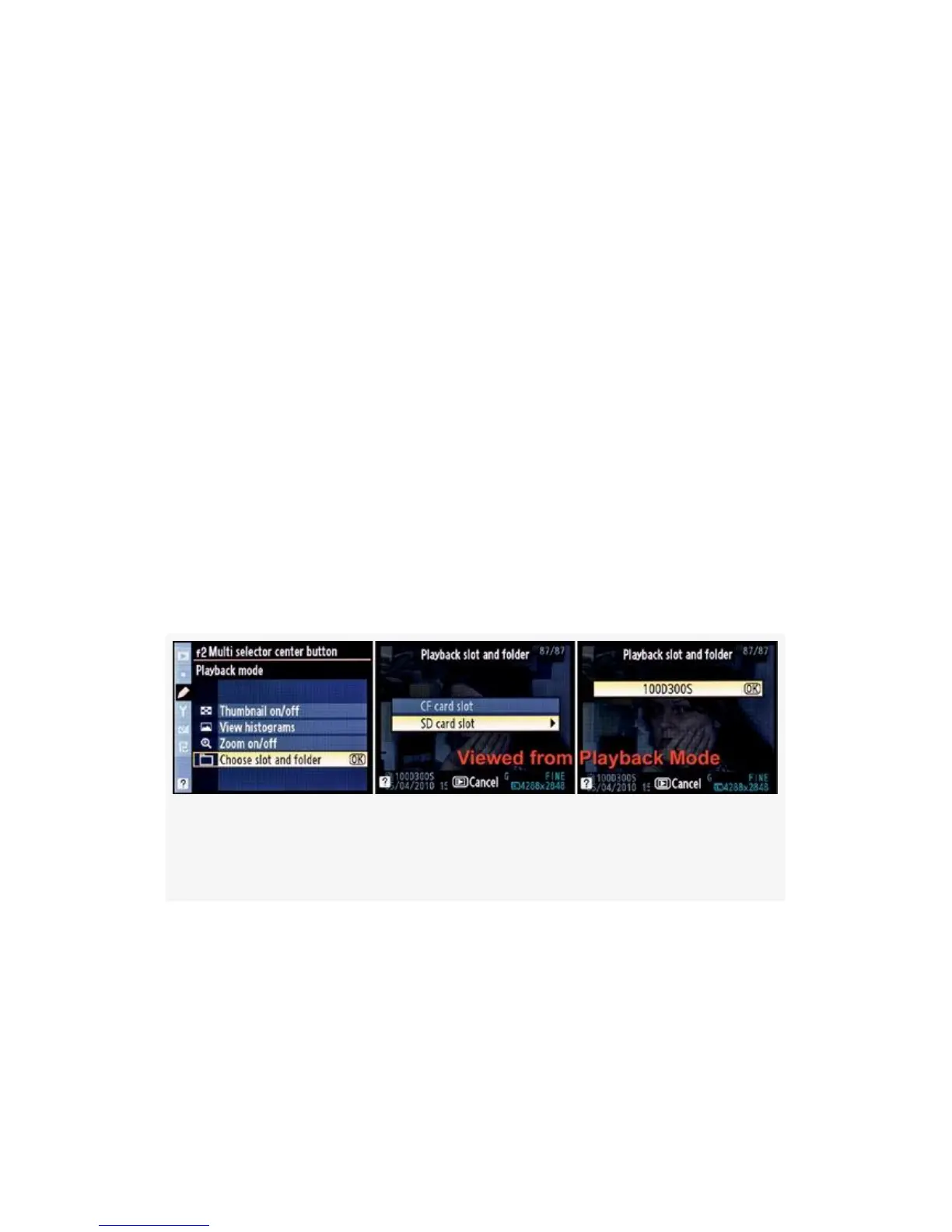
Here is a look at the screens (see Figure 4-68, images 2 and
3):
Figure 4-68. Multi selector center button (Choose slot and
folder – D300S)
Notice in Figure 4-68, that when you’ve selected Choose slot
and folder you are able to switch between the camera’s two
card slots and between any folders you have on the selected
card. You can only get to these screens by pressing the Multi
selector center button when a picture is on the Monitor.
392



 To Next Page