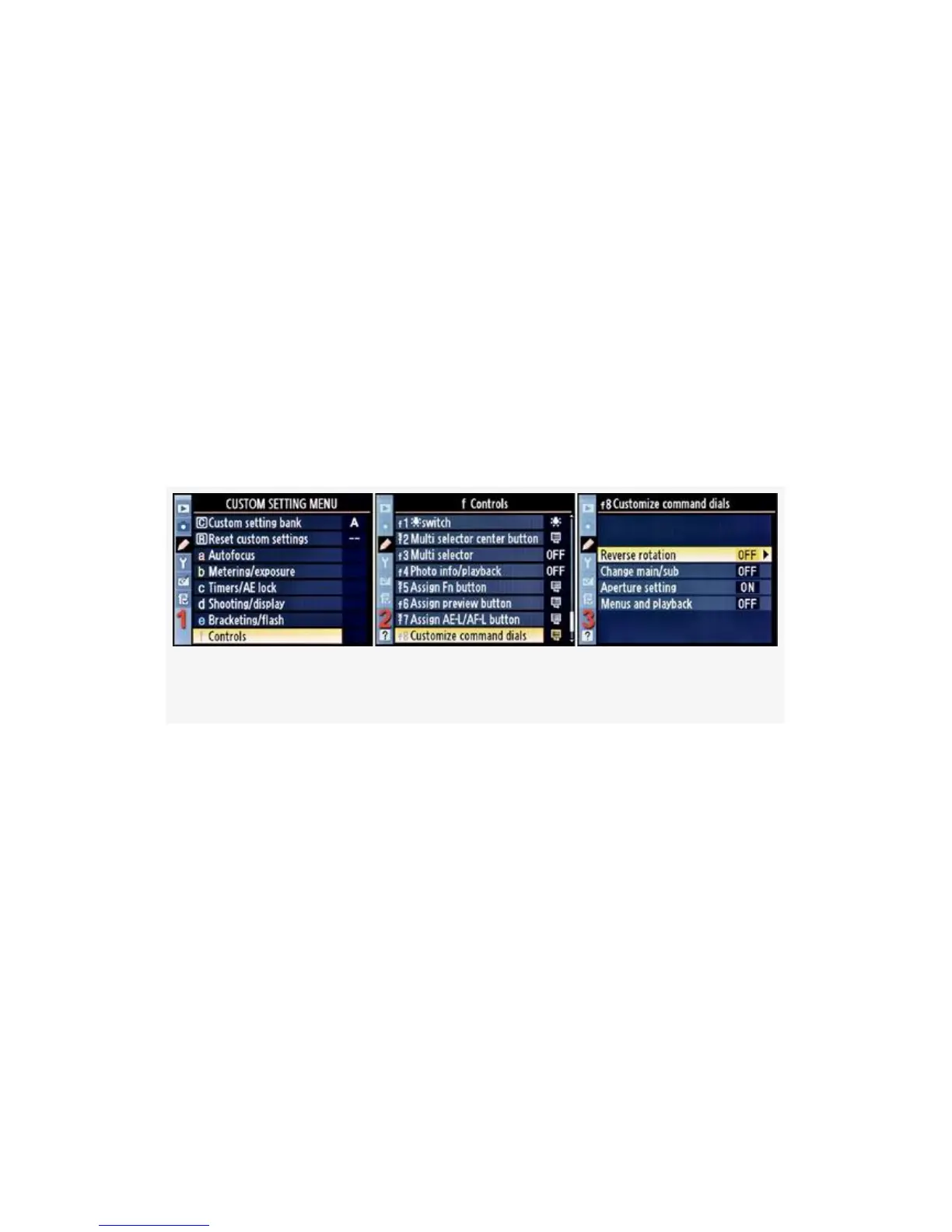
Customize command dials does what it sounds like—it lets
you change how the Command dials operate. There are
several operations you can modify:
▪ Reverse rotation
▪ Change main/sub
▪ Aperture setting
▪ Menus and playback
Let’s examine each of these items and the screens and steps
used to change them (see Figure 4-75):
Figure 4-75. Customize command dials
1. Select f Controls from the Custom Setting Menu and
scroll to the right (see Figure 4-75, image 1).
2. Highlight Customize command dials and scroll to the
right (see Figure 4-75, image 2).
3. Choose one of the four selections from the list. In
Figure 4-75, image 3, Reverse rotation has been selected.
4. Scroll to the right and use the screens and steps under
each of the following sections (see Figure 4-76 to
Figure 4-79) to configure the various functions.
410



 To Next Page