(User’s Manual – D300S page 299; D300 page 311)
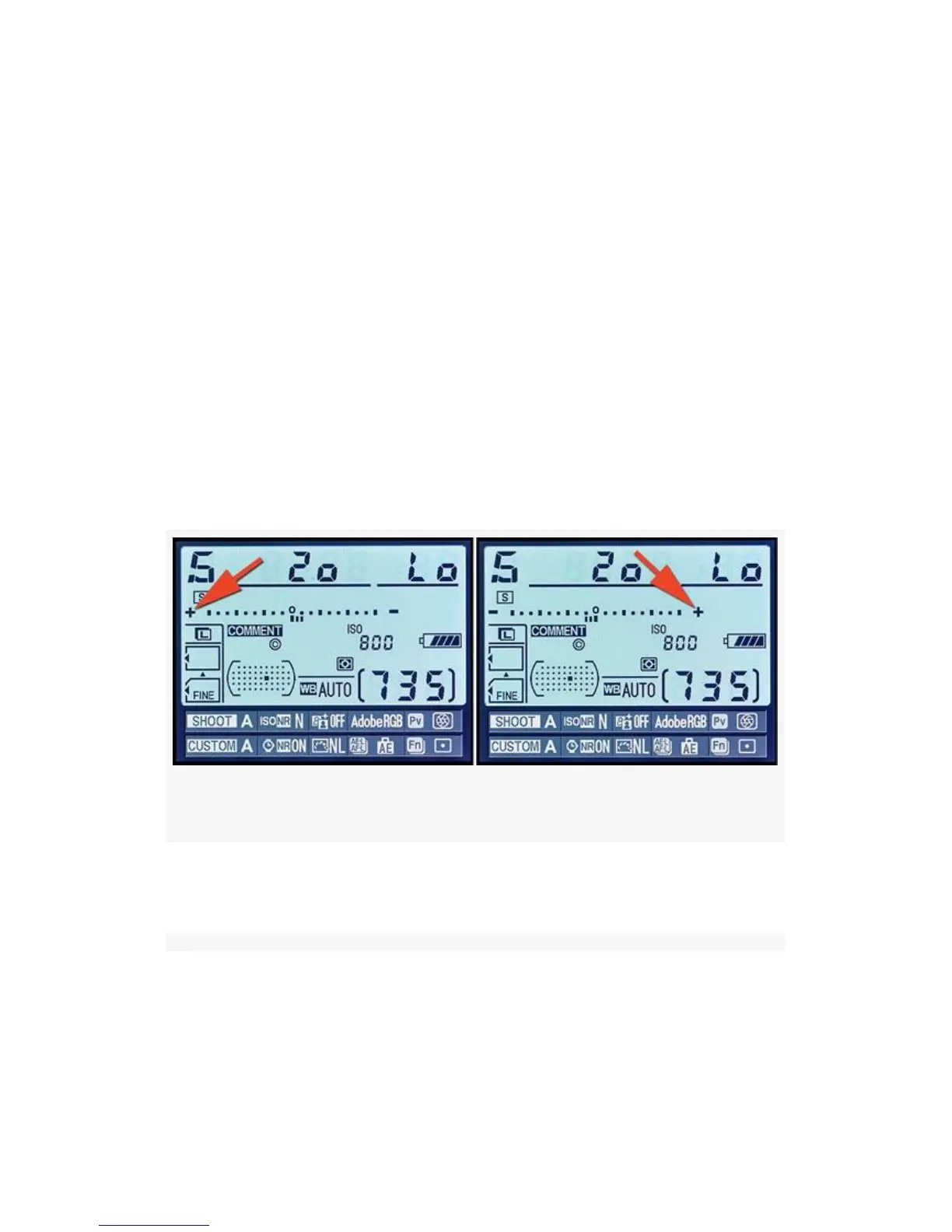
Reverse indicators lets you change the direction of your
camera’s exposure displays. Normally, anytime you see the
exposure indicators in your camera’s Control panel,
Viewfinder, or the Information display, the + is on the left,
and the - is on the right.
See Figure 4-82, where I show the Information display and
the exposure indicator therein.
The first image shows the normal direction.
The second image shows the Information display with the
exposure indicators reversed (see red arrows).
Figure 4-82. Reverse indicators on Information display
Here are the screens and steps to reverse the direction of all
camera exposure indicators (see Figure 4-83):
421



 To Next Page