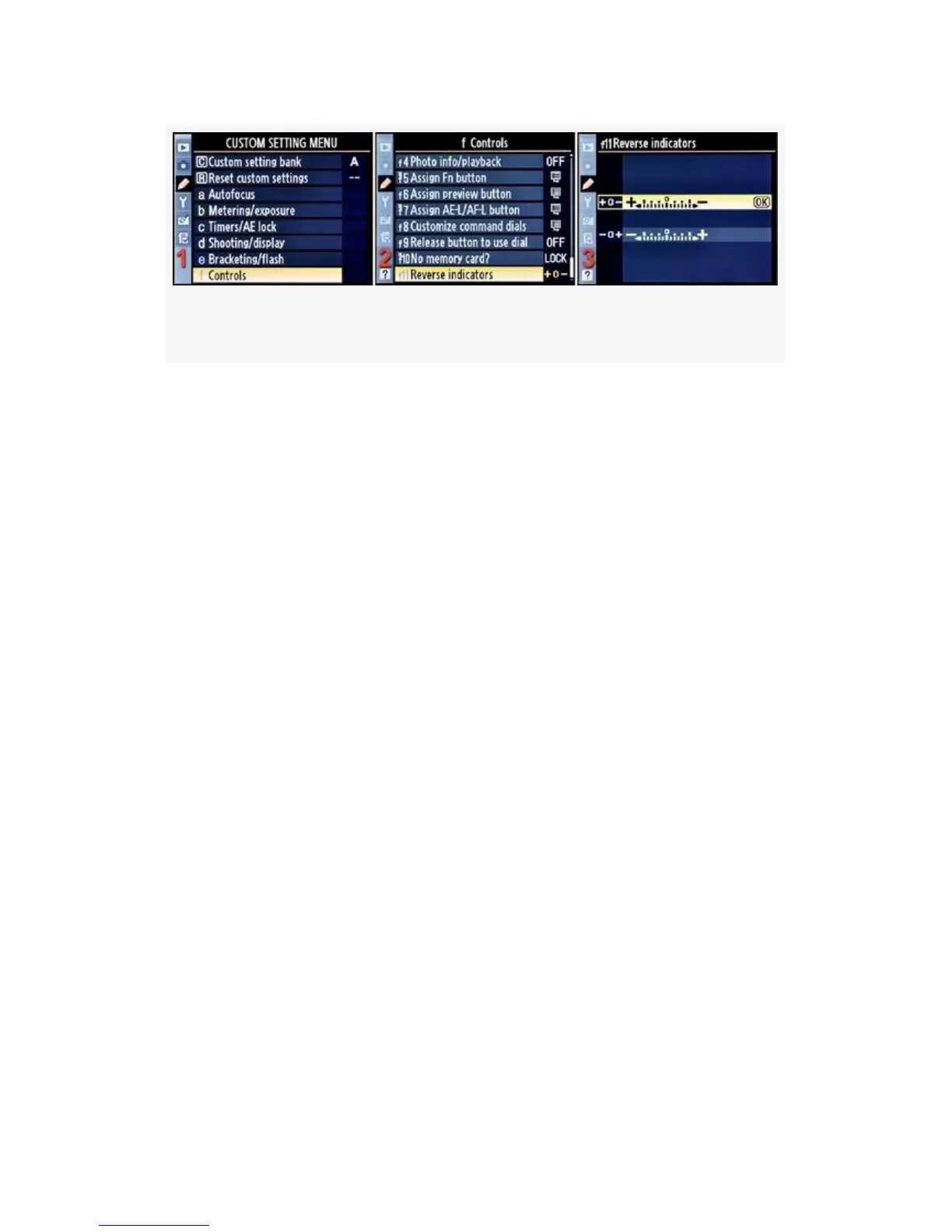
Figure 4-83. Reverse indicators screens
1. Select f Controls from the Custom Setting Menu and
scroll to the right (see Figure 4-83, image 1).
2. Highlight Reverse indicators and scroll to the right (see
Figure 4-83, image 2).
3. Choose one of the two selections from the list. In
Figure 4-83, image 3, the normal exposure indicator
direction has been selected. Reverse it with the other
selection.
4. Press the OK button to lock in the setting.
My Recommendation: I personally like the exposure
indicators with + on the left and − on the right. However, if
you are from a part of the world where these things normally
run the other direction, or you would just prefer it the other
way, it’s easy to change. Select your favorite indicator
direction for maximum camera comfort!
422



 To Next Page