▪ Disable – The exposure meter stays on the entire time a
GPS unit is connected. As long as you have good GPS
signal, you will be able to record GPS data at any time.
This is the preferred setting for using the GPS for
continuous shooting. It does use extra battery life, so you
may want to carry more than one battery if you’re going
to shoot all day.
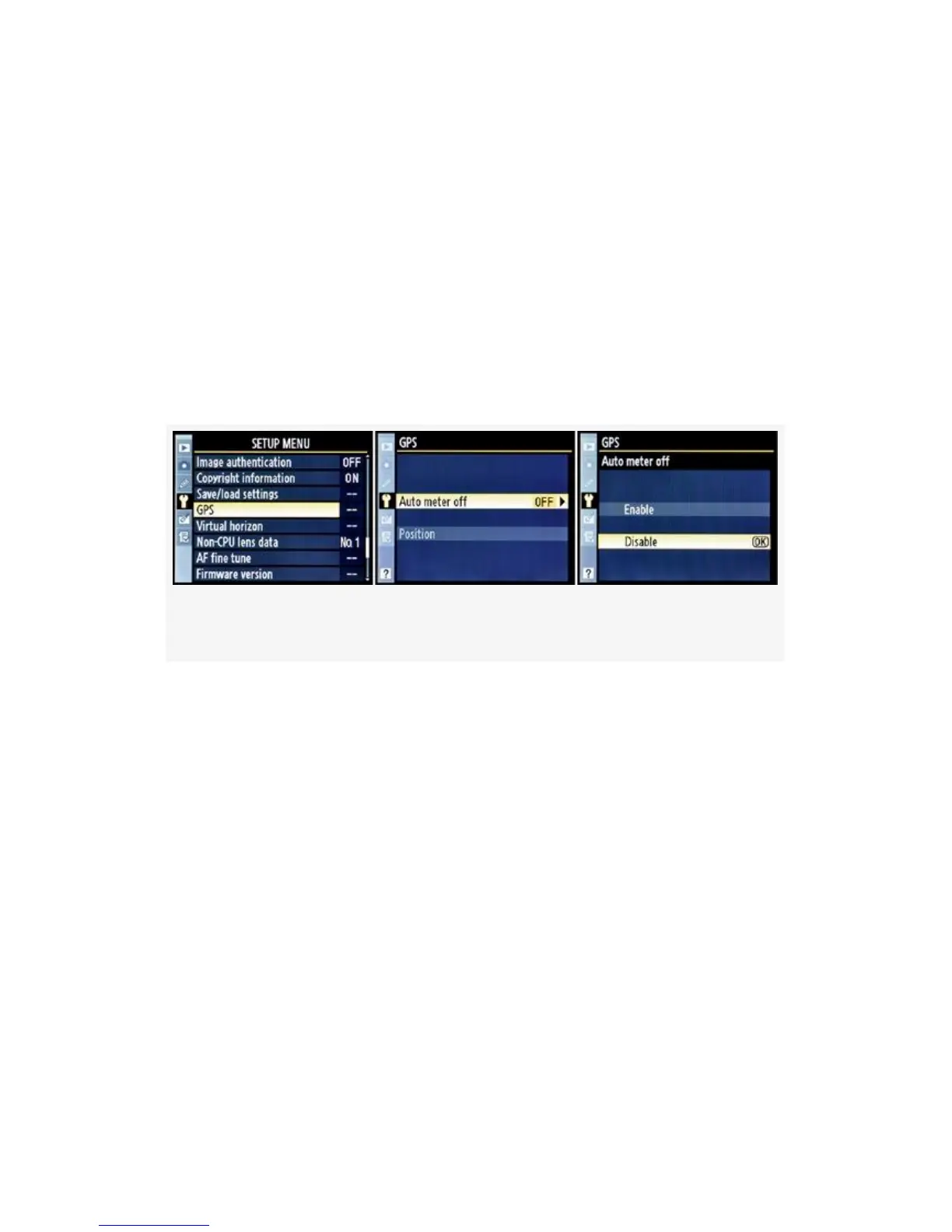
Here are the steps and screens used to configure the GPS
settings (see Figure 5-33):
Figure 5-33. GPS Auto meter off enable/disable screens
1. Choose GPS from the Setup menu and scroll to the right.
2. Select Auto meter off and scroll to the right.
3. Select Enable or Disable.
4. Press the OK button to lock in the setting.
There is also a Position setting, as shown in Figure 5-33,
image 2. If your GPS unit is not attached to the camera, the
Position selection is grayed out. Once a GPS is attached, the
next screen after Position shows the actual GPS location data
being detected by the D300(S), as shown in Figure 5-35.
When the camera establishes communication with your GPS,
it does three things:
500



 To Next Page