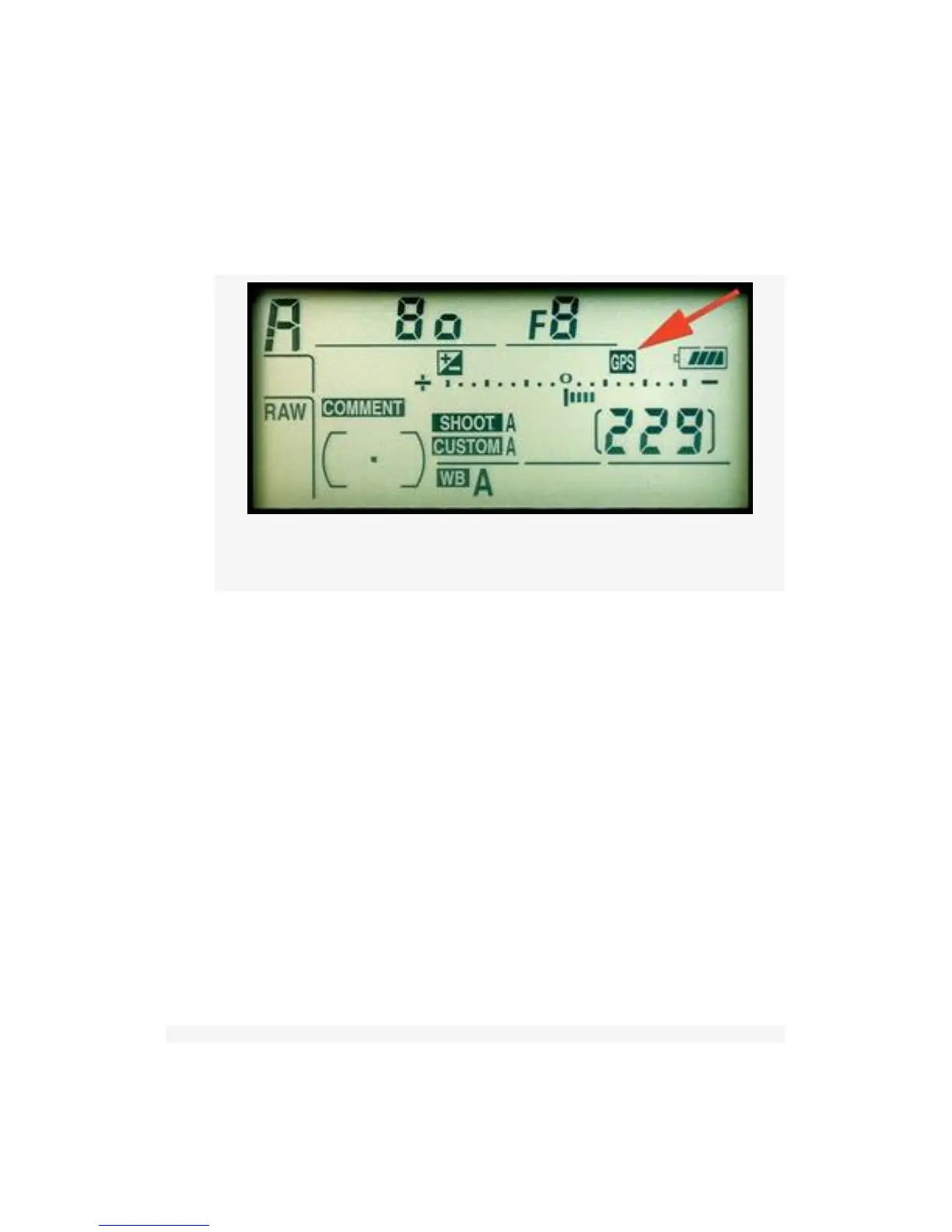
1. A small GPS icon will be displayed on the Control panel
(see Figure 5-34, red arrow).
2. Position information shows on the GPS Position screen
(see Figure 5-35, image 2).
Figure 5-34. GPS icon on Control panel
3. An additional info screen may be displayed when you
are reviewing the captured images (see Figure 5-36). To
see this screen you’ll have to check the Data check box
under Playback Menu > Display mode > Data.
If the GPS icon is flashing on the Control panel, it means that
the GPS is searching for a signal. If you take a picture with
the GPS icon flashing, no GPS data will be recorded. If the
GPS icon is not flashing, it means that the D300(S) is
receiving good GPS data and is ready to record data to a
picture. If the D300(S) loses communication with the GPS
unit for over two seconds, the GPS icon will disappear. Make
sure the icon is displayed, and isn’t flashing, before you take
pictures!
501



 To Next Page