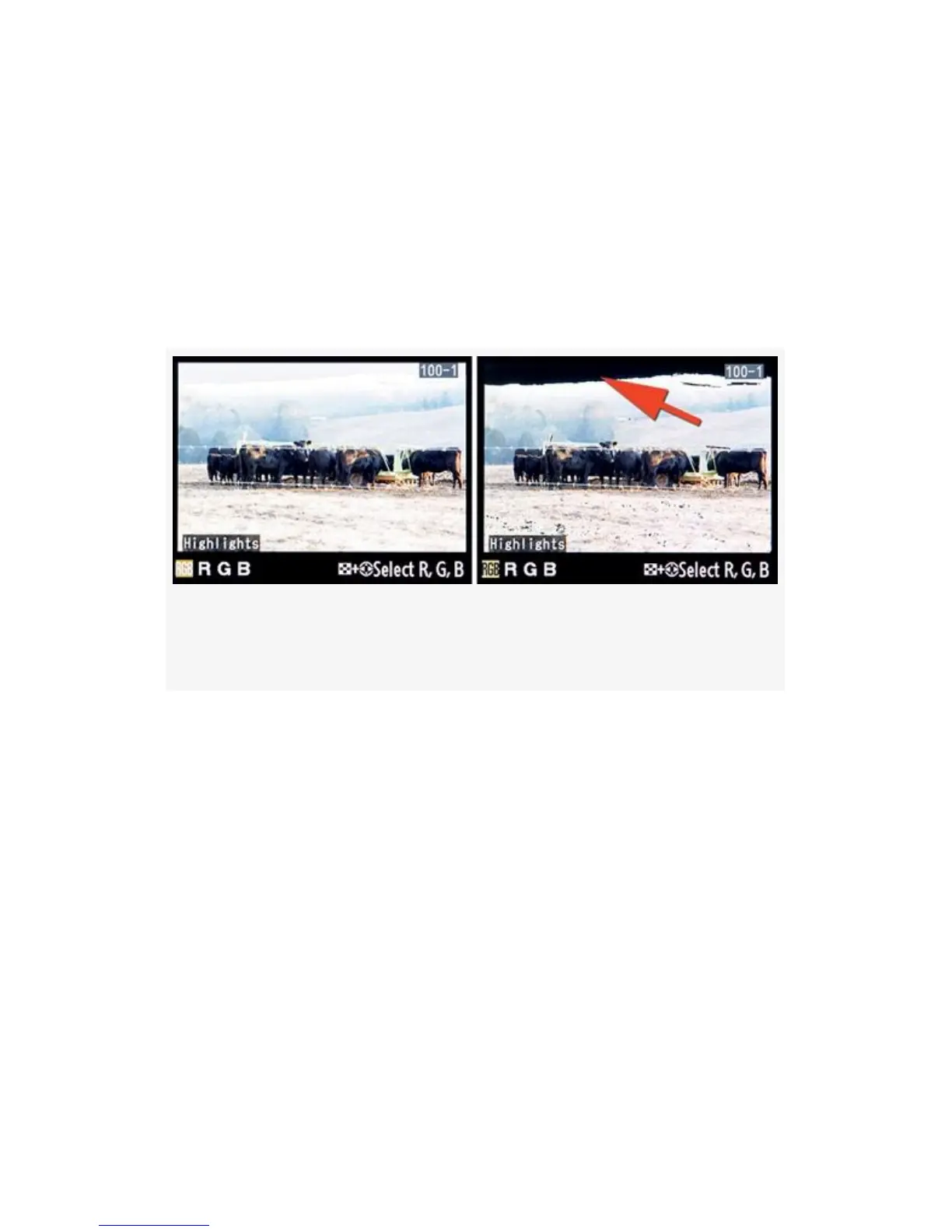
When you have Highlights enabled and you see a blinking
white-to-black-to-white area in an image on the Monitor, it
means that area of the image has lost all detail, or has “blown
out”. In Figure 2-11 you’ll see a red arrow pointing to where
the sky is completely blown out to white. The two screens
show the same image to represent both sides of the
white-to-black Highlights blink.
Figure 2-11. Highlights “blinky” mode showing
overexposed sky
If you examine the histogram for an overexposed image,
you’ll see that it’s cut off, or “clipped”, on the right side.
Current software cannot usually recover any image data from
the blown-out sections. The exposure has exceeded the range
of the sensor
and has become completely overexposed in the blinking area.
We’ll discuss how to deal with images that have light ranges
which exceed the sensor’s recording capacity in the chapter
called Chapter 9.
Highlights mode is a nice way to allow your camera to warn
you when you have surpassed what its sensor can capture,
leaving portions of the image overexposed.
55



 To Next Page