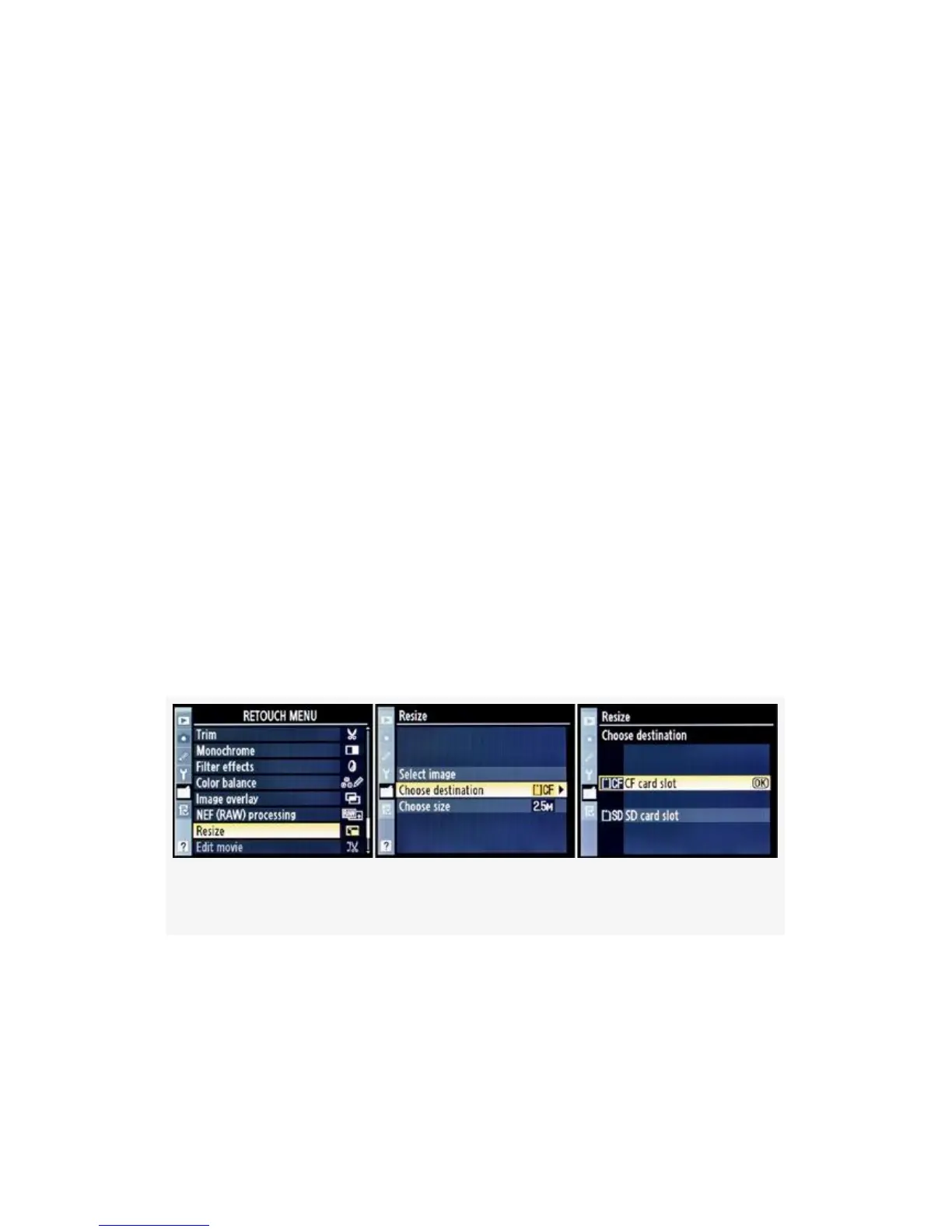
four available megapixel sizes. This is only available on the
D300S.
There are three selections involved:
▪ Select image – Allows you to choose one or more
images for resizing.
▪ Choose destination – Lets you to choose a destination for
the resized pictures.
▪ Choose size – You can choose from four available sizes:
• 2.5 M, or 1920×1280
• 1.1 M, or 1280×856
• 0.6 M, or 960×640
• 0.3 M, or 640×424
Let’s examine the screens and steps for resizing images (see
Figure 6-22-Figure 6-24):
Figure 6-22. Choose a destination
1. Select Resize from the Retouch Menu and scroll to the
right (see Figure 6-22). Although it seems out of order,
select Choose destination and scroll to the right. Select
one of the card slots to be a destination for the resized
558



 To Next Page