Choose Tab
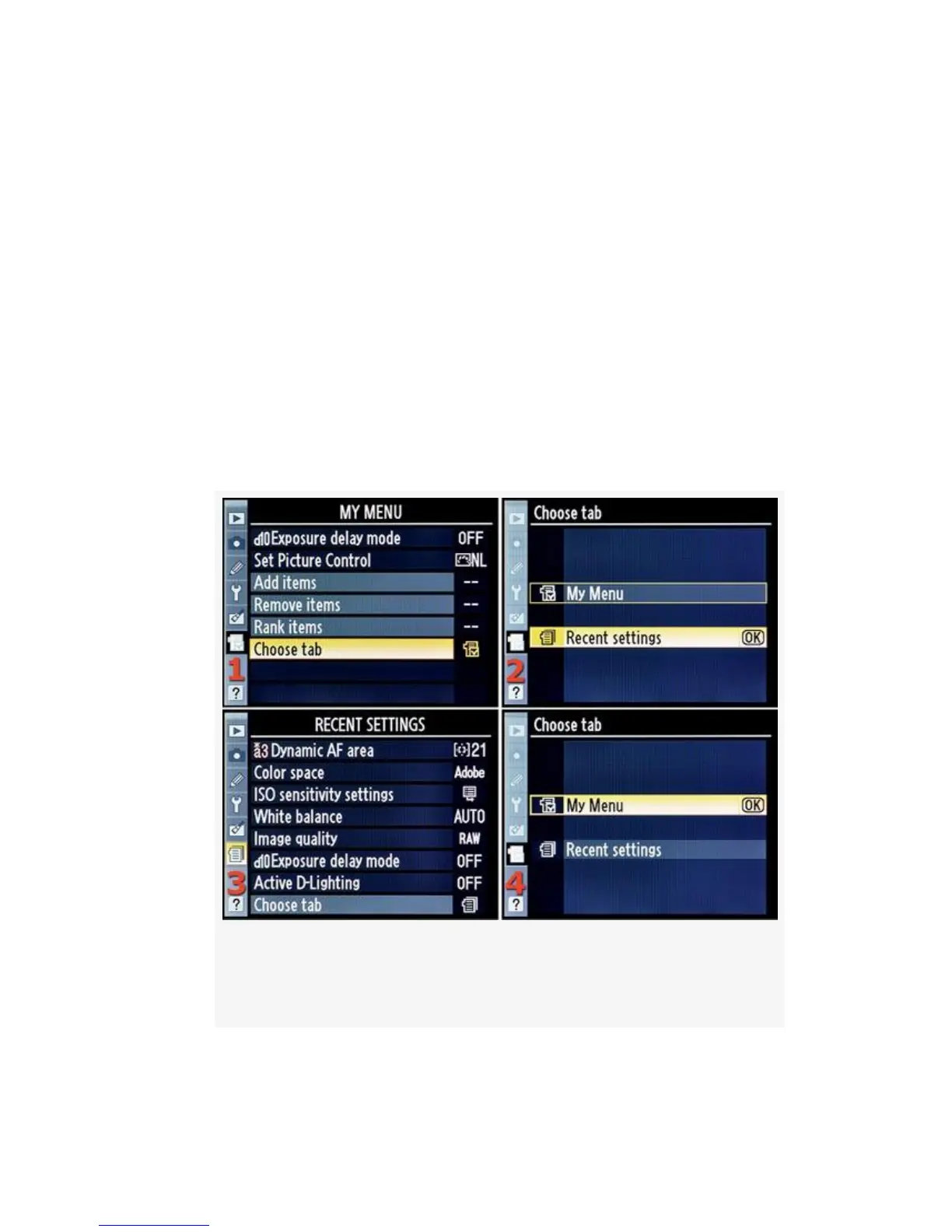
Choose tab allows you to switch between using My Menu or
Recent Settings. Both menus have the Choose tab selection as
their last menu choice.
Here are the screens and steps to switch between these two
menus (see Figure 7-8):
1. At the bottom of My Menu, select Choose tab and scroll
to the right (see Figure 7-8, image 1).
Figure 7-8. Moving between My Menu and Recent
settings
2. You’ll now have a choice between My Menu
578



 To Next Page