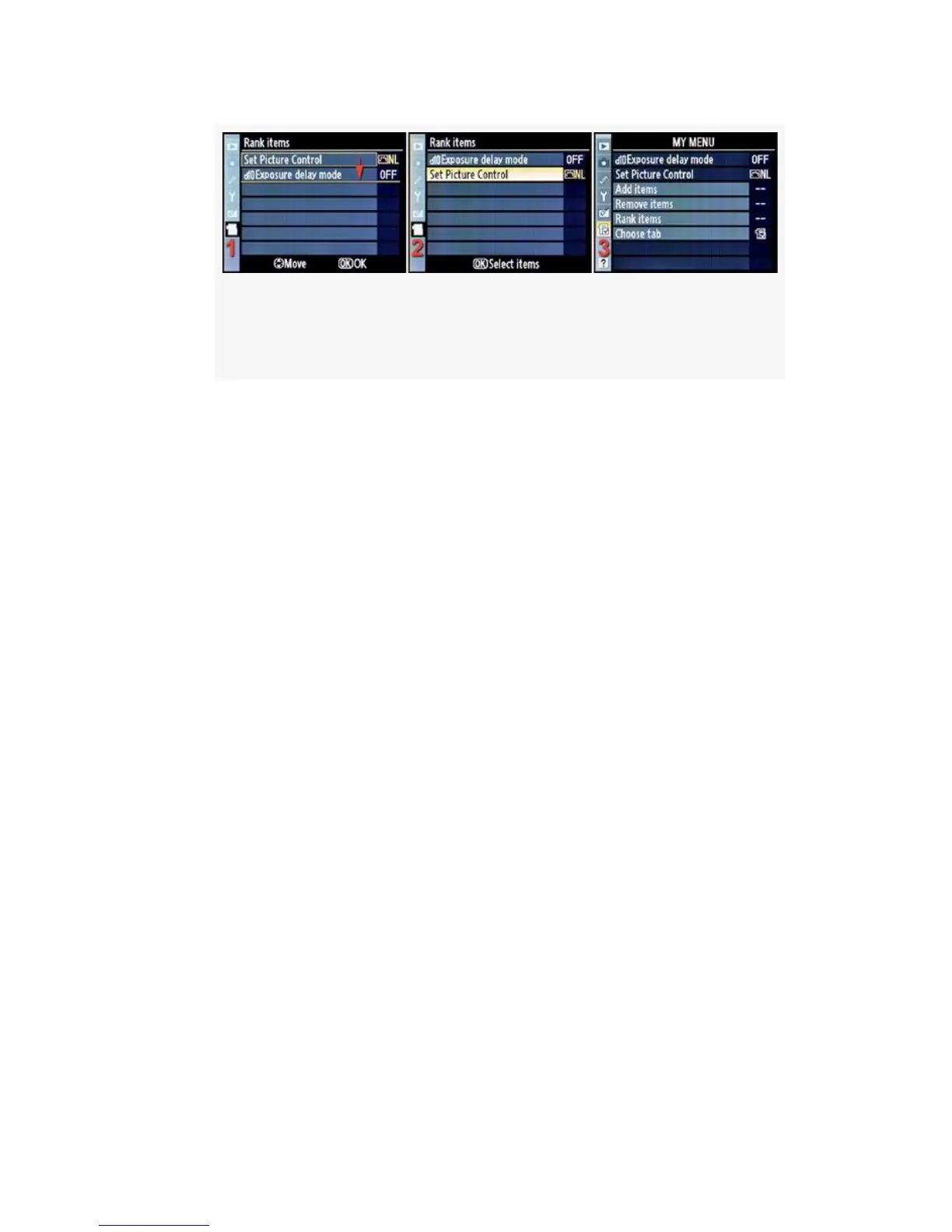
Figure 7-7. My Menu – Rank items – Move Set Picture
Control to a lower position
3. I highlighted Set Picture Control and pressed the OK
button and a yellow box appeared around that item.
Move appeared at the bottom of the screen (see
Figure 7-7, image 1).
4. Next, I scrolled down with the Multi Selector (see
Figure 7-7, image 1). This action moved the yellow
positioning underline down to the bottom of the list
(Figure 7-7, image 1, red arrow). I pressed the OK
button to select the new position and Set Picture Control
appeared at the bottom of the list (see Figure 7-7, image
2).
5. The new position is what I wanted, so I pressed the
Menu Button returned to the main My Menu screen (see
Figure 7-7, image 3).
577



 To Next Page