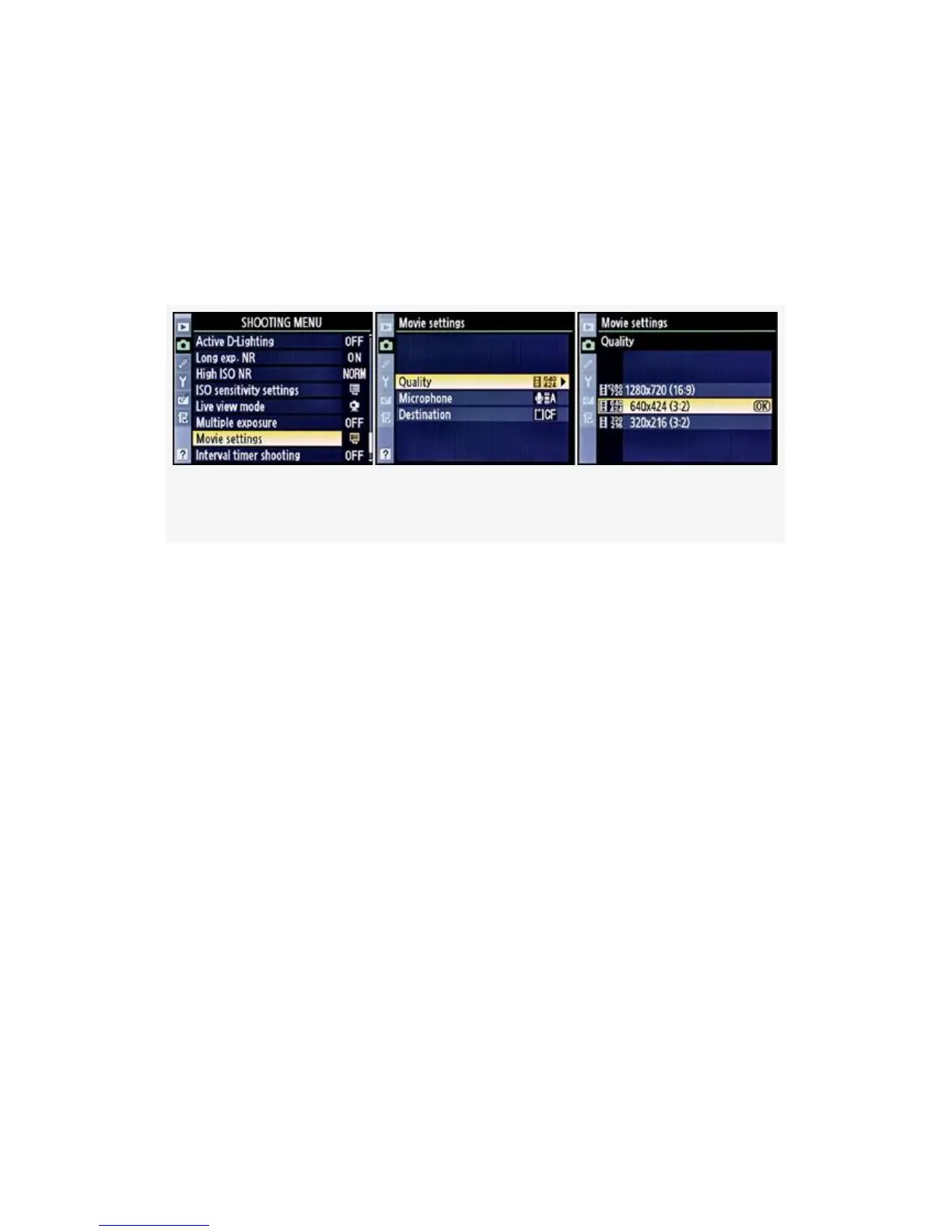
shoot high-definition video for display on HD devices. The
other two settings—640×424 and 320×216—are
standard-definition modes for display on SD devices.
Here are the screens and steps used to select a D-Movie
Quality setting (see Figure 8-8):
Figure 8-8. D-Movie Quality settings
1. Select Movie settings from the Shooting Menu and scroll
to the right.
2. Select Quality and scroll to the right.
3. Select one of the three available settings.
4. Press the OK button to lock in the setting.
The Quality setting also changes how large the resulting
movie is when it is stored on your computer’s hard drive. It
has been my experience that the D300S uses the following
amounts of memory when recording videos. These are
approximations and will vary with the subject matter’s detail:
▪ 1280×720 mode: 585 MB for a 5-minute video, 1950
KB per second. Full-length movie fits on a DVD or CD
(for storage and later copying to a computer).
606



 To Next Page