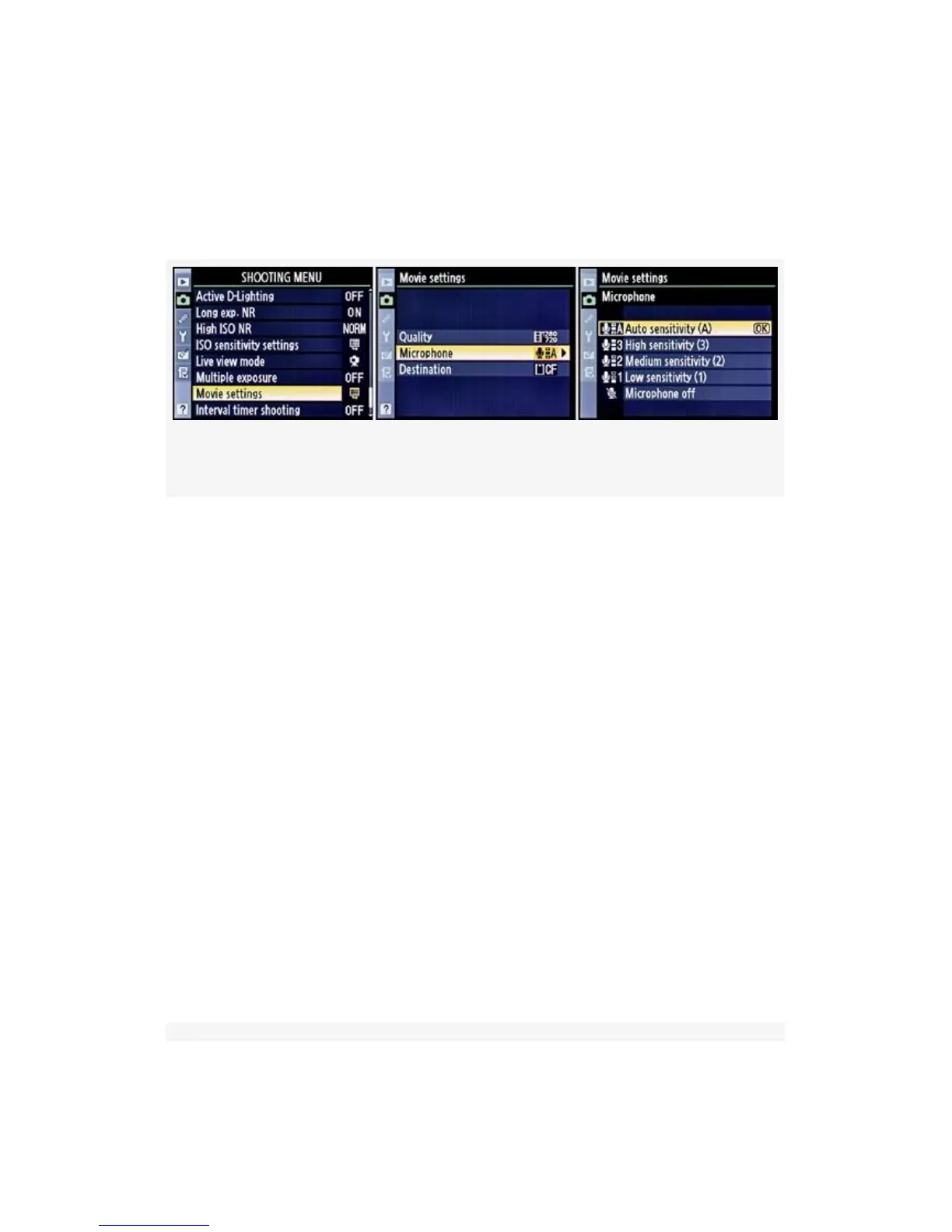
or High sensitivity (3). You can also select Off or Auto. Auto
lets the camera decide which sound recording level best fits
the situation. Here are the screens and steps used to choose a
sound level for recording (see Figure 8-11):
Figure 8-11. D-Movie Microphone sensitivity
1. Select Movie settings from the Shooting Menu and scroll
to the right.
2. Select Microphone and scroll to the right.
3. Choose one of the four available sensitivity settings, or
off.
4. Press the OK button to lock in the your choice.
Choosing a Destination for Video Recordings
The D300S allows you to choose whether you’d like to save
the videos you create on your CF card or your SD card. It also
gives you an estimate of available video recording time
available for each card. Here are the screens and steps to
choose one of the memory cards as a Destination (see
Figure 8-12):
611



 To Next Page