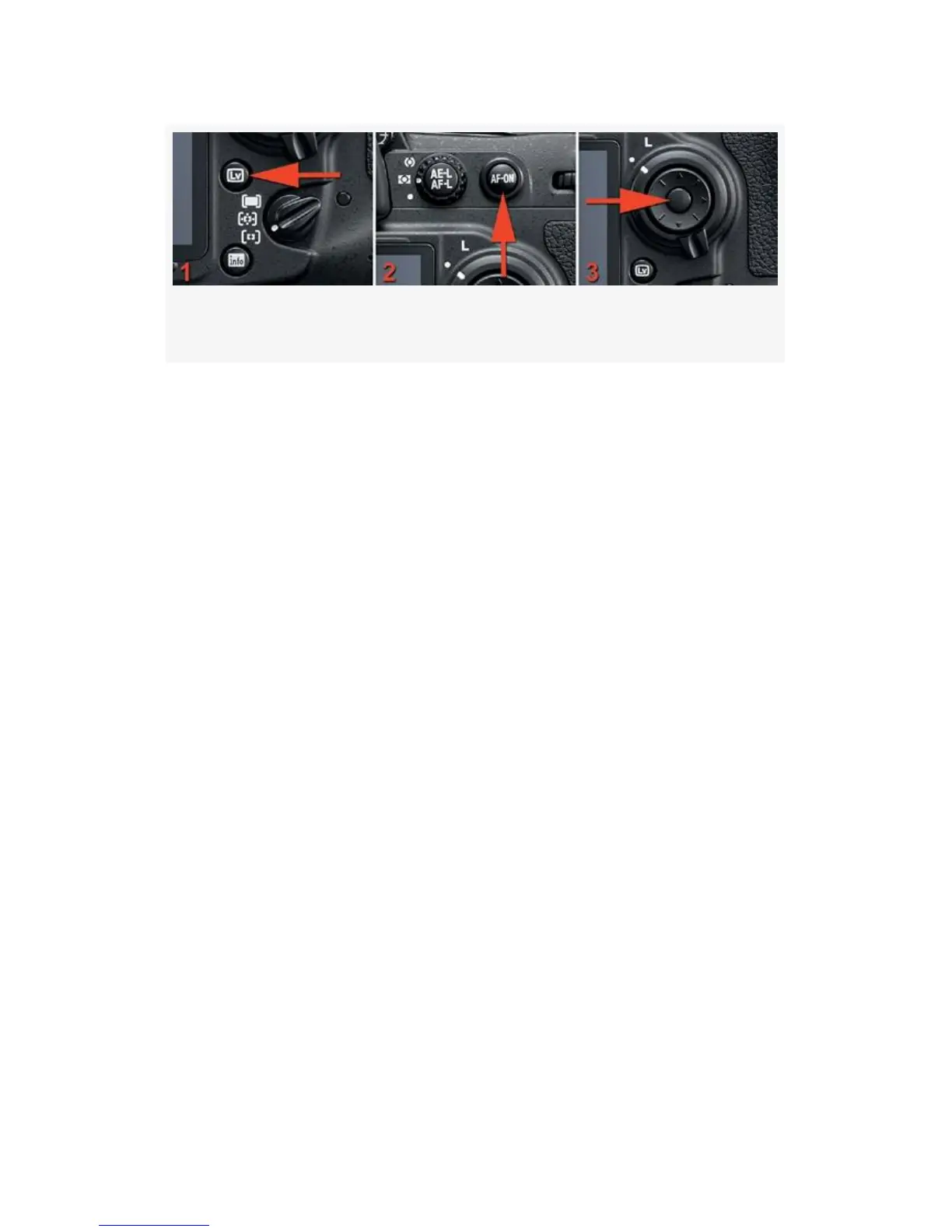
Figure 8-13. D-Movie external camera controls
1. Turn the camera on and remove the lens cap.
2. Press the LV button on the back of the camera (see
Figure 8-13, image 1).
3. Using the Multi Selector, move the little red focus square
to an appropriate part of your subject. Pre-focus the
camera on your subject by pressing the AF-ON button
until the little green square stops flashing (see
Figure 8-13, image 2).
4. Press the Multi selector center button to start recording
(see Figure 8-13, image 3).
5. When you are finished, press the Multi selector center
button again to stop recording.
Amazingly, that’s all there is to it. You have a cool video
camera built into your still camera. It is available with the
press of three buttons: LV, AF-ON, and the Multi selector
center button.
In most cases, unless you really want to try to control the
camera, just shoot your video and enjoy what you captured.
The camera will make a good exposure in almost all
circumstances.
613



 To Next Page