more about the cable specs in a moment, but first let’s discuss
your camera’s HDMI output frequencies.
Before you attempt to connect your Nikon D300S to your
HDTV, be sure that you’ve correctly configured your HDMI
output to match what your HDTV needs, or you won’t get a
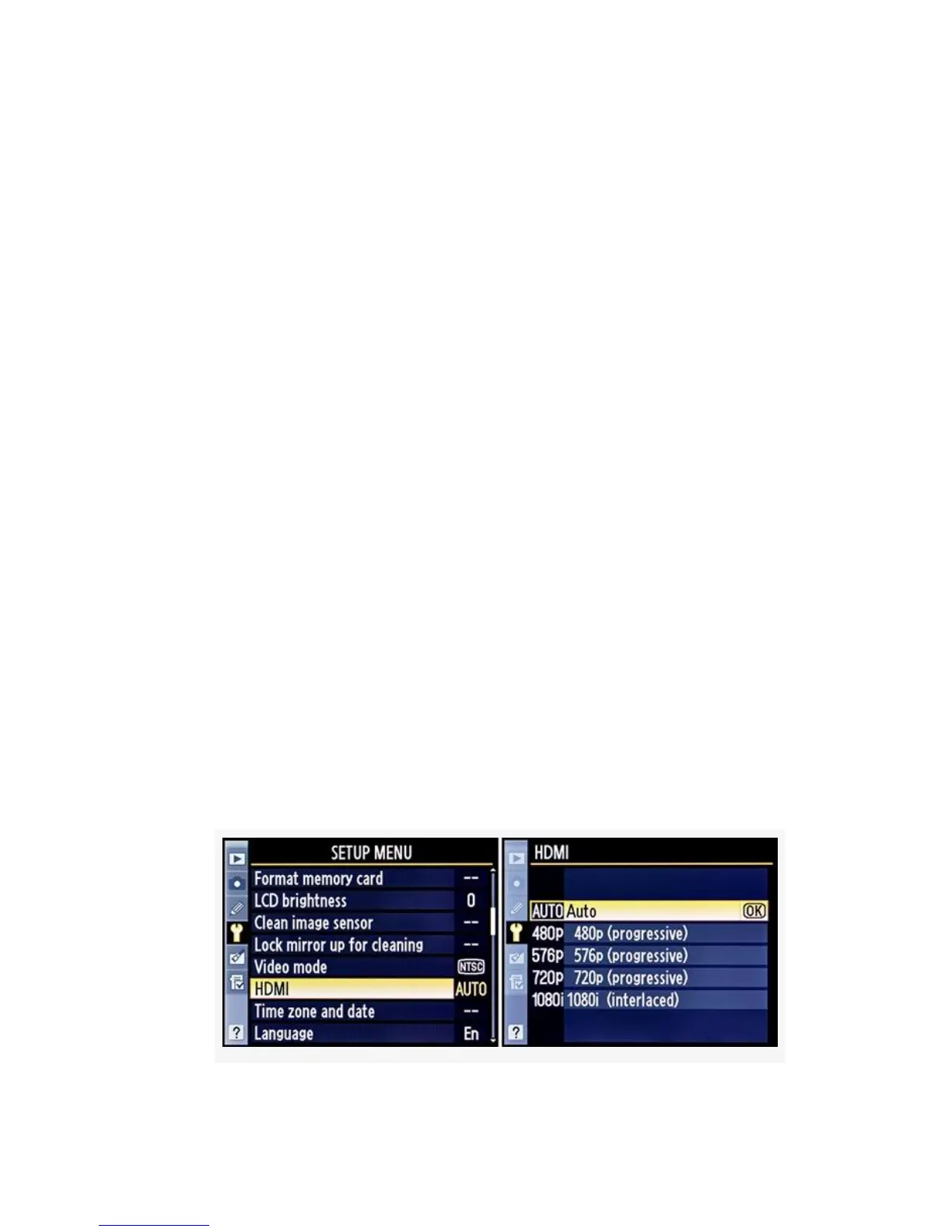
picture. Use the Setup Menu > HDMI setting to select a
specific output type, or just select Auto so that the camera and
HDTV can figure it out for you. Here is a list of formats
supported by your camera:
▪ Auto – Allows the camera to select the most appropriate
format for displaying on the currently connected device
▪ 480p (progressive) – 640×480 progressive format
▪ 576p (progressive) – 720×576 progressive format
▪ 720p (progressive) – 1280×720 progressive format
▪ 1080i (interlaced) – 1920×1080 interlaced format
Here are the screens and steps to select an HDMI output
format (see Figure 8-17):
1. Select HDMI from the Setup Menu and scroll to the
right.
622



 To Next Page