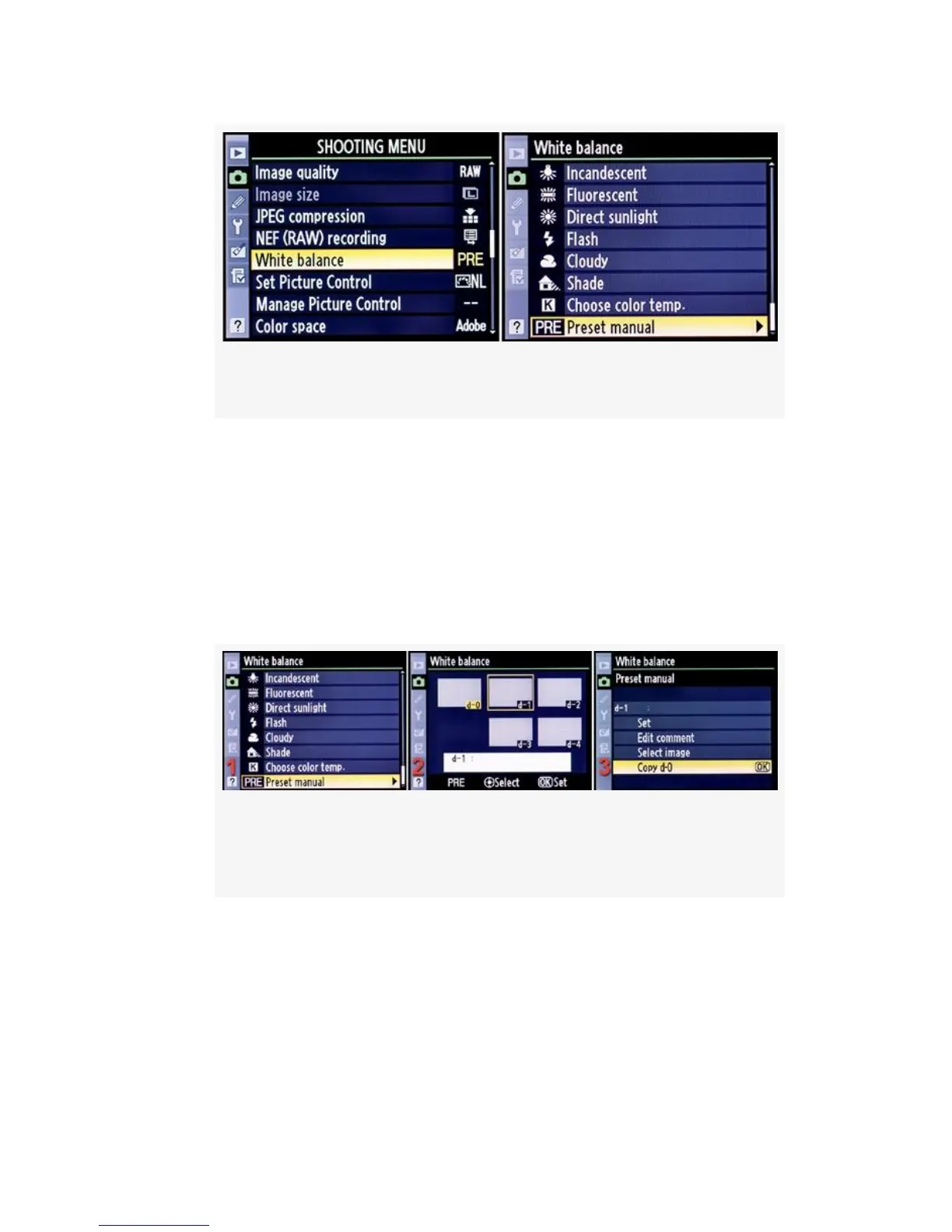
Figure 10-6. Starting White balance PRE maintenance
2. Use the screens shown in Figure 10-6 to start the WB
maintenance process. Select White balance from the
Shooting Menu screen and scroll to the right (see
Figure 10-6, image 1).
3. Select Preset manual and scroll to the right (see
Figure 10-7, image 1).
Figure 10-7. Select a memory location d-1 to d-4 and
then copy d-0 to it.
4. As shown in the second screen of Figure 10-7, select a
blank memory location (d-1 to d-4) or one that you want
to overwrite. My camera already has a WB stored in all
memory locations, as shown in Figure 10-7, image 2, so
I’ll be overwriting d-1. Press the Multi selector center
button.
688



 To Next Page