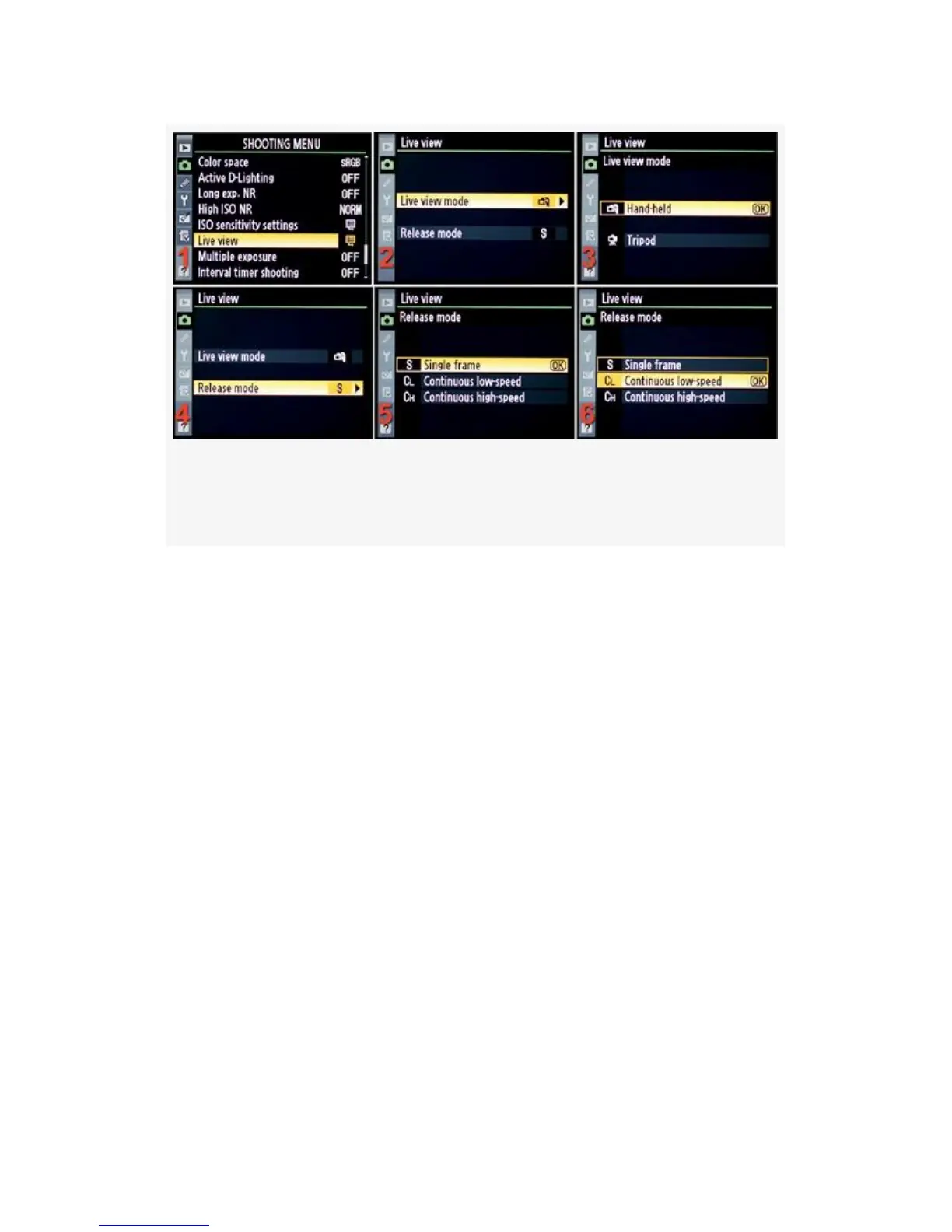
Figure 11-14. Choosing a Live view and Release mode on
the D300
LV Hand-Held Mode (uses phase-detection AF):
1. Point your camera toward your subject. With the D300
you’ll need to press the Shutter-release button fully to
raise the mirror and enter Live view mode. This allows
you to use the Monitor to view your subject. With the
D300S you’ll enter Live view mode as soon as you press
the Lv button. (see Figure 11-11 and Figure 11-12).
Figure 11-13 and Figure 11-14 show the screens used for
configuration.
2. Press the Shutter-release button halfway down to
activate phase-detection AF. The Monitor will go dark
while the camera auto focuses. Give it just a moment to
complete autofocus; this saves time later! Release
pressure from the Shutter-release button and the mirror
will drop. Your subject will be displayed on the Monitor
(see Figure 11-12, image 1).
740



 To Next Page