70
y
❚❚ Movie Settings
Adjust movie settings before recording.
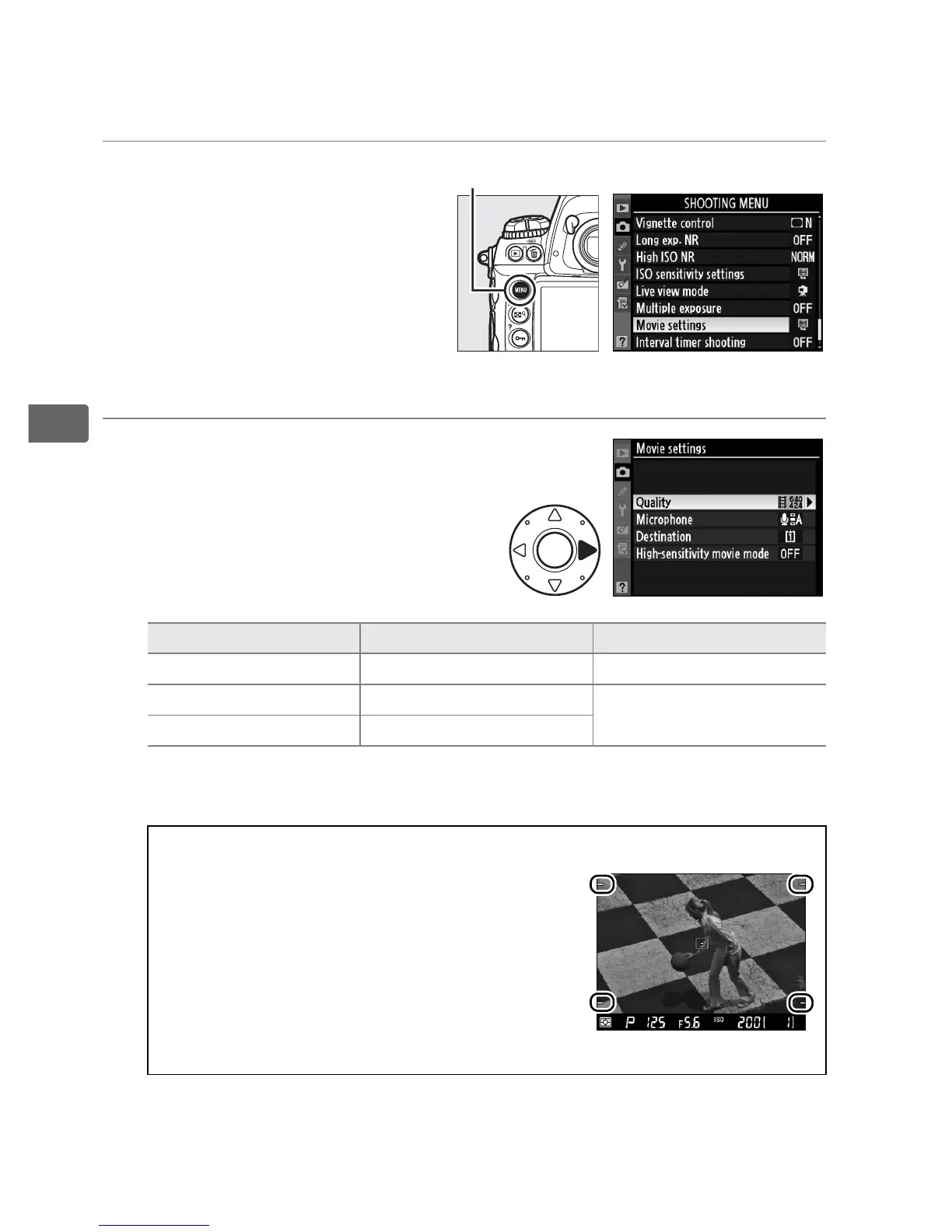
1 Select Movie settings
in the shooting menu.
Press the G button to
display the menus.
Highlight Movie settings
in the shooting menu and
press 2.
2 Choose movie options.
To choose a frame size,
highlight Quality and press 2.
Highlight one of the following
options and press J to select:
Option Frame size (pixels) Maximum length
a
1280×720 (16:9)
*
1280 × 720 5 min.
b
640×424 (3:2) 640 × 424
20 min.
c
320×216 (3:2) 320 × 216
* Available only when FX format is selected for
Image area
; if another
option is selected, frame size will be 640 × 424.
A Frame Size
If the aspect ratio of the crop currently
selected for still images differs from that
of the movie frame, guides showing the
movie frame crop will be displayed during
live view when indicators are hidden
(0 62). The area outside the movie frame
crop is grayed out during recording.
G button



 To Next Page