Preparations
Preparations
20 21
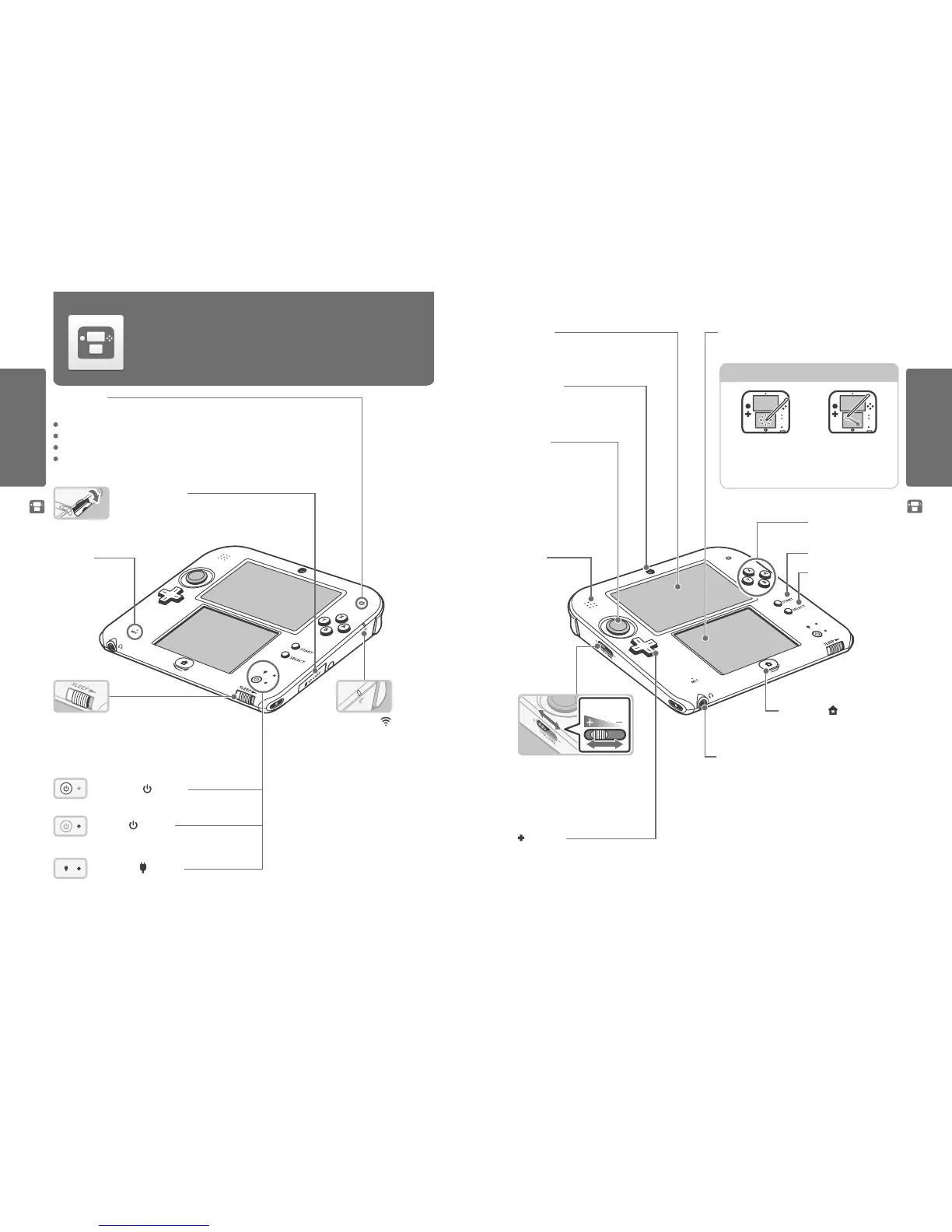
Component Names and Functions
Component Names and Functions
Component Names and Functions
The functions of these components are explained in this Operations Manual.
Notication LED
Noties you of the status of the system by ashing and changing colour.
Received SpotPass notication (ashes blue for ve seconds) (page 49)
Received StreetPass communication (ashes green for ve seconds) (page 49)
Friend has come online (ashes orange for ve seconds) (page 48)
Battery power is low (ashes red) (page 30)
SD Card Slot (page 28)
Used for inserting SD cards (SD memory cards or SDHC memory cards).
The included SDHC card comes pre-inserted into the system.
LCD Screen LCD Screen (Touch Screen)
Touch sensitive screen that enables tactile interaction. For software that
supports this control feature, use the included Nintendo 2DS stylus.
Touch
Gently pressing the Touch Screen
with the stylus is called “touching”
(or “tapping”).
Slide
Tracing over the Touch Screen with
the stylus held gently against it
is called “sliding”.
Touch Screen Controls
Inner Camera
Used by software with camera functionality.
SELECT
START
HOME Button (
) (page 30)
Displays the HOME Menu.
Volume Control
Slide to adjust the volume.
Note: The camera’s shutter sound will always
be played at a xed volume, regardless of the
current volume setting.
Microphone
Used by software with
microphone functionality.
POWER Button ( ) (page 24)
Power LED (
) (page 27)
Lights up when the power is on.
Recharge LED ( ) (page 23)
Lights up orange while the battery is recharging.
Control Pad
Circle Pad
Used by software that supports
Circle Pad input.
Note: If the Circle Pad is not working
properly, please refer to page 80.
Audio Jack
For connection of commercially-available stereo headphones.
When connected, no sound will be played through the speaker.
Note: Please use accessories that are compatible.
Control Buttons
(A, B, X and Y Buttons)
Sleep Switch
Move the sleep switch to the right to enable Sleep Mode.
Wireless LED ( )
Lights up yellow when wireless
communication is enabled,
and remains o when wireless
communication is disabled.
Flashes yellow when data is being
sent or received.
Note:
•
When in Sleep Mode, the
wireless LED will light or ash
more dimly.
•
Wireless communication can
be enabled / disabled from the
HOME Menu Settings (page 35).
Speaker
Volume



 To Next Page