Using Software
Using Software
50 51
Notications
Internet Browser
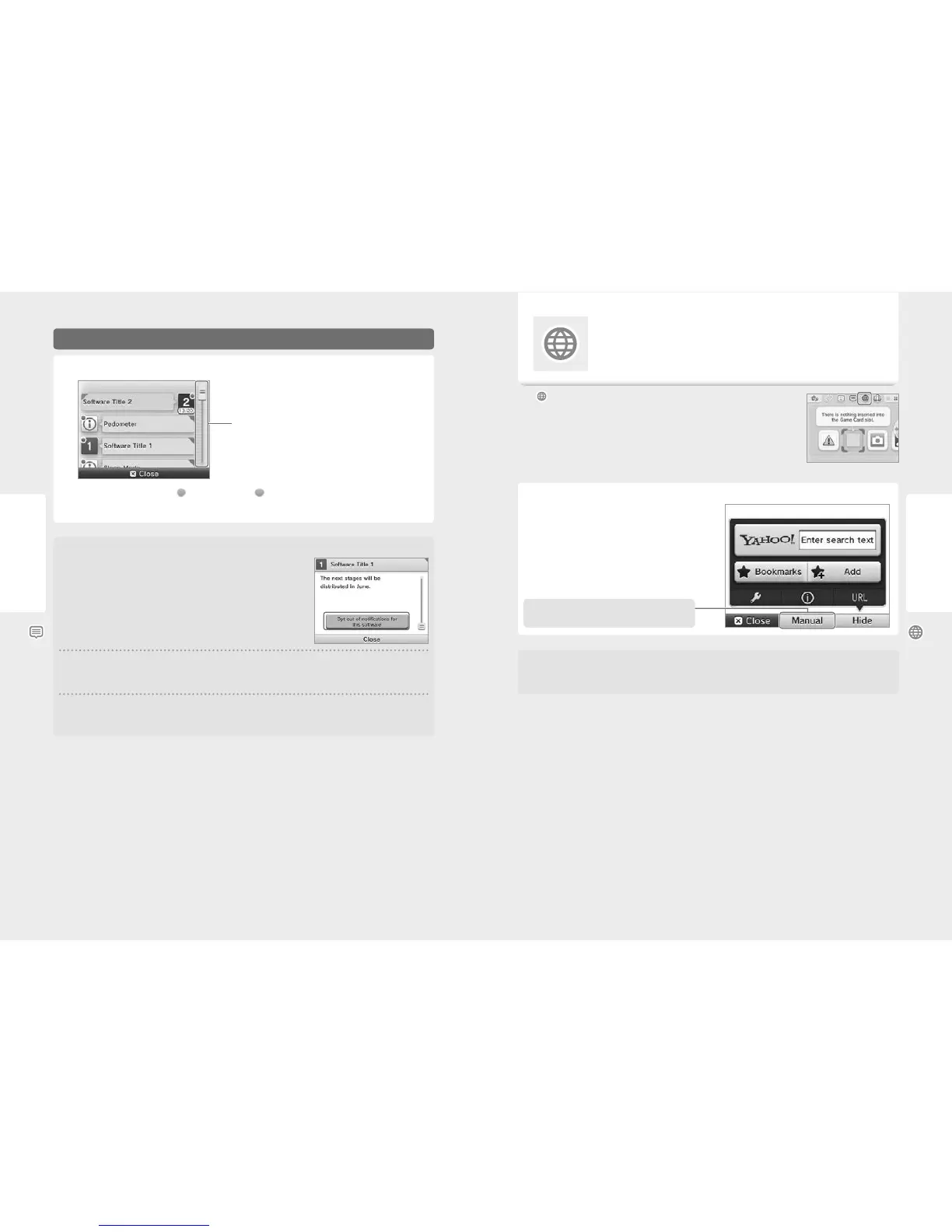
Viewing Notications
Slide the slider up or down to scroll through
the notications.
Touch a notication to view it.
•
Unread notications will be indicated by (green) for StreetPass or (blue) for SpotPass notications.
•
A maximum of 12 StreetPass and 100 SpotPass notications can be stored on the system. If these limitations or the storage size is
exceeded (e.g. if there are a lot of notications containing images), older notications will be erased, starting with the oldest.
Stopping Notications
Stopping notications from software titles
Touch OPT OUT OF NOTIFICATIONS FOR THIS SOFTWARE inside a notication then follow the
on-screen prompts.
Note: Notications that do not require an internet connection, such as those from software titles,
cannot be stopped from the Notications list. These are delivered during play and the method of
stopping these notications diers between software titles.
Stopping notications from StreetPass
Touch DEACTIVATE StreetPass FOR THIS TITLE, then adjust the settings in StreetPass Management in the System Settings to deactivate
StreetPass. Once StreetPass has been deactivated, you will no longer receive these notications for this title (page 63).
Note:
•
To restart notications, adjust the settings within the software. Refer to the software instruction manual for more detailed information.
•
Notications from Nintendo contain important information for all users and cannot be opted out of.
Menu
Internet Browser
View web pages on the internet using intuitive stylus controls.
Touch on the HOME Menu to start the internet browser. When using the browser for the rst
time, follow the on-screen setup instructions.
Note:
•
An internet connection is required in order to view web pages (page 56).
•
The browser can be launched while playing Nintendo 3DS software by pressing the HOME Button and
selecting it from the HOME Menu.
•
Depending on the software, it may not be possible to launch the browser during play.
When you start the browser, the menu will be displayed on the
lower screen. Touch an option to select it, or access websites.
Protecting Children from Harmful Sites
You can use the Parental Controls settings of your Nintendo 2DS system (page 61) to restrict use of the browser in order to prevent children
from accessing harmful or inappropriate sites.
The browser contains an instruction manual with detailed
information on how to use it.



 To Next Page