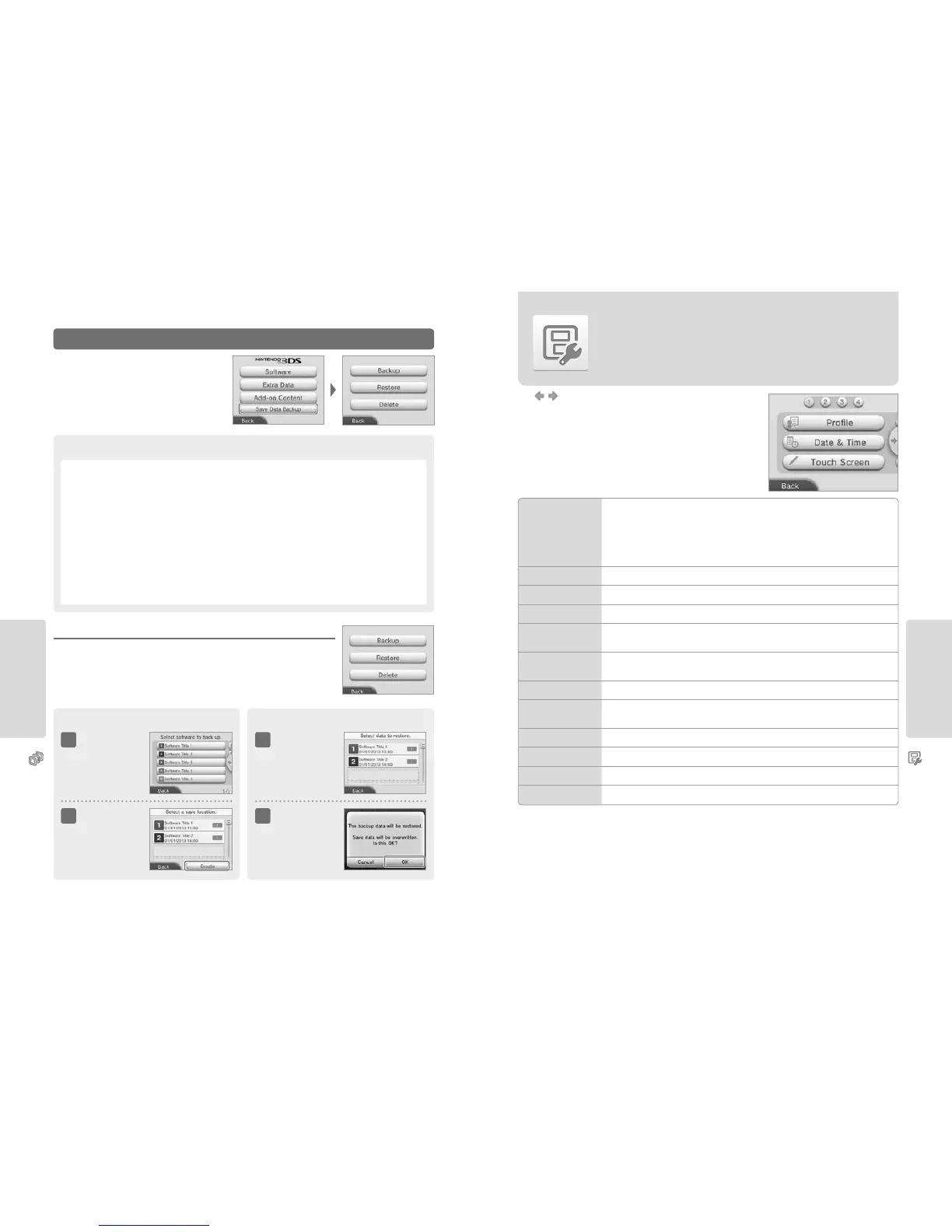
Adjusting System Settings
Adjusting System Settings
64 65
Data Management
Save Data Backup
Create or delete backups of downloadable software save data,
and restore data from your backups.
Managing Backups
Select one of these backup options.
Backup Restore / Delete
1 1
2 2
Touch the software
you want to make a
backup for
Touch the backup
data you want to
restore or delete
Touch CREATE
Touch existing data to
overwrite it.
Touch OK
Points to Note Regarding Save Data Backups
•
Save data backups for up to 30 titles can be saved to an SD card.
•
You can create more than one backup for the same software.
•
Restoring the save data from a backup will overwrite the existing save data in the software.
•
Save data can only be restored if the software and backup are stored on the same SD card.
•
Backups cannot be created for the following kinds of software:
– Card-based software
– Built-in software
– Downloadable software that doesn’t support backups
Note: Even if the downloadable software does not support the save data backup feature, you can still create a backup, but
only when deleting the downloadable software from the system in Software Management (excluding GameBoy Advance
games on Virtual Console). When you redownload the software and touch the gift icon, the save data will be automatically
restored once from the backup data.
Other Settings
Other Settings
Change your user information and congure various other settings.
PROFILE
Set your user name, date of birth, region and Nintendo DS prole.
Note:
•
Your prole is dierent to the user information for your Nintendo Network ID. Changing your prole here will not
change any information connected to your ID.
•
Your Nintendo DS prole includes a colour and message that are used in some Nintendo DS and Nintendo DSi
software. (Characters that are not supported by Nintendo DS or Nintendo DSi software will be displayed as ‘?’.)
DATE & TIME Change the date and time.
TOUCH SCREEN Calibrate the Touch Screen when it is not working properly.
ABOUT THIS SYSTEM View an introduction to this system and how it diers from the Nintendo 3DS.
SOUND
Change the speaker sound output settings.
•
If you are using the Nintendo 2DS system’s monaural speaker, the Monaural setting is recommended.
MIC TEST
Check that the microphone is working correctly. If the icon on the lower screen changes colour when you
speak or gently blow into the microphone, the microphone is functional.
OUTER CAMERAS Calibrate the outer cameras.
CIRCLE PAD
Calibrate the Circle Pad when controls do not seem to operate properly or when in-game movement seems
to occur even when not using the Circle Pad.
SYSTEM TRANSFER Transfer data between systems (page 66).
LANGUAGE Change the language of the system.
SYSTEM UPDATE Update the system software (page 74).
FORMAT SYSTEM MEMORY Format the system to erase data stored in the system memory, such as software and save data (page 75).



 To Next Page