Adjusting System Settings
Adjusting System Settings
56 57
Internet Settings
Internet Settings
Internet Settings
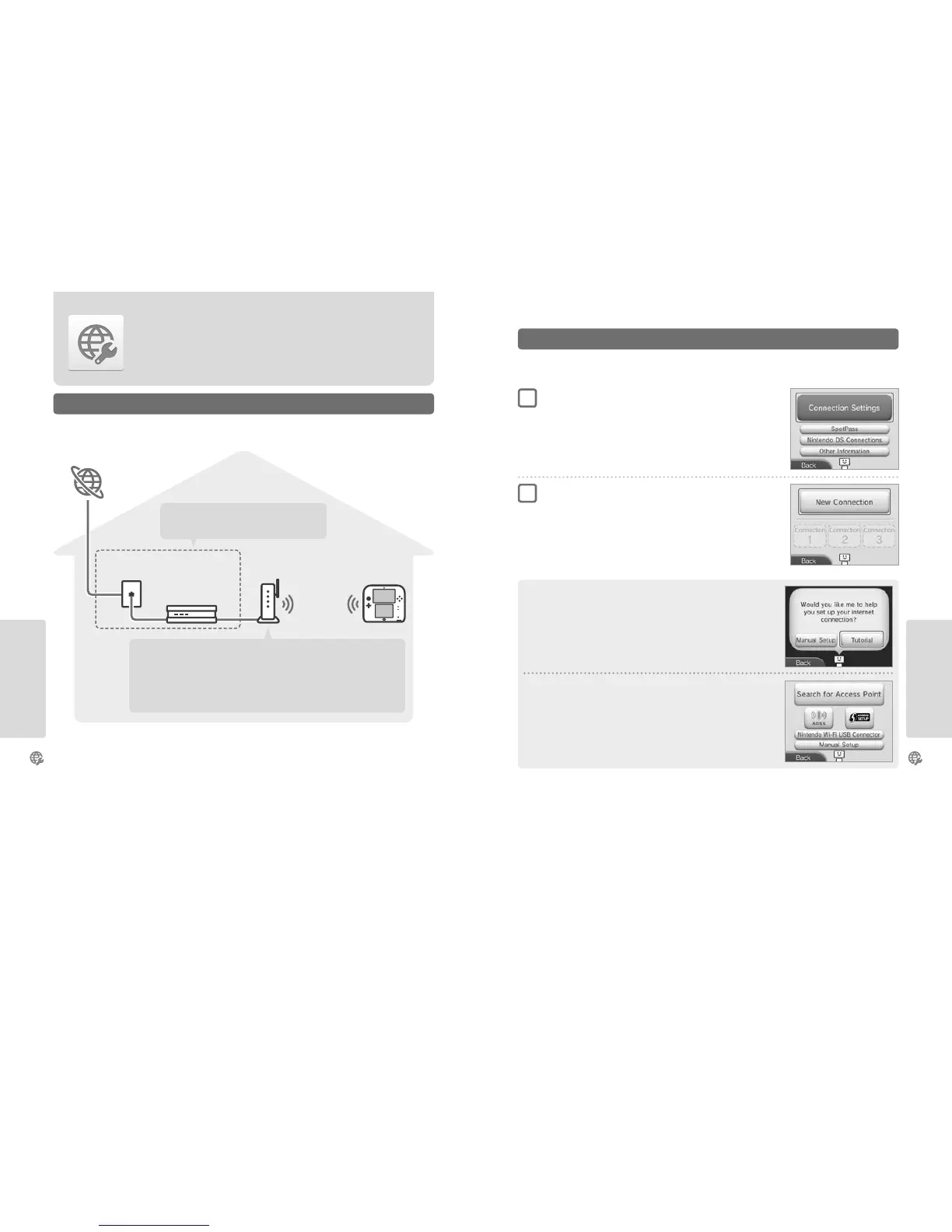
Connect your Nintendo 2DS system to the internet to open up even more options.
A wireless connection is required to connect your Nintendo 2DS system to the internet. A computer is needed to congure the settings on your
wireless access point (router).
Broadband
internet connection
Internet
Modem
and / or router
Wireless
communication
Broadband internet connection
(ADSL, cable or bre optic)
Required Items for Internet Connection
Wireless access points
Note:
•
It is easiest to connect to wireless access points which support AOSS™ or Wi-Fi Protected Setup™.
•
Use an access point which supports the 802.11b and / or 802.11g standards. Access points which
only support 802.11a are incompatible.
Once you have everything you need to connect to the internet, you can start conguring the settings on your Nintendo 2DS system.
Note: In order to connect to the internet when using a Nintendo DS Game Card, you must congure Nintendo DS Connections.
Find your Ideal Settings with the Tutorial
Touch TUTORIAL to receive help with the connection setup process. Follow the instructions
on-screen and select options to congure the right settings for your connection.
•
For AOSS guidance, see page 58.
•
For Wi-Fi Protected Setup guidance, see page 59.
•
For guidance on searching for and conguring access points, see page 60.
Setting Up a Connection without the Tutorial
If you would rather set up your connection without assistance, touch MANUAL SETUP instead,
then select from the options displayed to congure your connection.
•
For AOSS guidance, see page 58.
•
For Wi-Fi Protected Setup guidance, see page 59.
•
For guidance on searching for and conguring access points, see page 60.
Touch CONNECTION SETTINGS
Touch NEW CONNECTION
Connecting to the Internet
1
2



 To Next Page