Using Software
Using Software
46 47
Friend List
Friend List
Select your friend card from the friend list to edit your details, or view friend cards belonging to other people. Your friend card is indicated by .
Editing your friend card
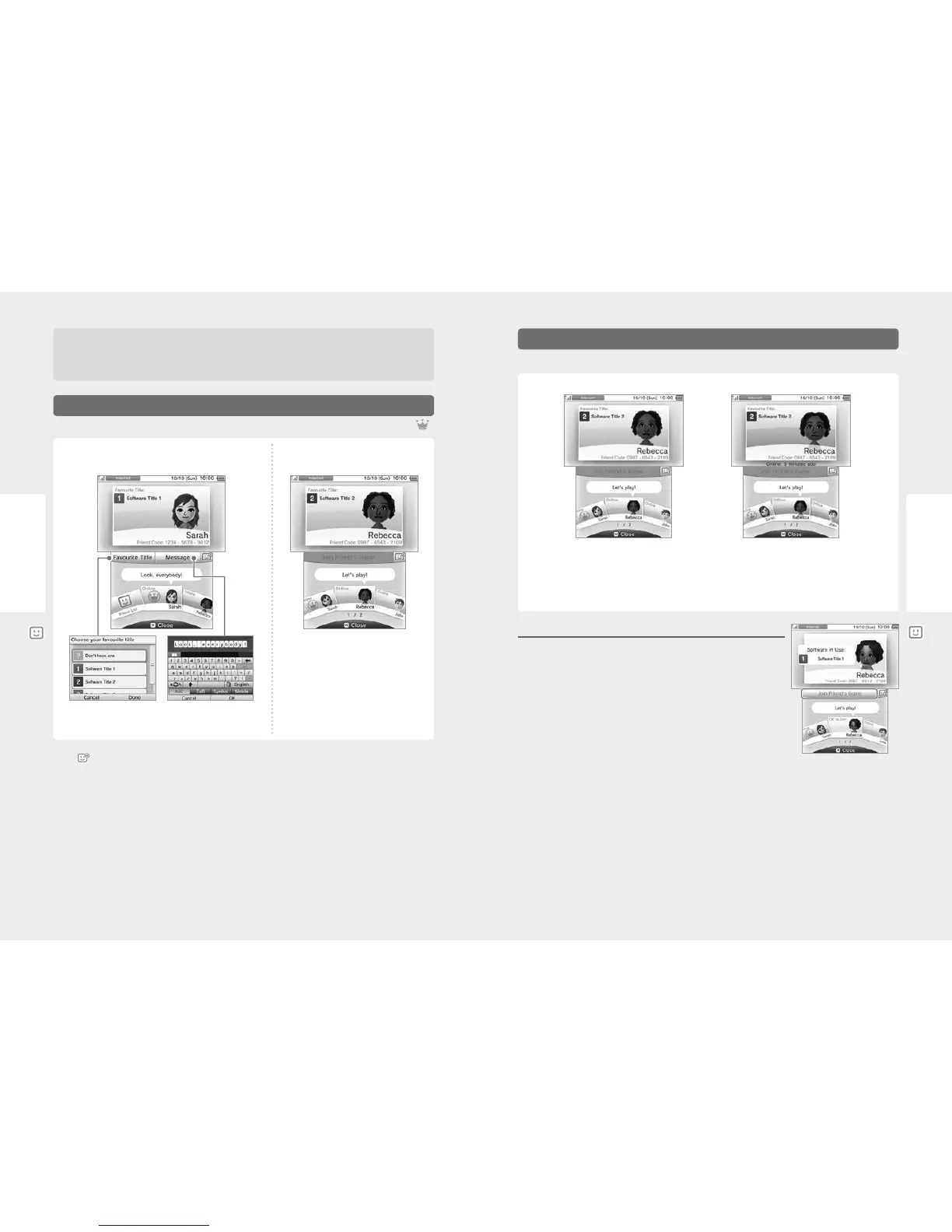
Select your friend card to edit your message and favourite title.
Choose your favourite title (from
software titles you’ve played).
Enter a status message of up to
16 characters. This will be visible
to your friends.
The friend’s favourite title or title he /
she is currently playing will be displayed
on the upper screen.
Viewing friend cards
Select the friend card you’d like to view.
Note:
•
Touch in the lower screen to register a new friend.
•
Please refrain from including personal information or language that other people may nd oensive in your status messages. Certain words are
prohibited by the system and cannot be entered.
•
If you receive a Mii whose name is shown as “Mii”, this means that the creator is probably a blocked user. For more information, please refer to the
Mii Maker electronic manual.
Editing Your Friend Card / Viewing Friend Cards
Do not share your friend code with people you do not know
The friend list is a system intended for use by you and people you know. Posting your friend code on online forums or sharing it with people
you do not know can result in you receiving unwanted data or status messages containing language that you may nd oensive. Do not
share your friend code with people you do not know.
Online Oine
When a friend goes online, the information shown on his / her friend card changes and you can see the title he / she is currently playing, if any.
Note:
•
To see a friend’s online status, that friend must have selected YES when asked if they want to show friends their online status. This can be changed
at any time in the friend list settings.
•
To participate in the game your friend is playing, you must have the same Game Card inserted in your system, or have the same software saved on
your system.
•
If you are currently using a software title which cannot connect to the internet, you will not be able to go online.
Joining a Friend’s Game
If you can join in a game that one of your friends is playing, the information shown on his / her friend
card will change. Touch JOIN FRIEND’S GAME to join the game.
Note: You can only join if you have a compatible software title. For more information, refer to the software
instruction manual.
Communicating with Friends



 To Next Page