Adjusting System Settings
Adjusting System Settings
66 67
Other Settings
Other Settings
System Transfer
You can transfer data:
•
from a Nintendo DSi or Nintendo DSi XL system to a Nintendo 2DS system
•
between Nintendo 3DS, Nintendo 3DS XL and Nintendo 2DS systems
•
from a Nintendo 2DS system to a New Nintendo 3DS or New Nintendo 3DS XL system
Online Step-by-step System Transfer Guide
There is a convenient online step-by-step transfer guide that you can follow while performing a system transfer at
systemtransfer.nintendo.co.uk
•
You will need to be connected to the internet to transfer data. The systems will also connect to each other via Local Play. It is recommended
that both systems be placed close together in an area with stable internet access (page 56).
•
To prevent the systems from running out of power during the transfer, ensure that the battery on each system is well charged, or plug in the
AC adapter before starting the transfer. If the battery charge is too low, you will not be able to transfer data.
Note: You cannot enable Sleep Mode while the transfer is taking place.
Download the Transfer Tool
In order to transfer data from a previous system (Nintendo DSi or Nintendo DSi XL) to your
Nintendo 2DS system, you rst need to download the free Nintendo 3DS System Transfer tool
from the Nintendo DSi Shop on the previous system.
•
For more information on the Nintendo DSi Shop, please refer to your Nintendo DSi or Nintendo DSi XL
Operations Manual.
Transferring from Nintendo DSi / Nintendo DSi XL
Transfer Nintendo DSiWare and photos/recordings from a Nintendo DSi/Nintendo DSi XL system to a Nintendo 2DS system.
Note: You cannot transfer from a Nintendo 2DS system to a Nintendo DSi or Nintendo DSi XL system. Also, be aware that once a transfer
has been performed, it cannot be undone.
Transferable Data
Nintendo Wi-Fi Connection
Conguration
Transfers Internet Settings (Nintendo DS Connections) and
Nintendo Wi-Fi Connection ID.
Photos & Recordings
Transfers photos and recordings from the Nintendo DSi Camera and
Nintendo DSi Sound software pre-installed on the Nintendo DSi or
Nintendo DSi XL system.
Nintendo DSiWare Transfers Nintendo DSiWare.
Transfer
Source system
(Nintendo DSi or Nintendo DSi XL)
Target system
(Nintendo 2DS)
•
The Nintendo Wi-Fi Connection Conguration on the Nintendo 2DS system that you want to transfer the data onto will be overwritten.
•
Your Nintendo Wi-Fi Connection ID will be deleted from the source system during transfer. For more information about your
Nintendo Wi-Fi Connection ID, please refer to your Nintendo DSi or Nintendo DSi XL Operations Manual.
•
Settings for Advanced Setup (connections 4 – 6) will not be transferred.
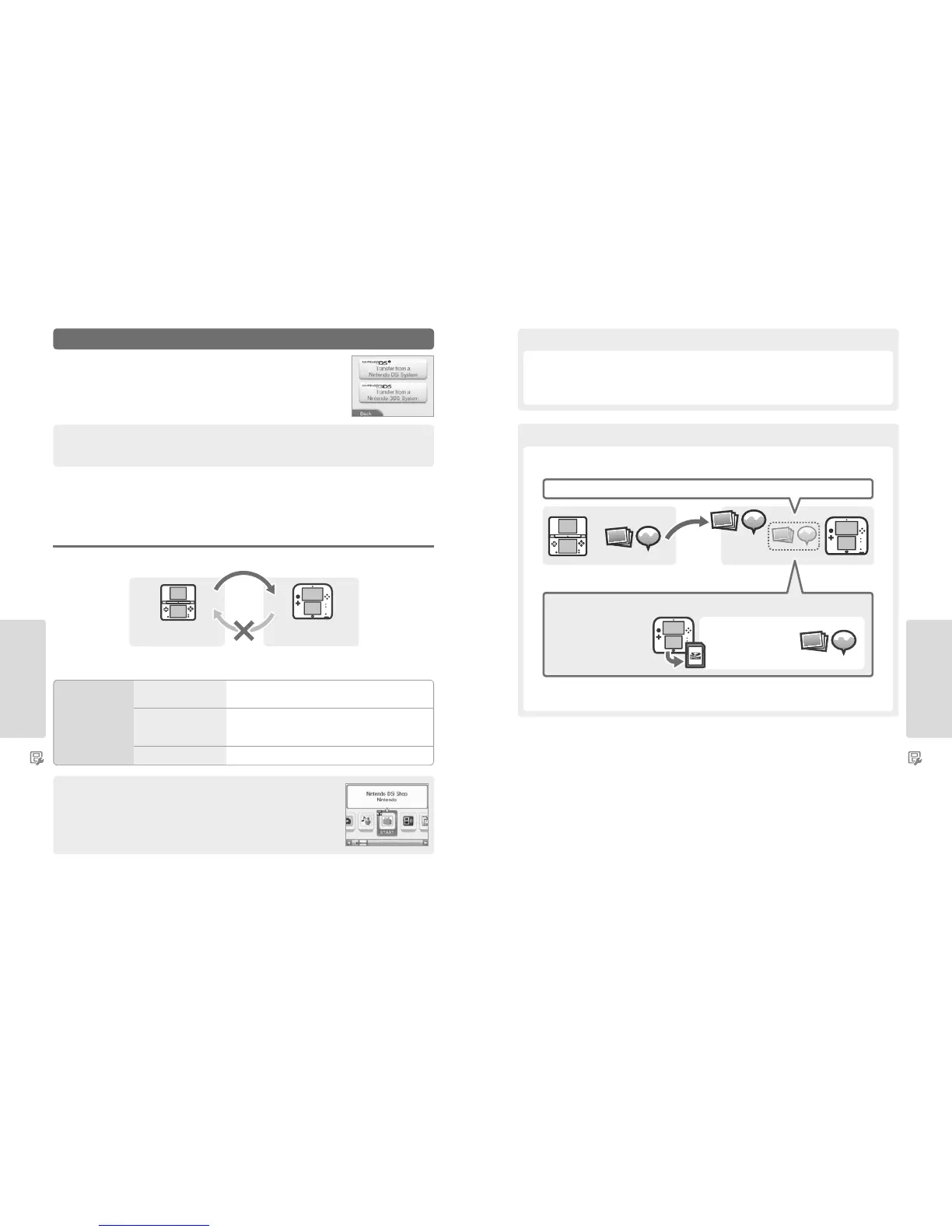
All the photos and recordings saved to the system memory of the Nintendo 2DS system will be deleted. If you do not want
any of the photos and recordings on your Nintendo 2DS to be deleted, copy them onto an SD card before carrying out the transfer.
Note: If you want to transfer photos which you have saved to an SD card being used with the source system, you will rst need to copy them
to the system memory of the source system.
Precautions for Transferring Nintendo Wi-Fi Connection Conguration
Precautions for Transferring Photos & Recordings
Source system
(Nintendo DSi or Nintendo DSi XL)
Target system
(Nintendo 2DS)
Existing photos and recordings deleted from system memory of target system
Photos and recordings on the
SD card will not be deleted
during transfer.
If There Are Photos & Recordings in the System Memory of the Nintendo 2DS System
Copy any photos and recordings from
the system memory to an SD card
before performing the transfer.
Photo & Recording Data



 To Next Page