6 7
Image
content
Notications
System
updates
SpotPass™ StreetPass™
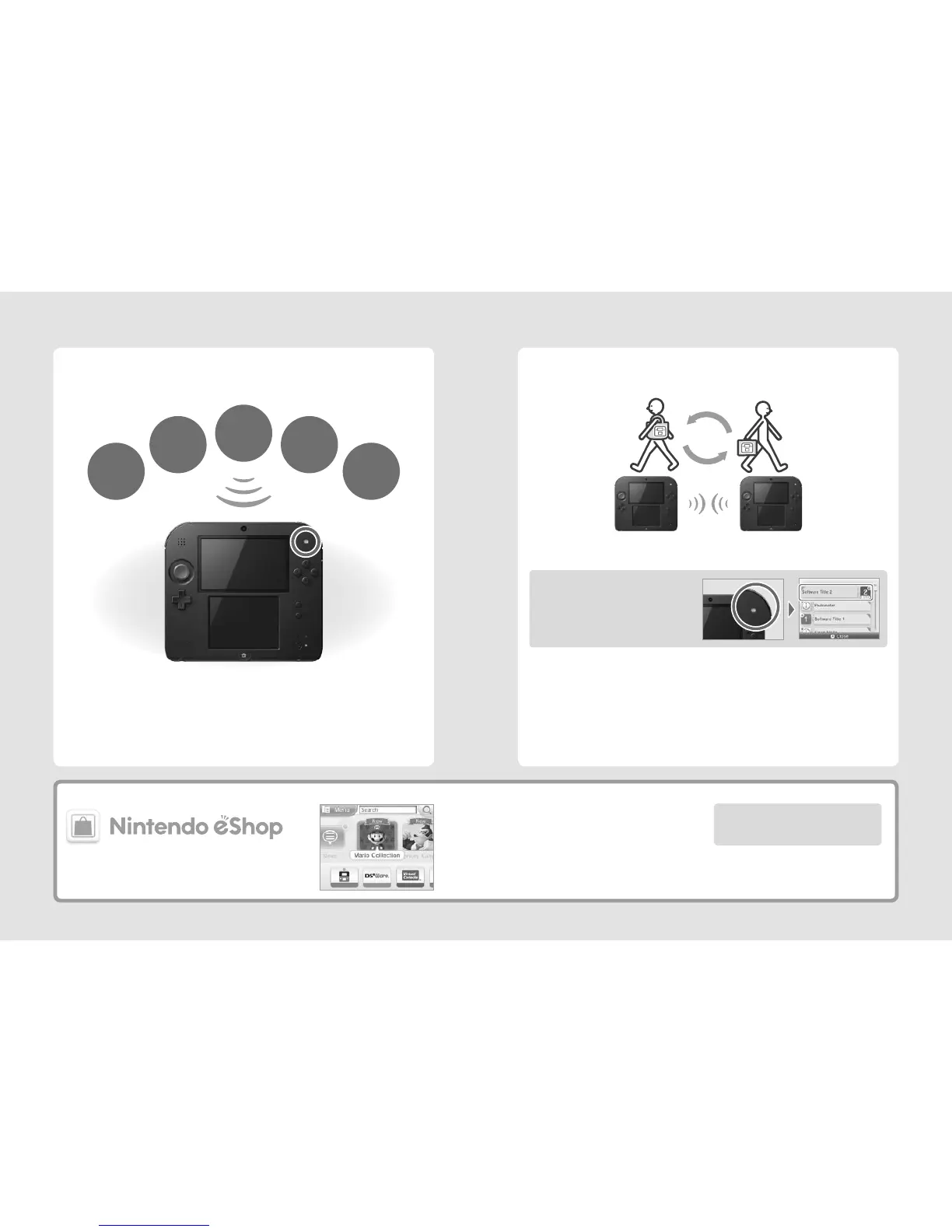
Your Nintendo 2DS system automatically searches for and exchanges data with other Nintendo 3DS /
Nintendo 3DS XL / Nintendo 2DS systems when you carry it around, such as when you’re out walking or when
you travel by train.
Data will automatically be exchanged if you walk past someone who has the same software title registered
with StreetPass while the system is in Sleep Mode, as well as at other times.
Your StreetPass settings are saved on the Nintendo 2DS.
Note:
•
A maximum of 12 software titles can use StreetPass at any one time.
•
Contact Mode settings for Nintendo DS™ / Nintendo DSi software titles are not saved and must be congured while playing compatible titles.
Furthermore, it is not possible to exchange StreetPass data for Nintendo 3DS software titles while Nintendo DS / Nintendo DSi software titles
are in use.
•
Data cannot be transmitted if the power or wireless functions are o (page 20).
•
StreetPass functionality may not be available if an active software title is using certain features or functionality. StreetPass functionality is not
available during local wireless communication (page 31) or when connected to the internet.
Successful StreetPass exchange
Flashes blue when
receiving notications
Other
information
Free software
You must congure Internet Settings to be able to connect to wireless access points (page 56).
Note:
•
SpotPass functionality may not be available if an active software title is using certain features or functionality. SpotPass functionality
is not available during local wireless communication (page 31) or while playing Nintendo DS / Nintendo DSi software.
•
Depending on the type of data received, the notication LED may not light up.
•
A Nintendo Network ID is required to download free software (page 54).
Your Nintendo 2DS system will automatically search for wireless access points and connect to the internet
and exchange data at various times, including while in Sleep Mode (page 24).
Note: Data received via SpotPass is saved to the SD card.
Flashes green when data is being transferred and
a notication is added to your Notications list
(page 49).
Connect to the internet and access Nintendo eShop to view the latest information and videos
about dierent kinds of software, and purchase downloadable software.
What you can buy
Find the latest software!
•
Downloadable software
You can buy new software exclusive to Nintendo eShop,
or download versions of card-based software.
•
Virtual Console
You can buy the games you loved on platforms like Game Boy™
and Game Boy™ Color.
•
Nintendo DSiWare
You can buy software originally released on Nintendo DSi,
known as Nintendo DSiWare™.
By linking a Nintendo Network ID to your system, you can
share your Nintendo eShop funds and account activity
with your Wii U™ console (page 55).



 To Next Page