
 Need help?
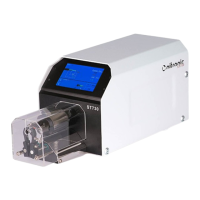
Do you have a question about the Nitronic ST730T and is the answer not in the manual?
Instructions for safely removing the ST730T machine from its packaging.
Explains the functions and layout of the ST730T's touchscreen interface.
Describes various advanced features and operational modes of the ST730T.
Guidance on configuring fundamental operational parameters of the machine.
Information on how to connect the ST730T to power and other devices.
Procedure for configuring the machine's input voltage for different power sources.
Instructions on how to safely replace the machine's fuses.
Steps to verify the machine's operational status and performance.
How to set up and manage stripping programs on the ST730T.
Guide to creating stripping sequences using the graphical interface.
Function to control blade opening before wire pull-off.
Auxiliary function to protect exposed conductors or shielding.
Adjusting parameters for cable processing efficiency.
Feature to enable head rotation during wire pull-off.
Explanation of the integrated piece counter for tracking processed cables.
How to secure programmed parameters with a code.
Combining several programs into a single sequence for complex tasks.
Procedure to reorder processing steps within a program.
Method to duplicate stored programs for efficiency.
Function to copy individual processing steps between programs.
How to switch measurement units between millimeters and inches.
Setting for processing small coaxial cables.
Configuration for special communication software.
Information on activating and using the RS232 interface.
Setting the rotational direction of the stripping head.
Procedure to calibrate the touchscreen for accurate input.
How to clear stored programs from the machine's memory.
Process for calibrating the stripping blades for optimal performance.
General advice and disclaimers regarding machine maintenance.
Step-by-step guide for changing the machine's stripping blades.
How to clean the area around the stripping mechanism.
Specific cleaning steps for critical components.
Procedure to clean the wire gripping surfaces.
A systematic guide to diagnosing and fixing common machine malfunctions.
Details of the standard components provided with the machine.
Catalog of available replacement parts.
List of components subject to wear and tear.
Available optional accessories or features for the machine.
 General
| Brand | Nitronic |
|---|---|
| Model | ST730T |
| Category | Power Tool |
| Language | English |

 To Next Page