www.nitronic.ch - 37 -
Nitronic AG
Mattenstrasse 11
CH – 2555 Bruegg Tel. +41 32 373 7070
Switzerland Fax +41 32 373 70
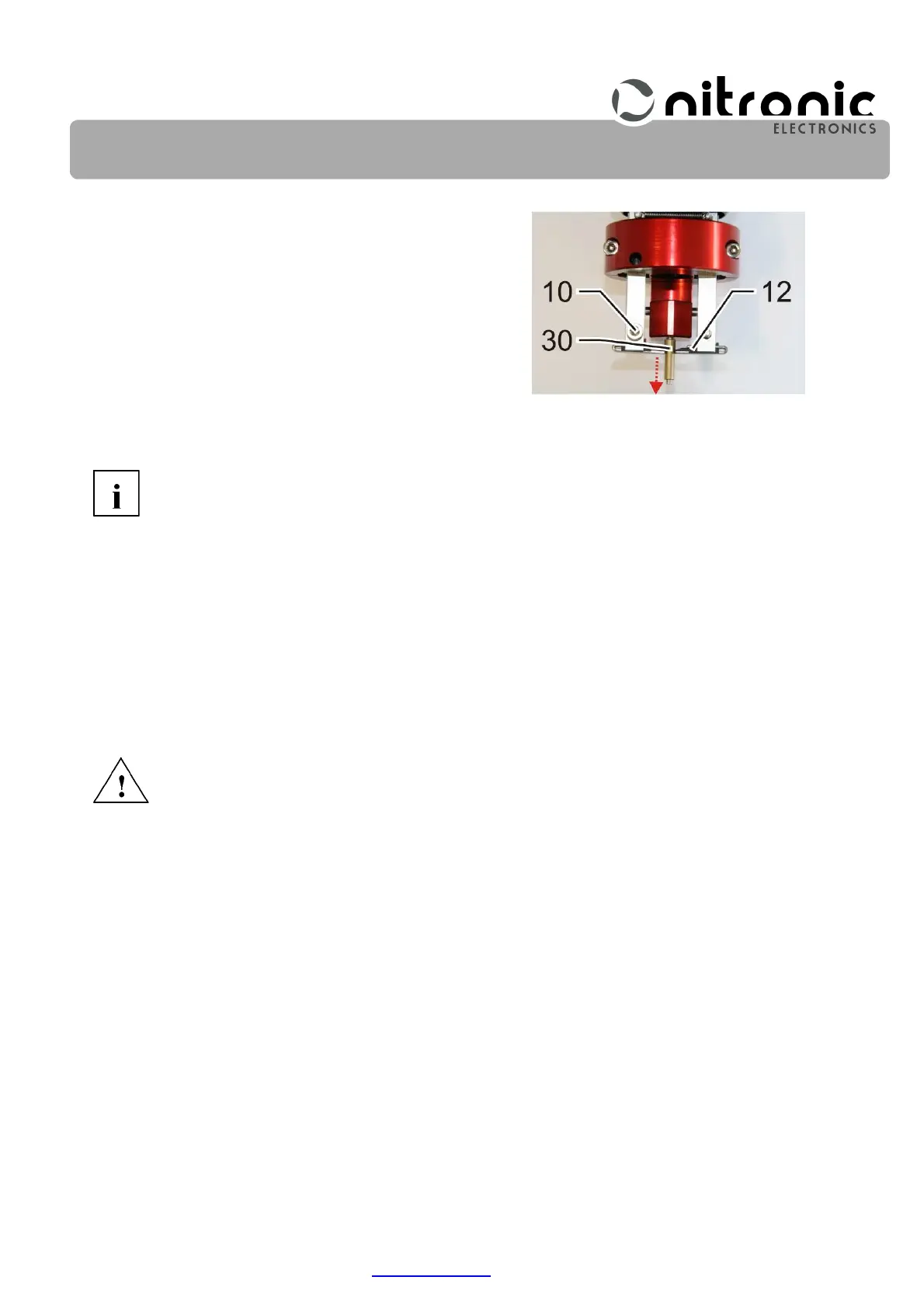
• Slide both stripping blades (12) carefully until they are
in contact with the larger diameter of the brass sleeve
(30) and carefully secure them with the set screws
(10) (Fig. 23).
• Lock wire catcher (B) by tightening nut (A) (Fig. 16).
Do not overtighten the set screws (10) (Fig. 23) as otherwise the dovetail guides
of the blade holders may get damaged.
Centering the grippers with the calibration kit
Only replaced or newly installed grippers need to be centered.
Turn OFF the machine and disconnect the mains cable.
• Remove safety cover (2) (Fig. 2, page 11).
• Remove the housing screws (31) and take off cover (17) (Fig. 2, page 11).
• Tilt the electronic part back.
• Hook off spring (18) and push trigger contact (9) back (Fig. 13, page 33).
• Push back protective sleeve (20) and remove screw (21) on protective ring (22) (Fig. 14).
• Pull protective ring (22) towards the front (Fig. 14).
• Move carriages (A) and (B) to the backmost position (Fig. 15).
• Carefully mount the calibration kit (25, as shown in Fig. 18, page 35) onto the stripping head.
Fig. 23. Centering the stripping
blades using the brass sleeve


 To Next Page