www.nitronic.ch - 30 -
Nitronic AG
Mattenstrasse 11
CH – 2555 Bruegg Tel. +41 32 373 7070
Switzerland Fax +41 32 373 70
Program Step
Selecting and Entering
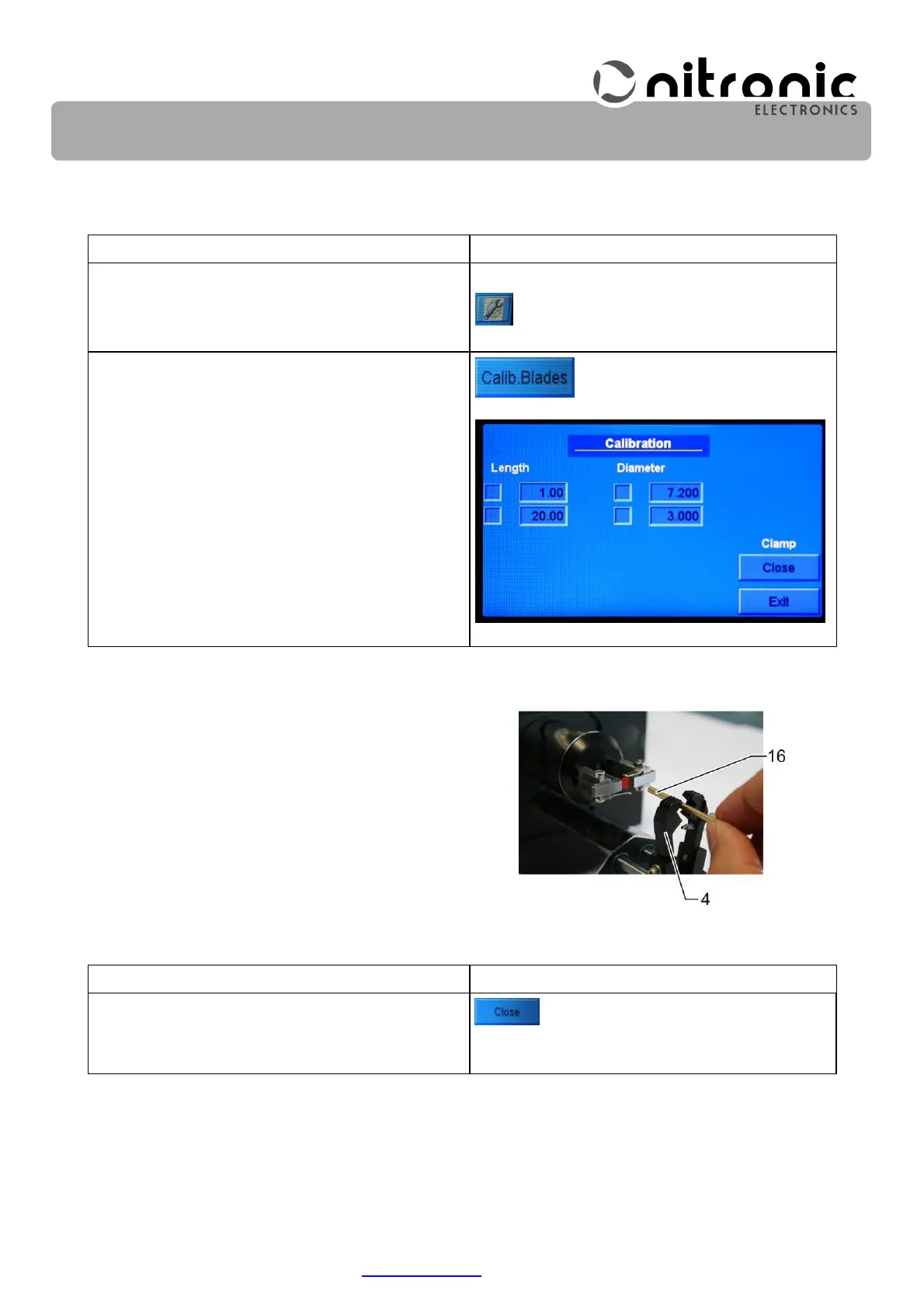
Select the basic settings of the machine.
Select the Calib.Baldes.
Select the lenght 1.0 and the diameter 7.20.
The displa shows.
• Insert the adjusting pin (16) from the front through
the jaws (4) (Fig. 11).
Program Step
Selecting and Entering
Select the Close.
The grippers will hold the adjusting pin tightly.
Fig. 11. Inserting the adjusting
pin


 To Next Page