www.nitronic.ch - 29 -
Nitronic AG
Mattenstrasse 11
CH – 2555 Bruegg Tel. +41 32 373 7070
Switzerland Fax +41 32 373 70
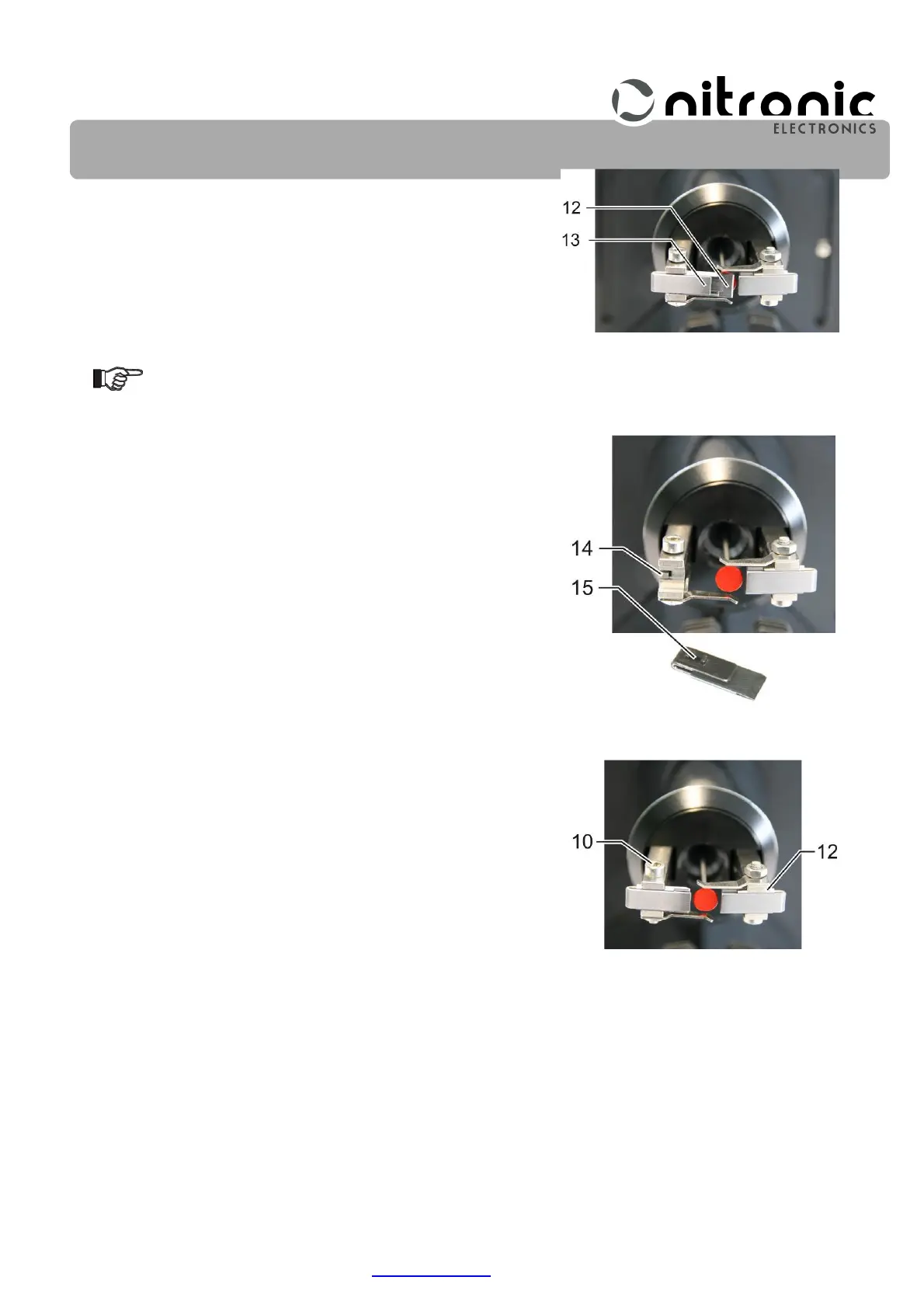
• Pull the stripping blades (12) out.
• Clean the centering chucks (13) (Fig. 9).
Do not mix up the centralizers (13)!
• Mount new stripping blades together with the centralizers.
Make sure the centralizers lever (14) fits into the recesses
(15) of the centralizers (Fig. 8).
• Slightly tighten the set screws (10). The stripping blades
(12) should still be slightly movable with minimal play
(Fig. 10).
• Push both stripping blades completely outwards of the cen-
ter (Fig. 10).
• Plug in the mains cable and turn on the machine.
The stripping blades are centered in the Test mode.
Fig. 8. Centering guide lever
Fig. 9. Remove stripping blades
Fig. 10. Push both stripping
blades


 To Next Page