www.nitronic.ch - 11 -
Nitronic AG
Mattenstrasse 11
CH – 2555 Bruegg Tel. +41 32 373 7070
Switzerland Fax +41 32 373 70
Set up
Check the set mains voltage on the unit and change if necessary following the
instructions on page 12.
• Place the ST730T onto a firm and level bench.
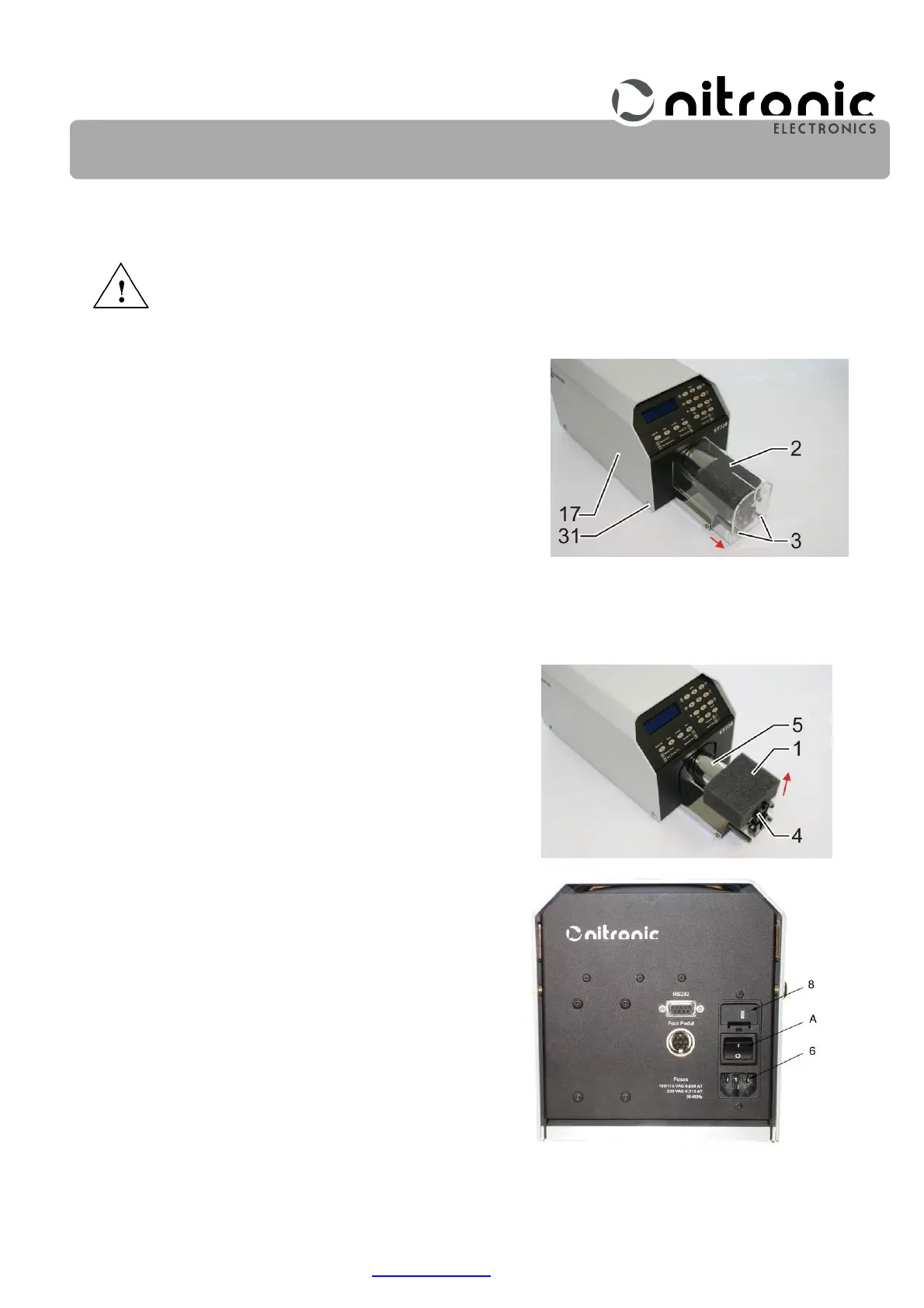
• Remove the safety cover (2) by removing screws (3)
(Fig. 2).
• Remove the foam (1) between the jaws (4) and the stripping head (5).
• Replace the safety cover (2) and fasten screws (3)
(Fig. 2).
• Place the ST730T on a bench so that its front edge is
flush with the edge of the bench. This way the stripping
debris can fall into a waste basket.
• Plug in the power cord.
• Turn on the ST730T with the main switch (A) (Fig.
4).
Fig. 2. Remove protective foam
Fig. 3. Remove safety cover / place
machine in position
Fig. 4. Toggle main switch (A) to I


 To Next Page