www.nitronic.ch - 24 -
Nitronic AG
Mattenstrasse 11
CH – 2555 Bruegg Tel. +41 32 373 7070
Switzerland Fax +41 32 373 70
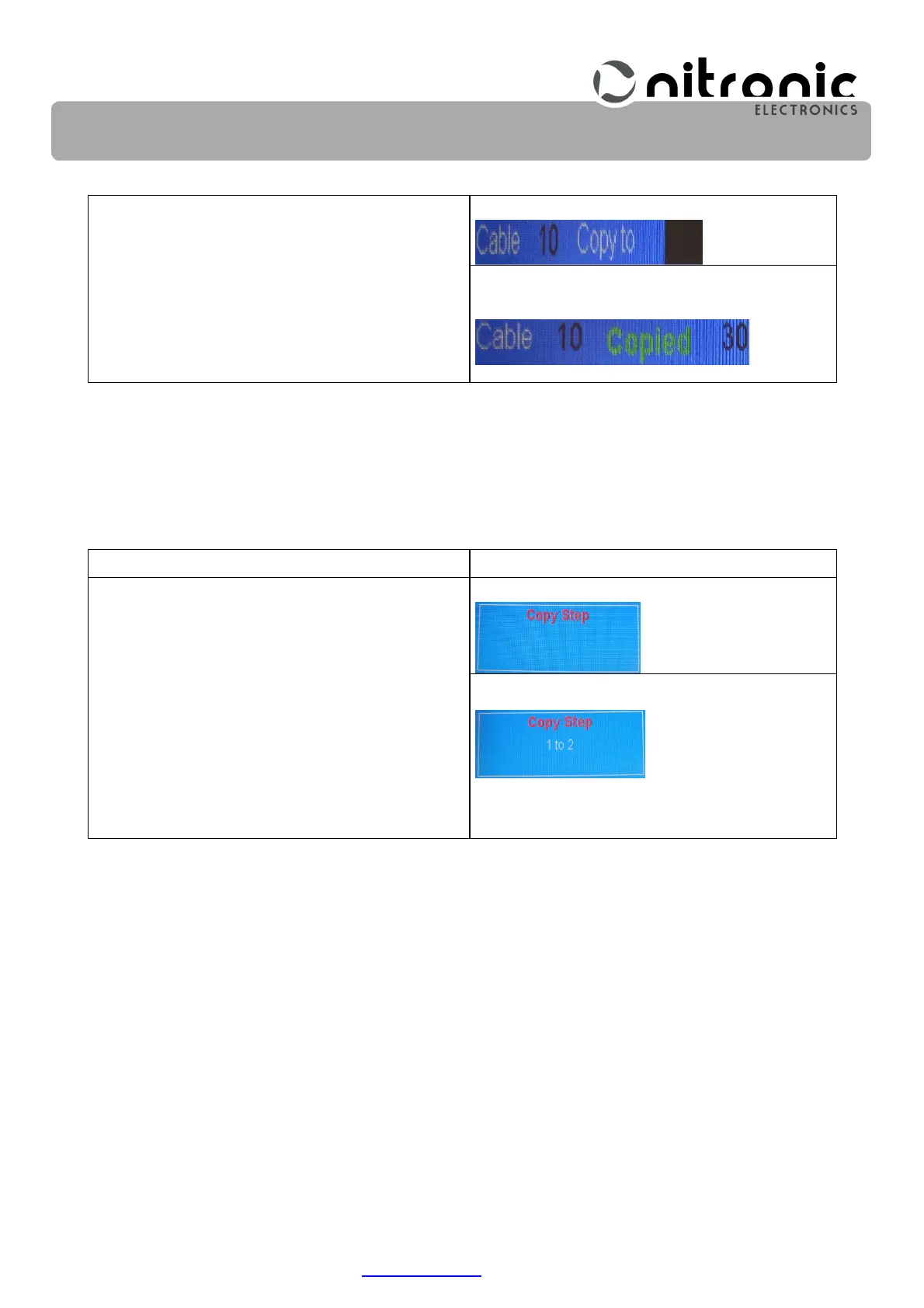
Select the Copy Cable.
The display shows.
Enter the cable number e.g. 30.
The display shows the confirmation that the
copy process has been successfully completed.
F – Copy Cable
30 - Enter
10. Copying of Steps (Copy Step)
If identical cables of different lengths have to be processed, the possibility of copying stored steps
exists. For example, the data of step 1 can be copied in the step 2. Already programmed values in
step 2 are automatically overwritten.
Program Step
Selecting and Entering
Select the Copy Step.
The display shows.
Enter the Step number e.g. 1. to 2
The display shows.
Then confirm with Enter.
F – Copy Step
1 – 2
Enter


 To Next Page