www.nitronic.ch - 12 -
Nitronic AG
Mattenstrasse 11
CH – 2555 Bruegg Tel. +41 32 373 7070
Switzerland Fax +41 32 373 70
Setting the Mains Voltage
Turn OFF the ST730T with the main switch (A) and disconnect the power cord.
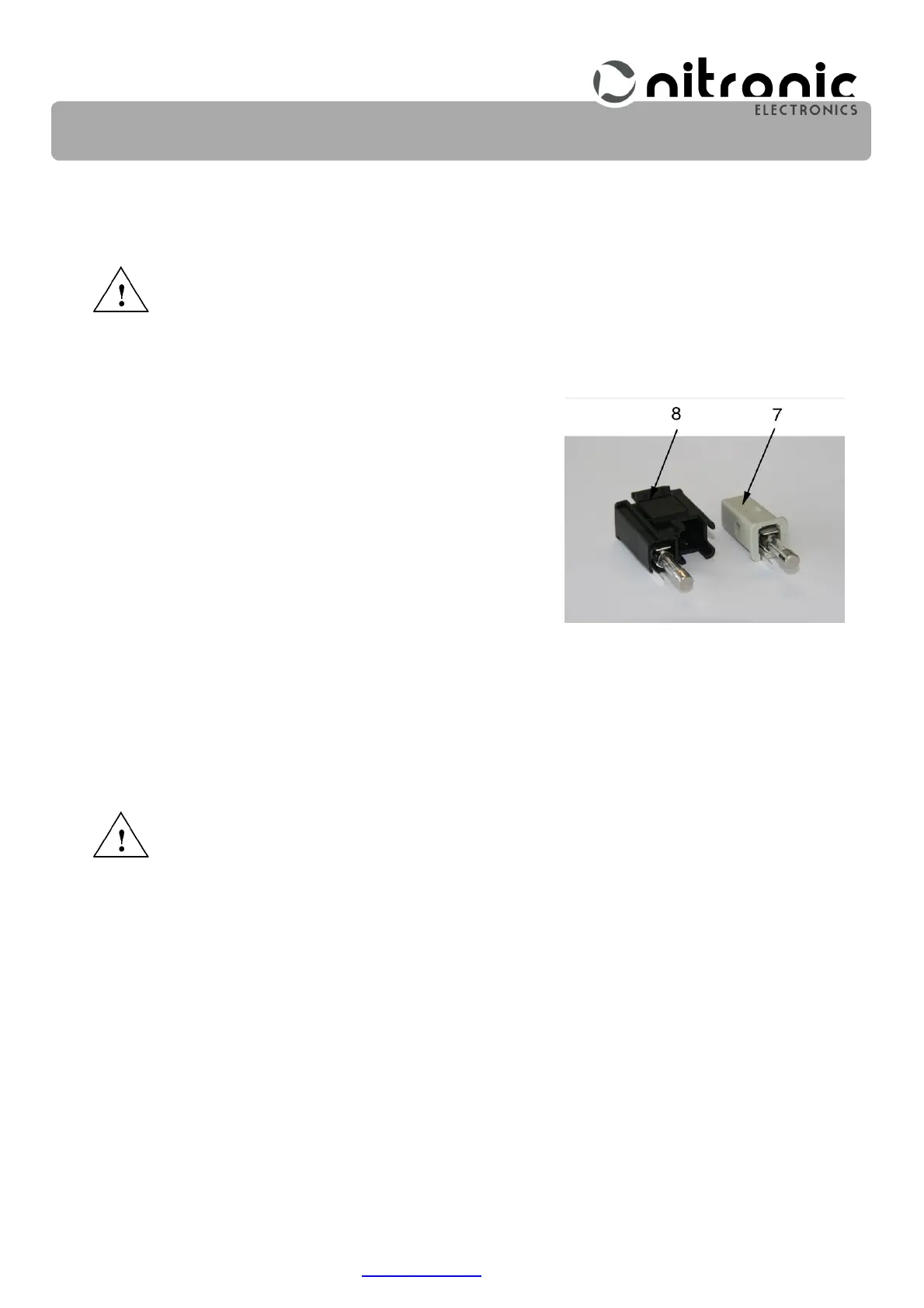
• Use a screwdriver to pull out the fuse holder (8).
• Remove the voltage selector (7) and place it in the de-
sired position of the fuse holder (8).
The selected voltage can now be seen in the small win-
dow of the fuse holder (8).
• Note the selected voltage on the nameplate.
• Exchange the fuses according to the selected voltage.
• Insert the fuse holder (8) in the ST730T.
• Connect the power cord.
Exchanging the Mains Fuses
Turn OFF the ST730T with the main switch (A) and disconnect the power cord.
• Use a screwdriver to pull out the fuse holder (8).
• Exchange both fuses for the once listed below.
100 VAC - 115 VAC = 2 x 0.630 A/T
230 VAC = 2 x 0.315 A/T
• Insert the fuse holder (8) again.
• Connect the power cord.
Fig. 5. Fuse holder


 To Next Page