UDO LP400 User Guide
_____________________________________________________________________________________________________
LP400 User Guide (11/07)
29
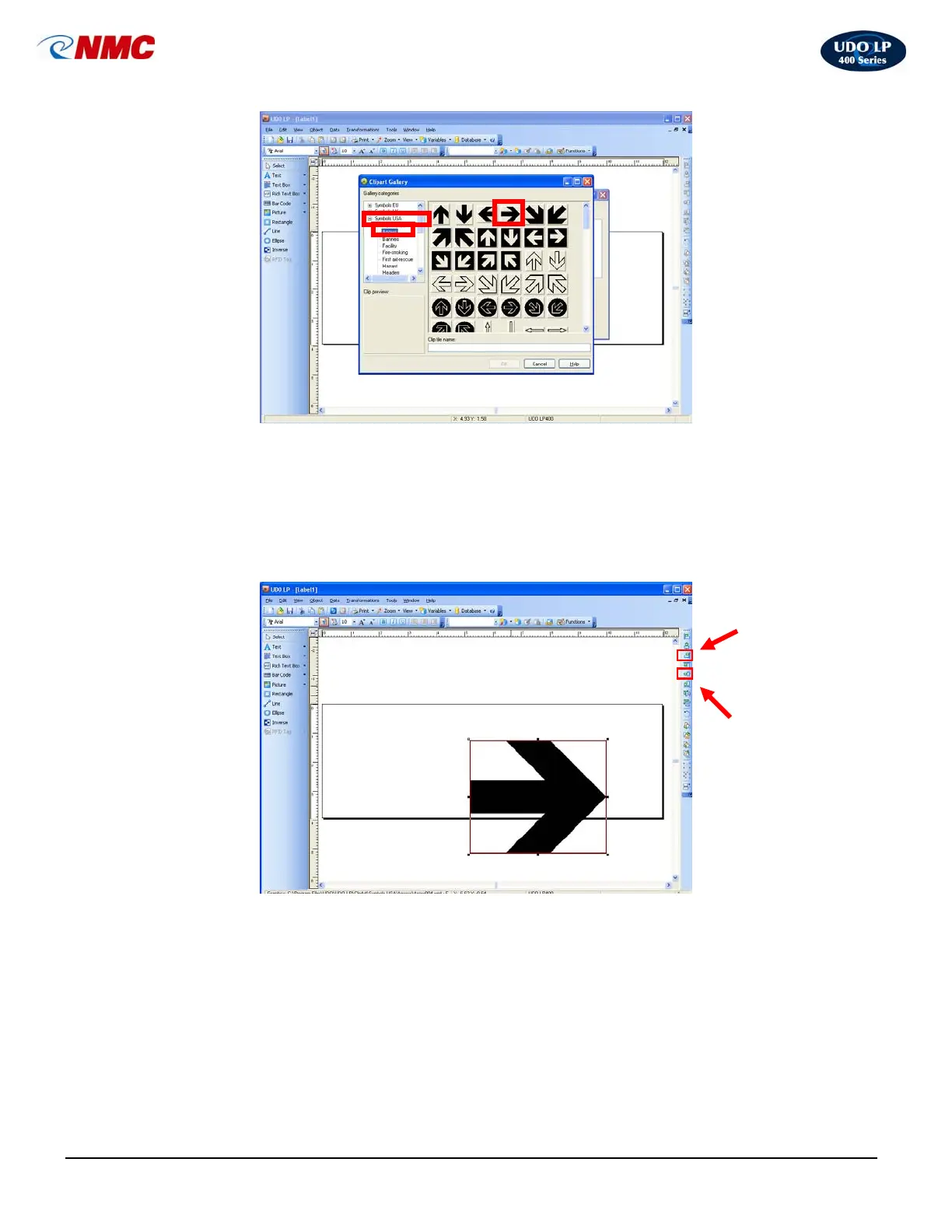
5. The label should now appear as in Figure 3. Hold down the ‘Ctrl’ button and
Click on the ‘right alignment’ tool from the Design/Alignment Toolbar. Hold
down the ‘Ctrl’ button and Click on the ‘Vertical Center Alignment’ tool
from the Design/Alignment Toolbar. (Note: If any portion of the image is
outside of the label area the box outline will turn red. Anything outside of the
label area will not appear on the label.)
After aligning the image on the label it should appear as in Fig. 4.
Fig. 2
Fig. 3
Right
Alignment
Icon
Vertical
Center
Alignment
Icon



 To Next Page